



After changing the engine oil, you need to reset the Engine Oil Life data in the vehicle’s computer; otherwise, the system will not be able to accurately indicate the next maintenance time. Some vehicle brands allow you to reset the engine oil life via the built-in touchscreen, while the X431 diagnostic tool supports almost all vehicles on the market.
This article will introduce how to reset the engine oil life of a 2019 GM Suburban engine using the LAUNCH X431 PRO3 V+ ELITE.
Tools supporting this function:
X431 full range of diagnostic tools (including X431 PRO series, PRO3 series, PAD series, CRP919 series).
Tool used:
Test vehicle model:
2019 GM Suburban
Operating procedures:
1) Connect the SmartLink of the X431 PRO3 V+ ELITE to the vehicle’s OBD port. In the X431 APP, choose [Local Diagnose] -> [GM]. GM software version V49.95 or higher is recommended.

2) Choose [Automatically Search], confirm the vehicle information, and then click [Yes].

3) Click [ECM] to access the system. Engine Control Module detected, click [ENTER].

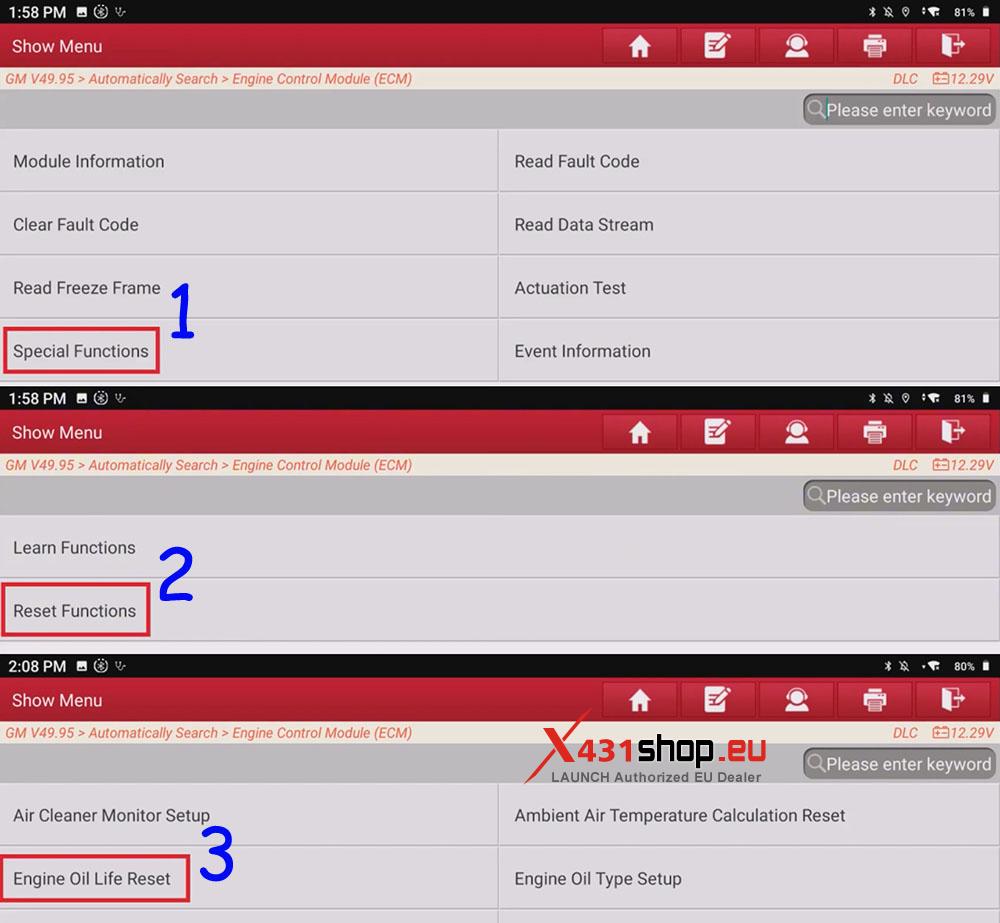
4) Choose [Special Functions] -> [Reset Functions] -> [Engine Oil Life Reset].
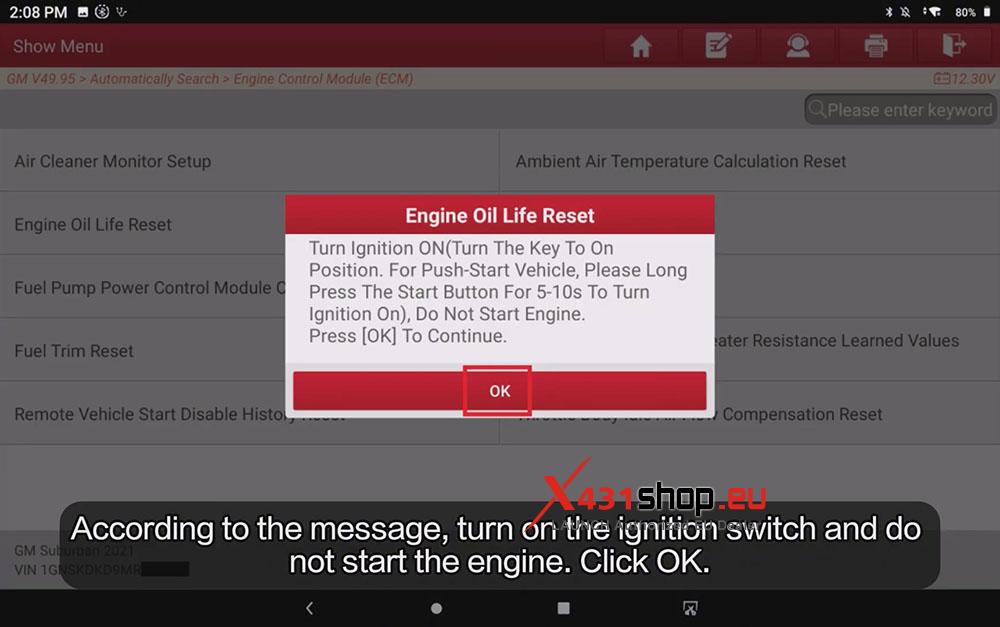
5) Follow the instructions: Turn Ignition ON, Do Not Start Engine (Turn The Key To On Position.For Push-Start Vehicle, Please Long Press The Start Button For 5-10s To Turn Ignition On).
Press [OK] To Continue.
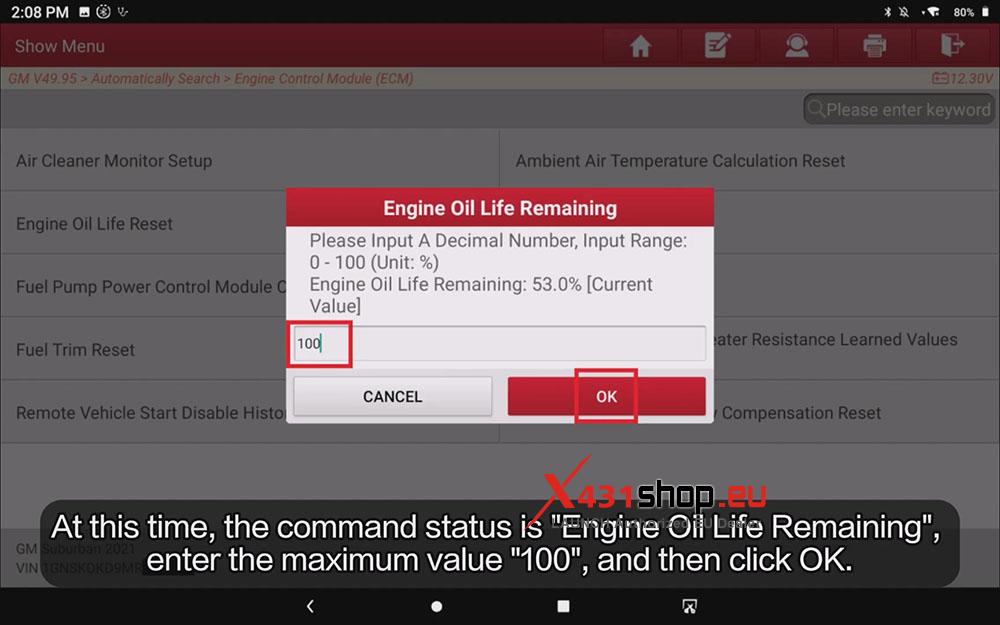
6) We can see the Engine Oil Life Remaining: 53.0% [Current Value].
At this time, the command status is “Engine Oil Life Remaining”, enter the maximum value “100”, and then click OK.
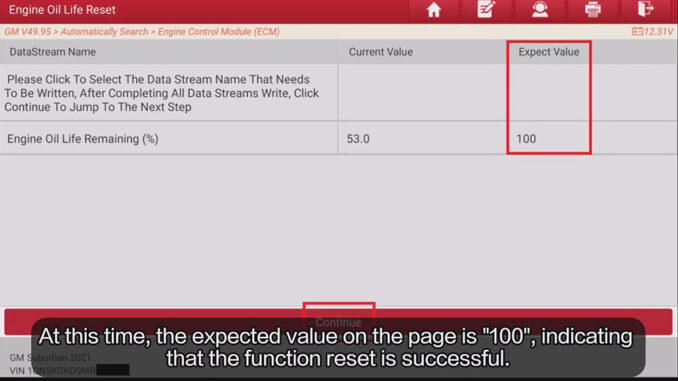
7) On the data stream page, we can see that the expected value on the page is “100”. Click [Continue].

The device will display: “Procedure Complete”. Engine Oil Life reset is complete.