


This article explains how to use the LAUNCH X431 PRO3 HD tool (PRO3 V+ HD / PRO3S+ HD) to perform the VIN programming function on a 2015 Isuzu Qingling 600P truck. This function achieves a result similar to “VIN writing” for passenger vehicles.
X431 tools supporting this function:
Any X431 PRO series, X431 PRO3 series, X431 PRO5, and X431 PAD series with truck diagnostic capabilities supports this function.
Operational Procedure:
1) Connect the SmartLink HD to the vehicle’s OBD port, then select [Diagnose] -> [Isuzu] on the X431 PRO3 HD. It is recommended to use Isuzu diagnostic software version V17.10 or higher.
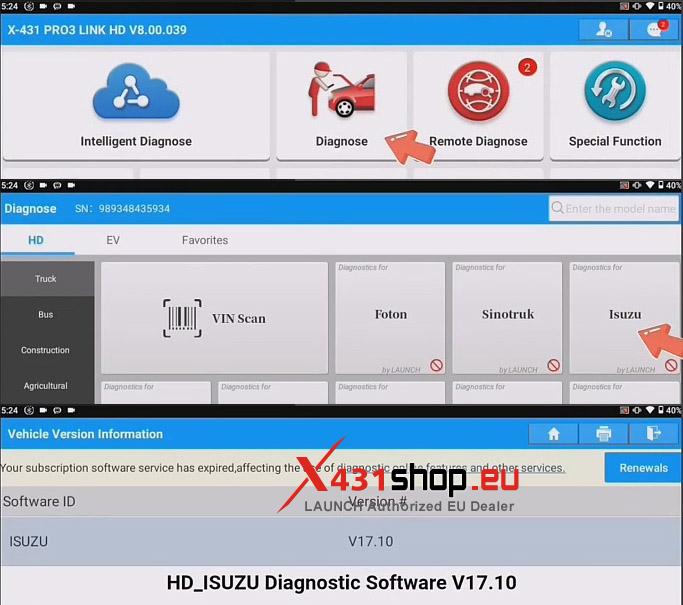
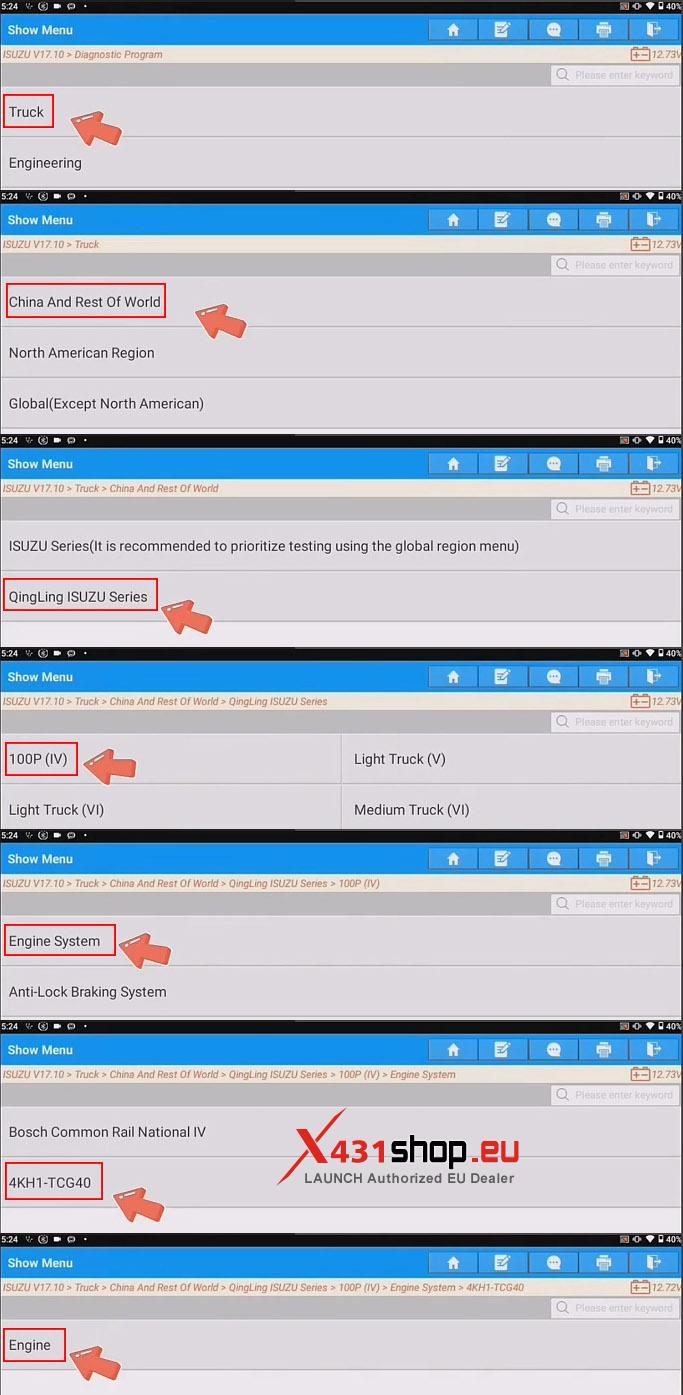
2) Manually select the vehicle model; in this example, we will navigate through the function menu in this order: [Truck] -> [China And Rest Of World] -> [QingLing ISUZU Series] -> [100P (IV)] -> [Engine System] -> [4KH1-TCG40] -> [Engine].
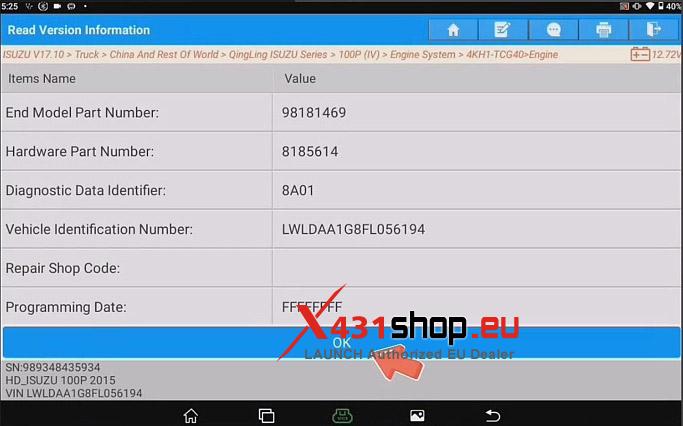
3) Confirm vehicle information and click [OK].
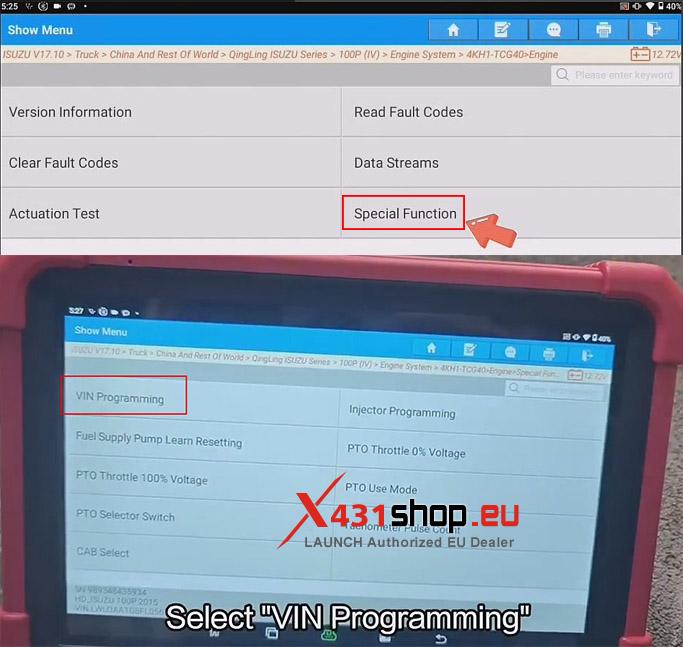
4) Select [Special Function] -> [VIN Programming].
Note:
- The Engine Must Not Be Running When Reprogramming.
- When Writing The Data, Please Click Above The Edit Box Of The Corresponding Item.
- After The Data Being Successfully Written, Press ‘NEXT’ To Complete The Programming.
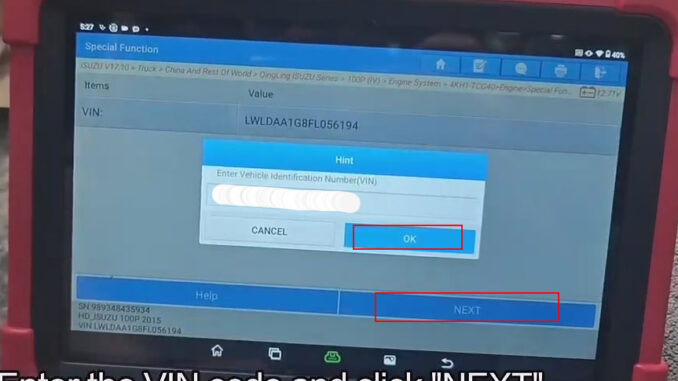
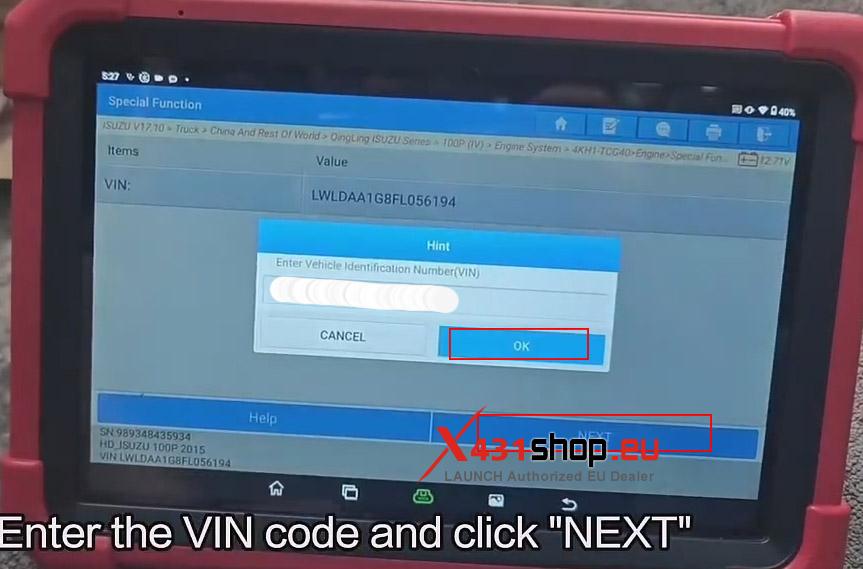
5) Enter the VIN code and click [NEXT].
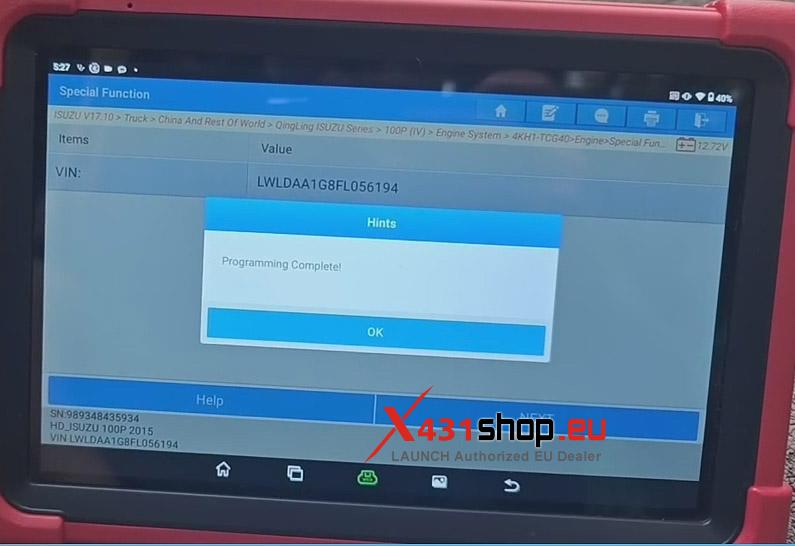
6) Wait for the program to execute successfully.