
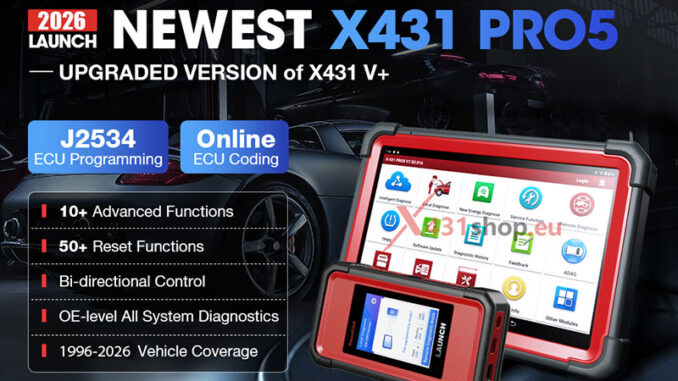
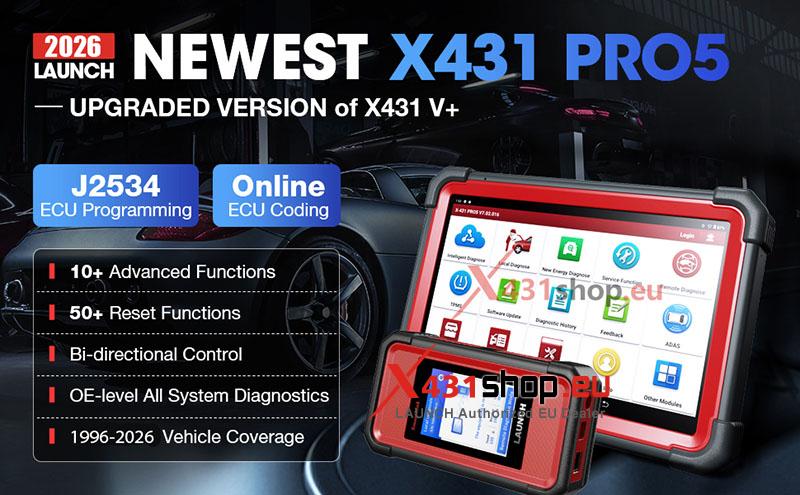
The LAUNCH X431 PRO5 is one of the most popular professional diagnostic scanners for workshops and advanced technicians. It supports vehicle diagnostics, ECU coding, immobilizer functions, online programming, EV diagnostics, and optional expansion modules.
This FAQ guide answers the most common questions about X431 PRO5 functions, compatibility, subscriptions, Mercedes-Benz coding, VAG operations, EV truck support, and hardware troubleshooting.
Does LAUNCH X431 PRO5 Require Extra Subscription for Key Programming?
Many users ask whether Volkswagen and Mercedes-Benz key programming requires an additional subscription when using PRO5 together with X-PROG 3.
The answer is no.
When using the Launch X-PROG 3 together with the PRO5, the standard diagnostic software already supports these immobilizer and key programming operations. No extra IMMO software subscription is required for supported VW and Mercedes-Benz models.
This makes the PRO5 a cost-effective option for locksmiths and diagnostic professionals handling daily key programming work.
X431 PRO5 Hardware Extensions & Module Compatibility
Does X431 PRO5 Support O2-2 Scopebox?
Yes. The newer generation PRO5 fully supports the Launch X-431 O2-2 Scopebox oscilloscope add-on.
The Scopebox helps technicians analyze:
- Sensor signals
- CAN communication
- Ignition waveforms
- Injector patterns
- Electrical faults
This expansion significantly improves advanced diagnostic capability.
Is X431 PRO5 Compatible with EV Kits?
Yes. The PRO5 supports Launch X-431 EV Kit accessories for diagnosing electric and hybrid vehicles.
The EV Kit expands support for:
- Tesla
- BYD
- Hyundai EV
- Kia EV
- Volkswagen ID series
- Other new energy vehicles
It is especially useful for high-voltage battery diagnostics and EV communication protocols.
Vehicle Brand Software Availability on X431 PRO5
Is Dongfeng or Voyah Software Available?
Yes. Dongfeng passenger vehicle software, including Voyah support, can be purchased through the Smartlink Mall.
The software price is typically around $80 USD depending on region and distributor pricing.
Does PRO5 Support Jetour and Southeast Motor?
These brands are not included in the default software package.
However, users can purchase dedicated software licenses separately through the mall system.
Can PRO5 Add LYNK & CO Software?
Yes. LYNK & CO software is available separately and can be added to the PRO5 platform through paid authorization.
ADAS, EV & Heavy-Duty Truck Support
Can Older X431 PRO5 Units Activate ADAS Functions?
Yes. Older PRO5 versions equipped with Smartbox online configuration still support ADAS activation functions.
This allows workshops to expand into:
- Camera calibration
- Radar calibration
- Lane assist systems
- Adaptive cruise control diagnostics
Does PRO5 Support DAF or Volvo Electric Trucks?
No.
Even when combined with the EV license, PRO5 currently does not support electric truck diagnostics for:
- DAF
- Volvo electric trucks
Does PRO5 Include Light Truck Software?
No. The standard passenger vehicle package does not include light-duty truck software.
Users who need truck diagnostics must purchase the HD software separately.
Can You Buy HD Truck Software Without the Adapter?
Yes. Users can purchase only the software license without buying the physical heavy-duty adapter immediately.
This offers more flexibility for workshops upgrading gradually.
Online Coding, J2534 Programming & VAG Functions
Does PRO5 Support Online Coding?
Yes.
The Launch Smartlink C allows online coding and programming through Launch servers.
This functionality mainly supports:
- Mercedes-Benz
- BMW
Online coding lets technicians perform configuration changes without directly using OEM factory software.
Does PRO5 Support VAG Guided Functions?
Yes, partially.
The PRO5 supports some VAG guided functions for:
- Volkswagen
- Audi
- Skoda
- Seat
However, it does not support full VAG online programming.
For advanced Volkswagen Group online programming, users need the Launch X-431 PAD VII instead.
Does PRO5 Support OEM J2534 Programming?
Yes.
The PRO5 SmartBox supports J2534 pass-thru programming using factory OEM software.
This is useful for technicians working with manufacturer-level programming procedures.
Can PRO5 Flash Mercedes-Benz ECU Software?
No.
The PRO5 does not support full ECU firmware flashing or software reprogramming for Mercedes-Benz control units.
Mercedes-Benz Advanced Functions on X431 PRO5
Can PRO5 Replace Used SAM Modules on Mercedes-Benz W211?
Yes.
The PRO5 supports used module replacement and coding for Mercedes-Benz W211 models, including:
- SAM modules
- Airbag modules
It also includes legacy OBD1 adapter kits for older vehicles.
Does PRO5 Support CGW Coding on Mercedes-Benz?
Yes.
Central Gateway (CGW) coding on a 2012 Mercedes E-Class Coupe is supported.
Does PRO5 Support Mercedes AdBlue Reset?
Yes.
AdBlue reset functions are supported for Mercedes-Benz vehicles from 2014–2025.
Can PRO5 Perform SCN Coding?
Yes.
Online SCN coding is supported for most Mercedes-Benz models.
This is one of the major reasons many workshops choose the PRO5 platform.
Does PRO5 Support 2023 Mercedes GLC X254 Headlight Matching?
Yes, but additional authorization is required.
For advanced operations on the 2023 GLC X254, including:
- Digital headlight replacement
- 9G-Tronic service reset
users must purchase a valid SGW account to bypass the vehicle firewall security system.
EV & Hybrid Vehicle Diagnostics
Can X431 PRO5 Diagnose High-Voltage EV Batteries?
Yes.
The PRO5 supports:
- High-voltage battery diagnostics
- Hybrid system diagnostics
- EV communication testing
- Battery management system analysis
When combined with the EV Kit, it becomes a capable EV diagnostic platform for modern workshops.
Common Error Messages on X431 PRO5
What Does “16 Access Permission” Mean?
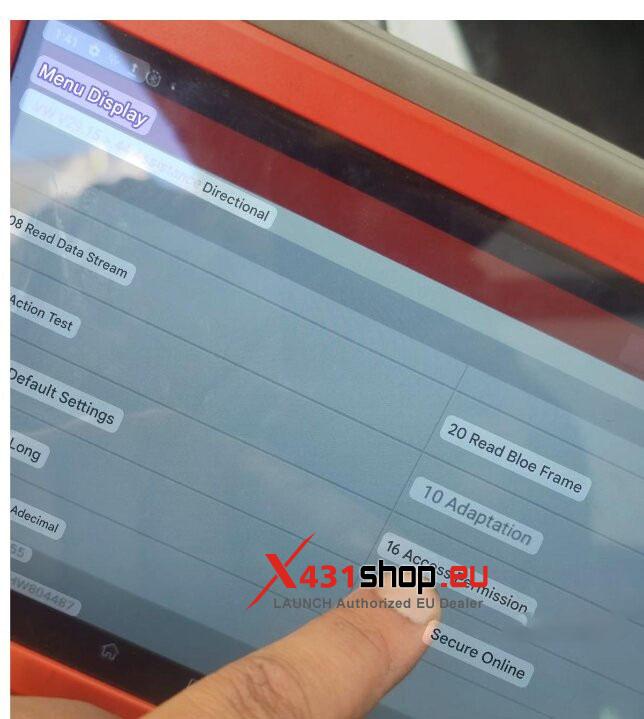
This message refers to vehicle Safety Access authorization.
When prompted, users should select:
- Secure Online
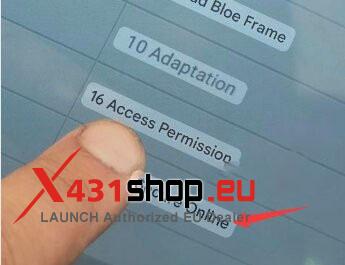
The tool will then automatically log into the Launch server to complete authorization.
What Does Error Code 7F1012 Mean on Scania Trucks?
If a Scania R460 displays:
“Error Response Code: 7f1012. The current system does not support this subfunction.”
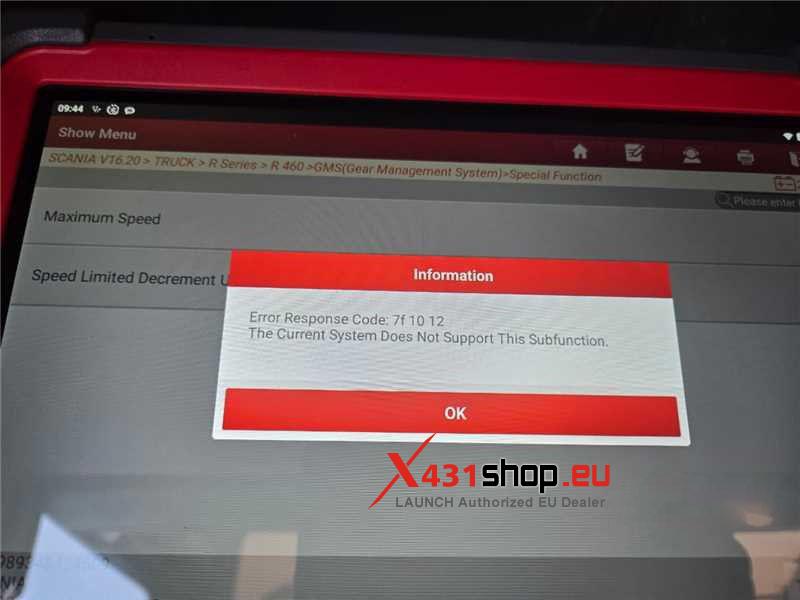
it means that the requested parameter modification is not supported by the system for that vehicle.
The limitation is related to software support rather than a hardware fault.
LAUNCH X431 PRO5 Hardware Troubleshooting
PRO5 Communicates Only with Mercedes-Benz Vehicles
If the device only communicates with Mercedes-Benz vehicles but fails with:
- Ford
- BMW
- Audi
- Fiat
- Iveco
even after firmware restoration and updates, the most likely cause is a hardware fault inside the VCI module.
The diagnostic VCI should be sent to an authorized repair center for service.
How to Fix a Horizontal Line on the PRO5 Screen?
A permanent horizontal line on the display usually indicates LCD hardware failure.
The tablet requires:
- Screen replacement
- Professional hardware repair
Software updates will not solve this issue.
Final Thoughts
The LAUNCH X431 PRO5 remains a powerful all-in-one diagnostic platform for professional workshops, locksmiths, and advanced automotive technicians.
Its strongest advantages include:
- Mercedes-Benz SCN coding
- BMW online coding
- Key programming with X-PROG 3
- EV and hybrid diagnostics
- J2534 programming
- ADAS expansion support
- Extensive module compatibility
However, users should also understand its limitations, especially regarding:
- VAG online programming
- Mercedes ECU flashing
- Electric heavy-duty truck support
Choosing the correct add-ons, licenses, and software packages is essential to maximizing the PRO5’s capabilities for your workshop.