


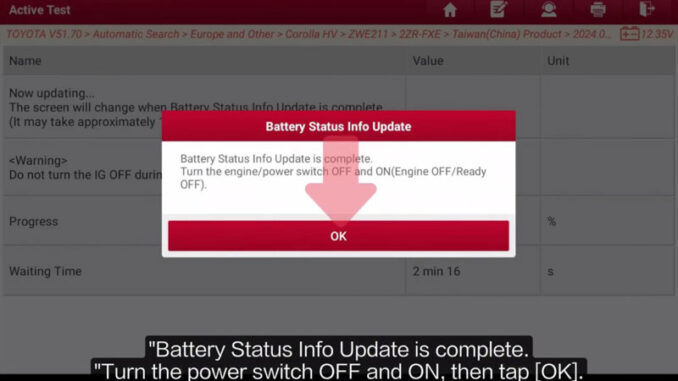
After replacing the HV battery, Toyota requires a Battery Status Info Update to update the battery status information stored in the ECU. I tested this function on a 2025 Toyota Corolla Hybrid with the LAUNCH X431 PRO3 HD, and the update went through normally.
The function is available on Launch X431 Diagnostics full range of comprehensive equipment.
Enter the Battery Status Update Function
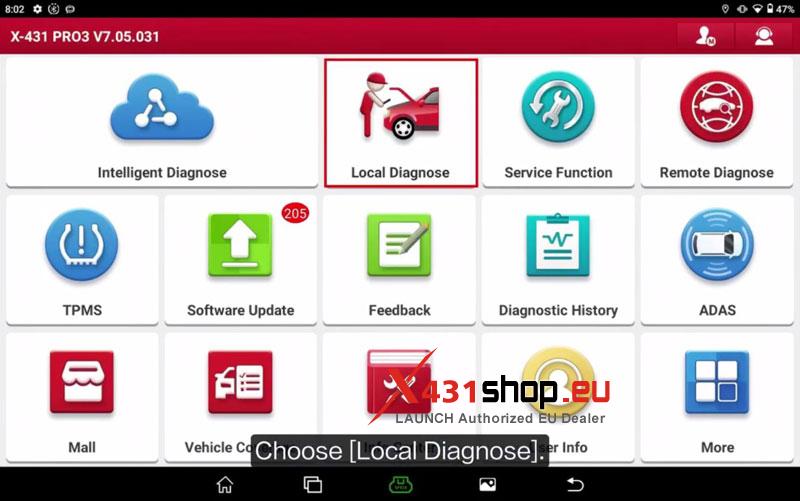
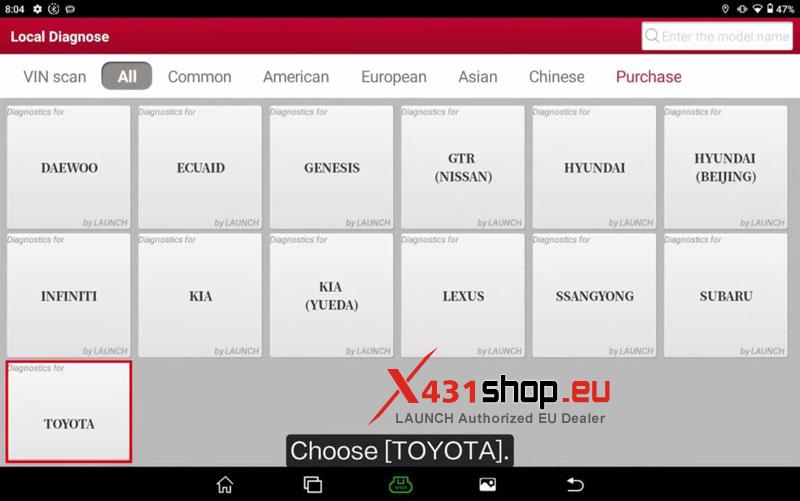
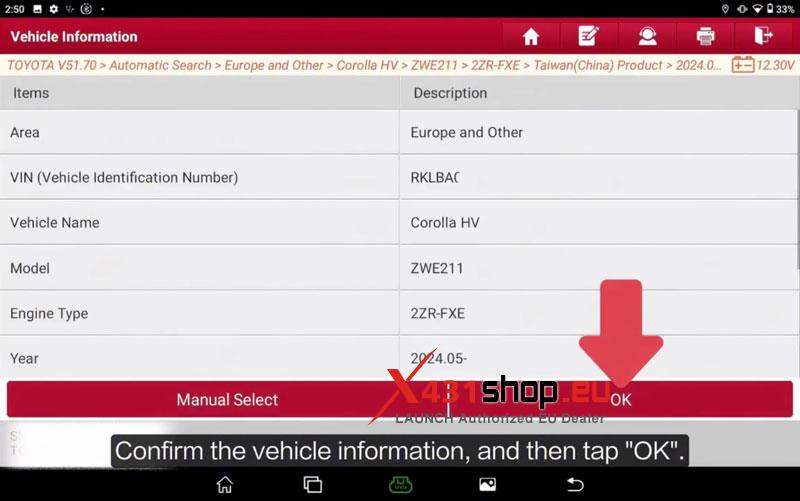
- On the X431 PRO3 HD, go to Local Diagnose >> TOYOTA >> OK >> Automatic Search (Europe and Other) >> 2024.05-, then confirm the vehicle information and click OK.
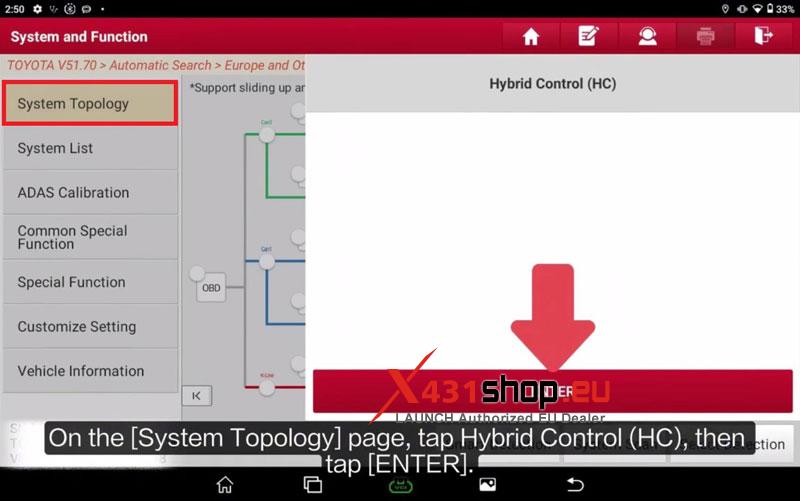
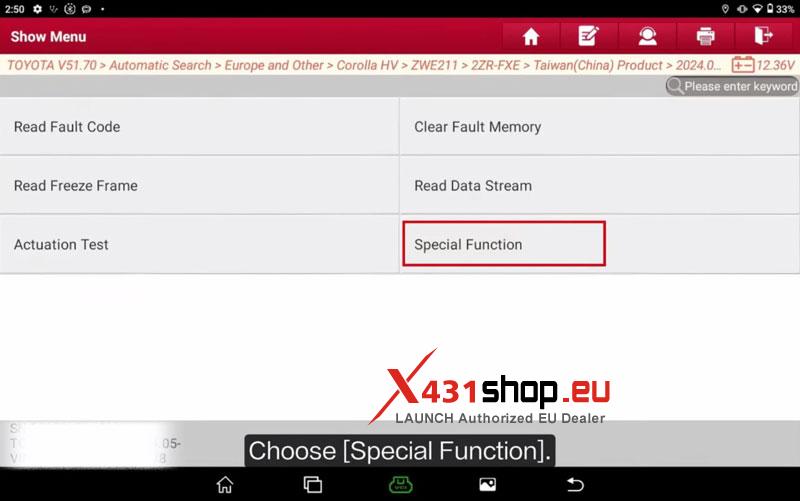
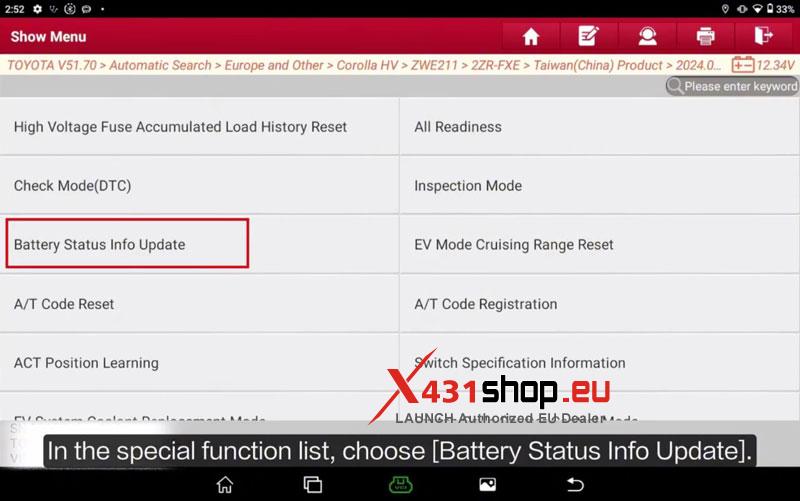
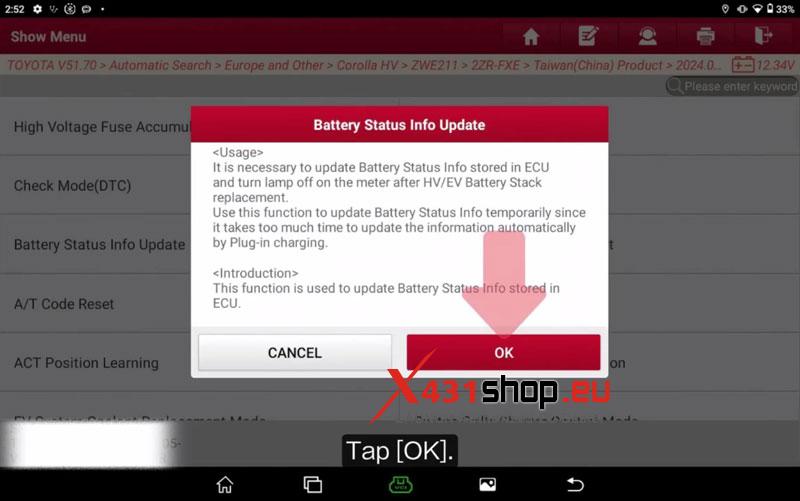
- Open System Topology >> Hybrid Control (HC) >> ENTER >> Special Function >> Battery Status Info Update.
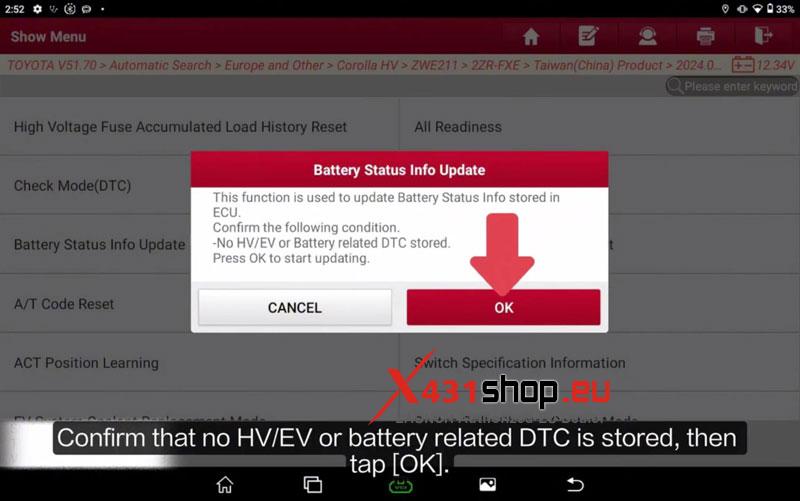
- Confirm that there are no HV/EV or battery-related DTCs stored, then click OK.
Run the Update
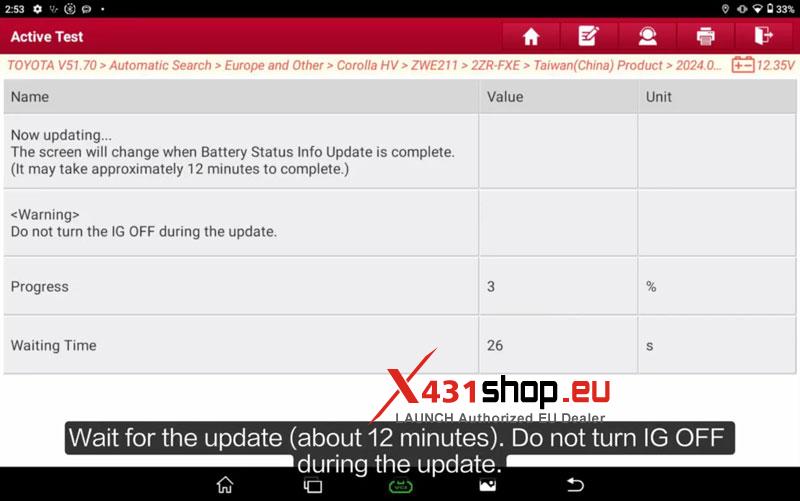
- Wait for the Battery Status Info Update to finish. It takes about 12 minutes.
- Do not turn IG OFF during the update.
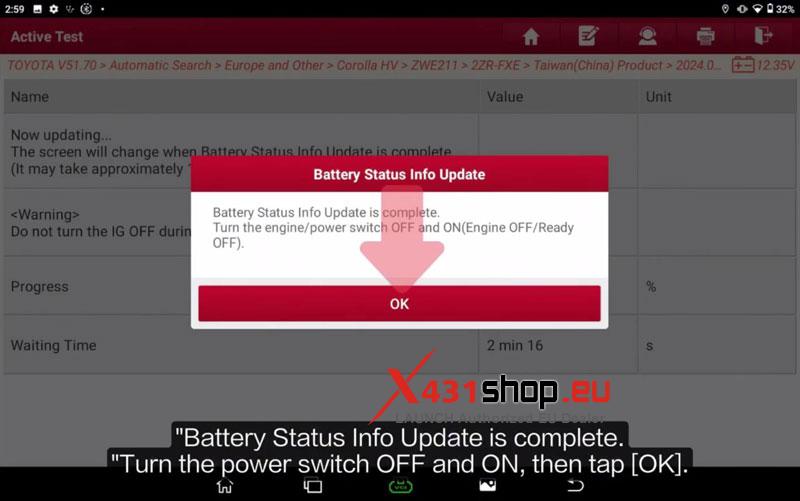
- When the update is complete, turn the power switch OFF and ON, then click OK.
Check the Result
Start the vehicle and confirm it starts normally with the basic vehicle functions working properly.
Visited 23 times, 1 visit(s) today