
This article explains how to perform HV battery diagnostics on a 2025 Honda Ye S7 using the LAUNCH X431 diagnostic tool.
Function Description:
This function is used to diagnose and identify damaged high-d voltage battery modules in Honda vehicles for replacement purposes.
Tested Model:
2025 – HONDA – YE S7
Supported Equipment:
X431 PRO series, X431 PRO3 series, X431 PRO5, and X431 PAD series, the current one for Demo is X431 PAD9.
Execution Conditions:
– Connector connected and ignition switch ON.
– Shift lever in P or N gear.
– 12V battery voltage above 10V.
Operational Procedure:
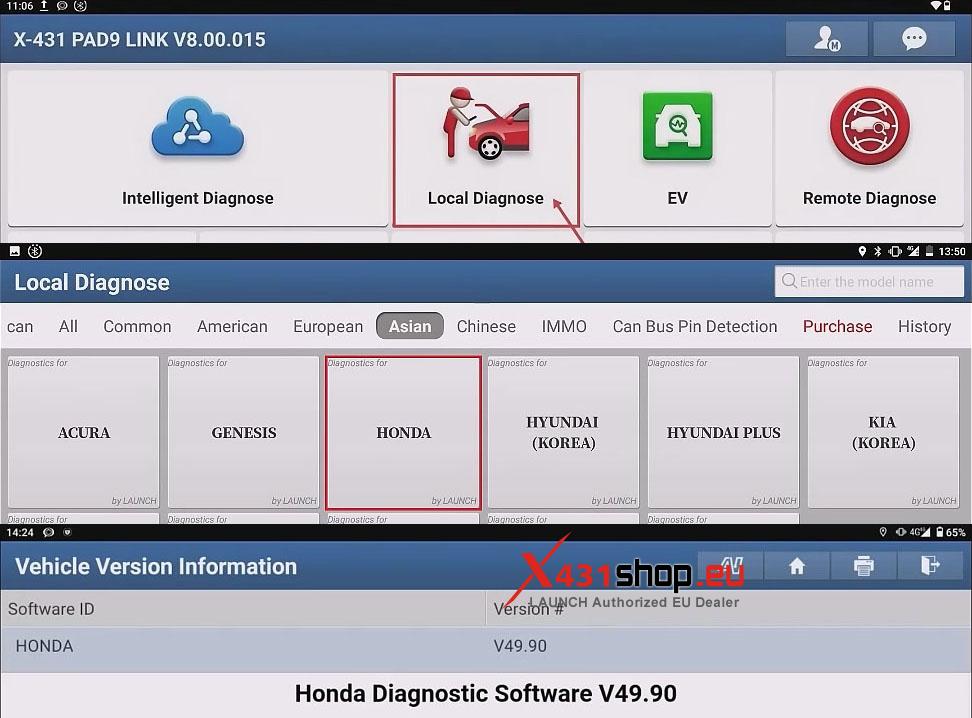
1) Connect the LAUNCH SmartLink to the vehicle’s OBD port. In the X-431 app, select [Local Diagnose] -> [HONDA]. It is recommended to use Honda diagnostic software version V49.90 or higher.
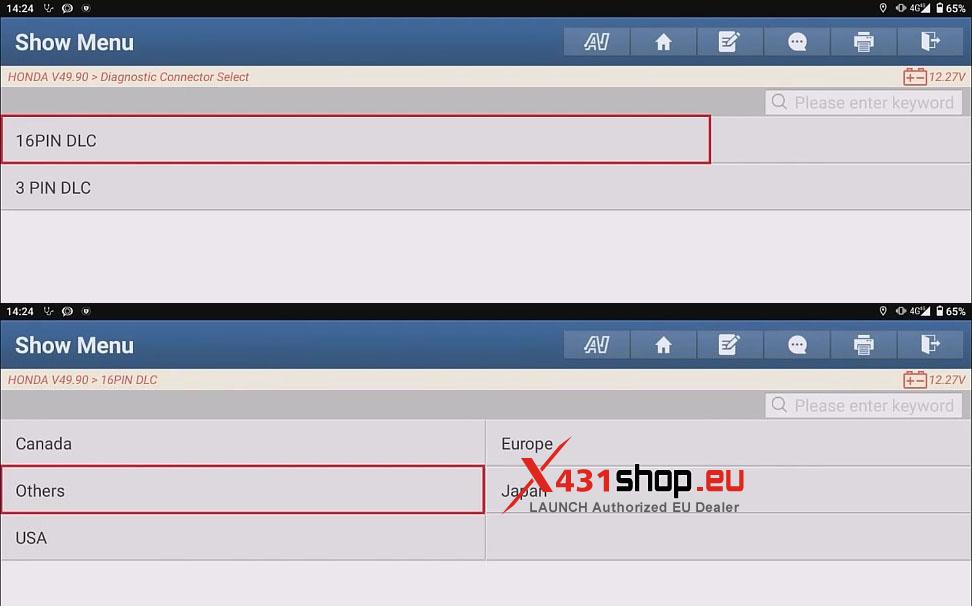
2) On the “Diagnostic Connector Select” screen, select [16PIN DLC] and choose the region. For this test, select [Others].
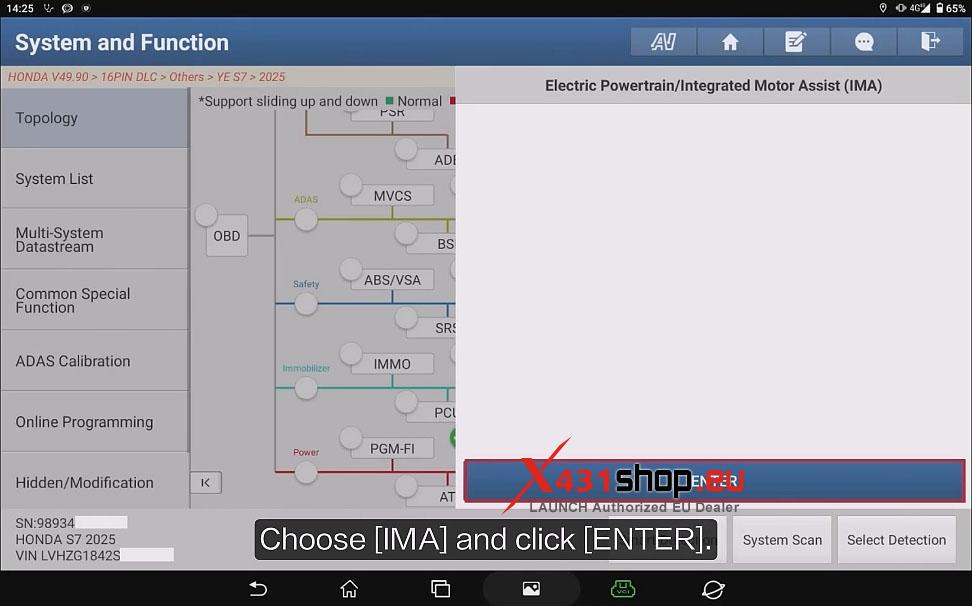
3) On the topology map screen, select [IMA] and click [ENTER].
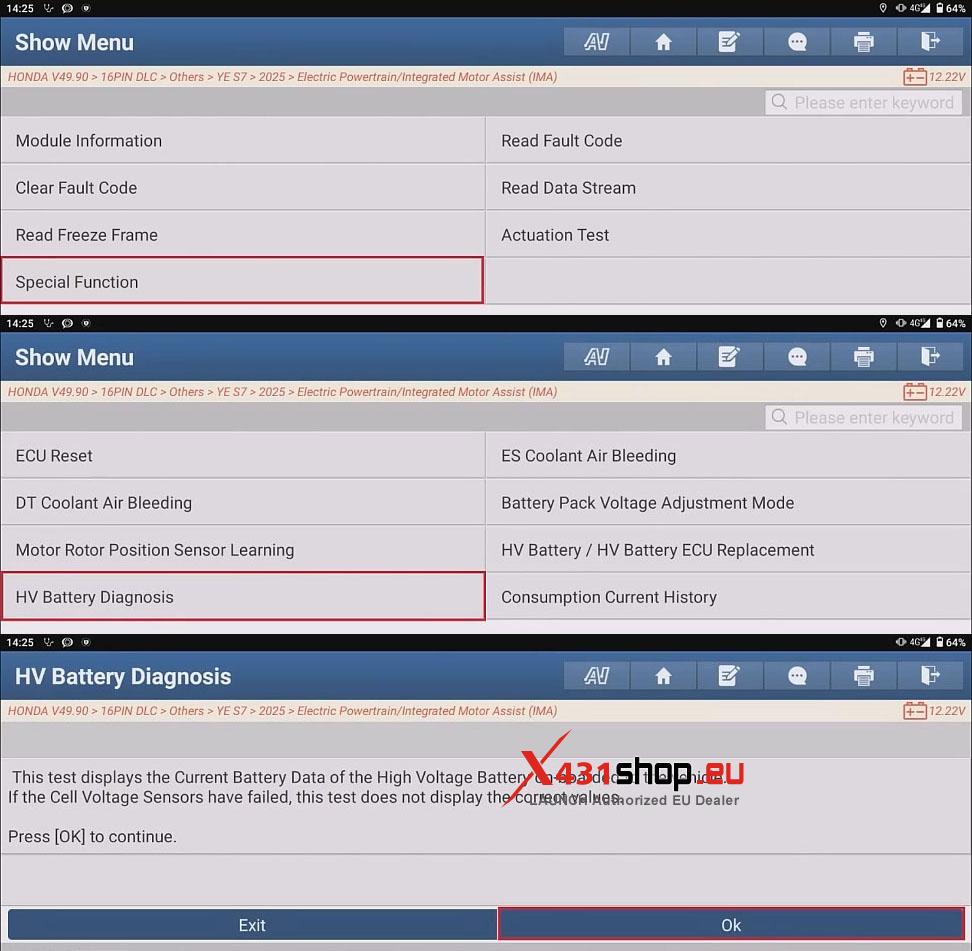
4) Navigate through the function menu in this order: [Special Function] -> [HV Battery Diagnosis]. Review the function description and click [OK].
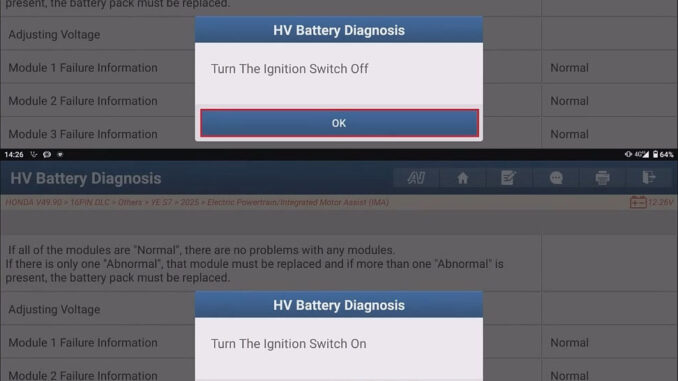
5) The diagnosis results are displayed. Replace the battery pack if abnormal detected.
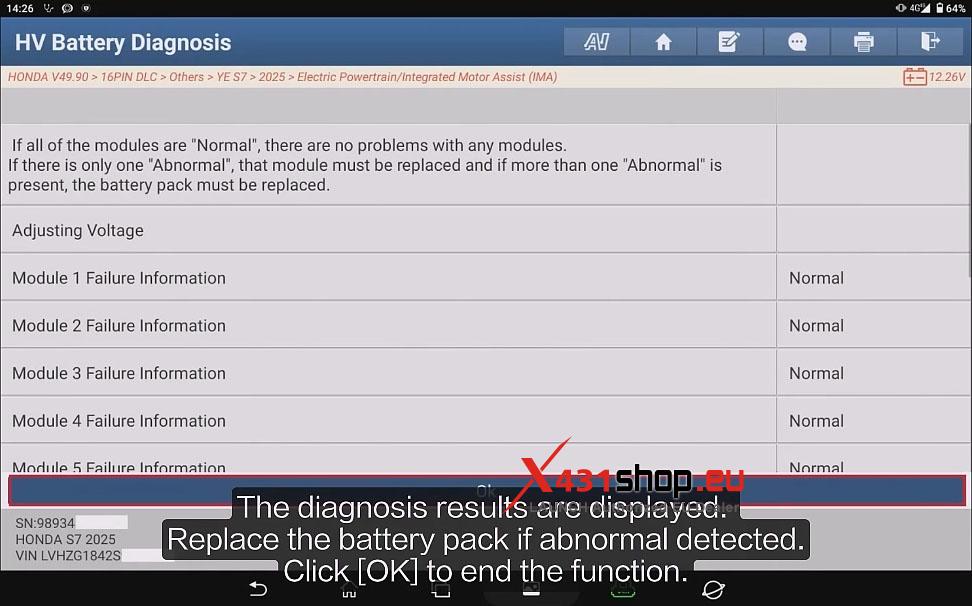
6) Click [OK]. Follow the on-screen prompt to turn off the ignition switch, then turn it back on.
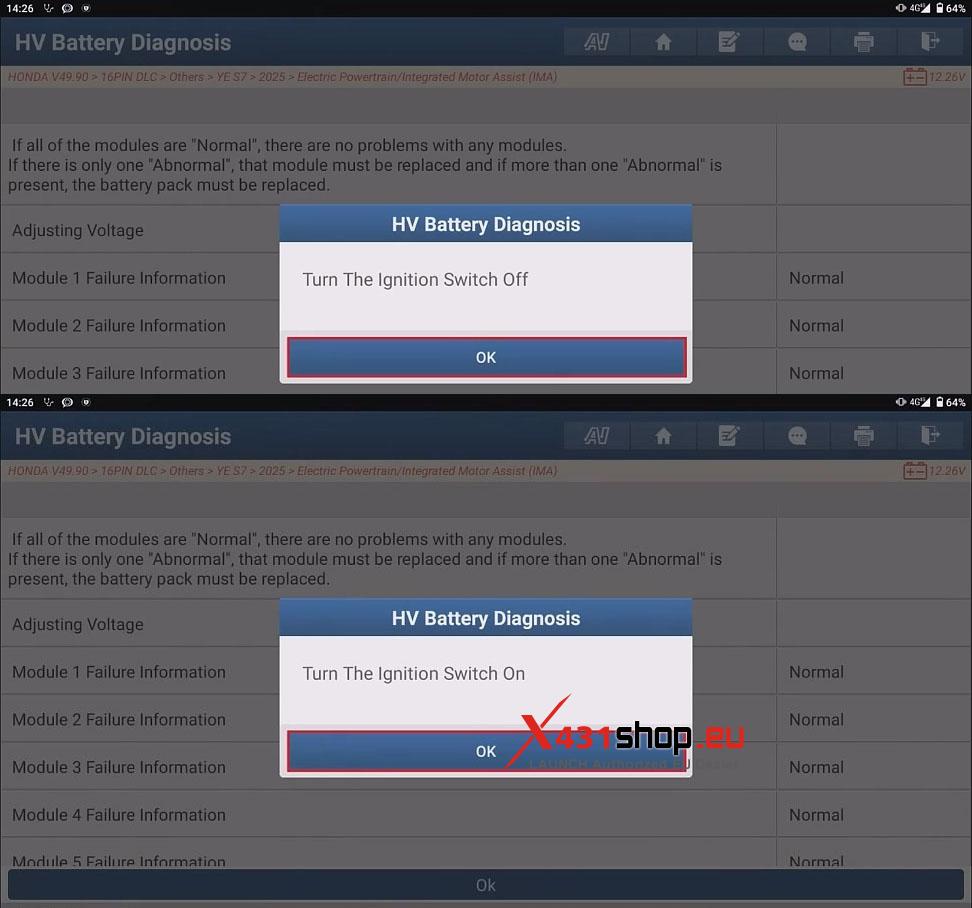
If no error is reported, the HV battery diagnosis is complete.