

This article explains how to perform DPF regeneration on a 2021 Sinotruk Howo using the LAUNCH X431 truck diagnostic tool.
NOTE: Any X431 PRO series, X431 PRO3 series, X431 PRO5, and X431 PAD series with truck diagnostic capabilities supports this function.
Operation Procedure:
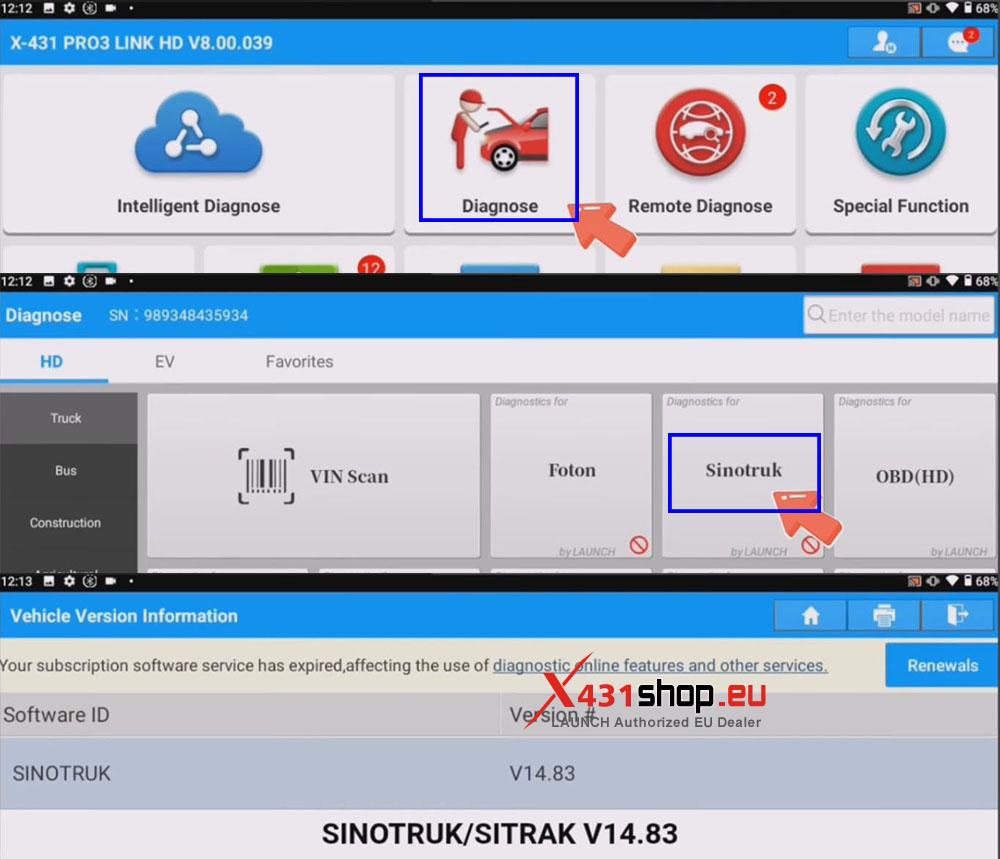
1) Connect the LAUNCH SmartLink HD to the vehicle’s OBD port. In the X-431 app, select [Diagnose] -> [Sinotruk]. It is recommended to use software version V14.83 or higher.
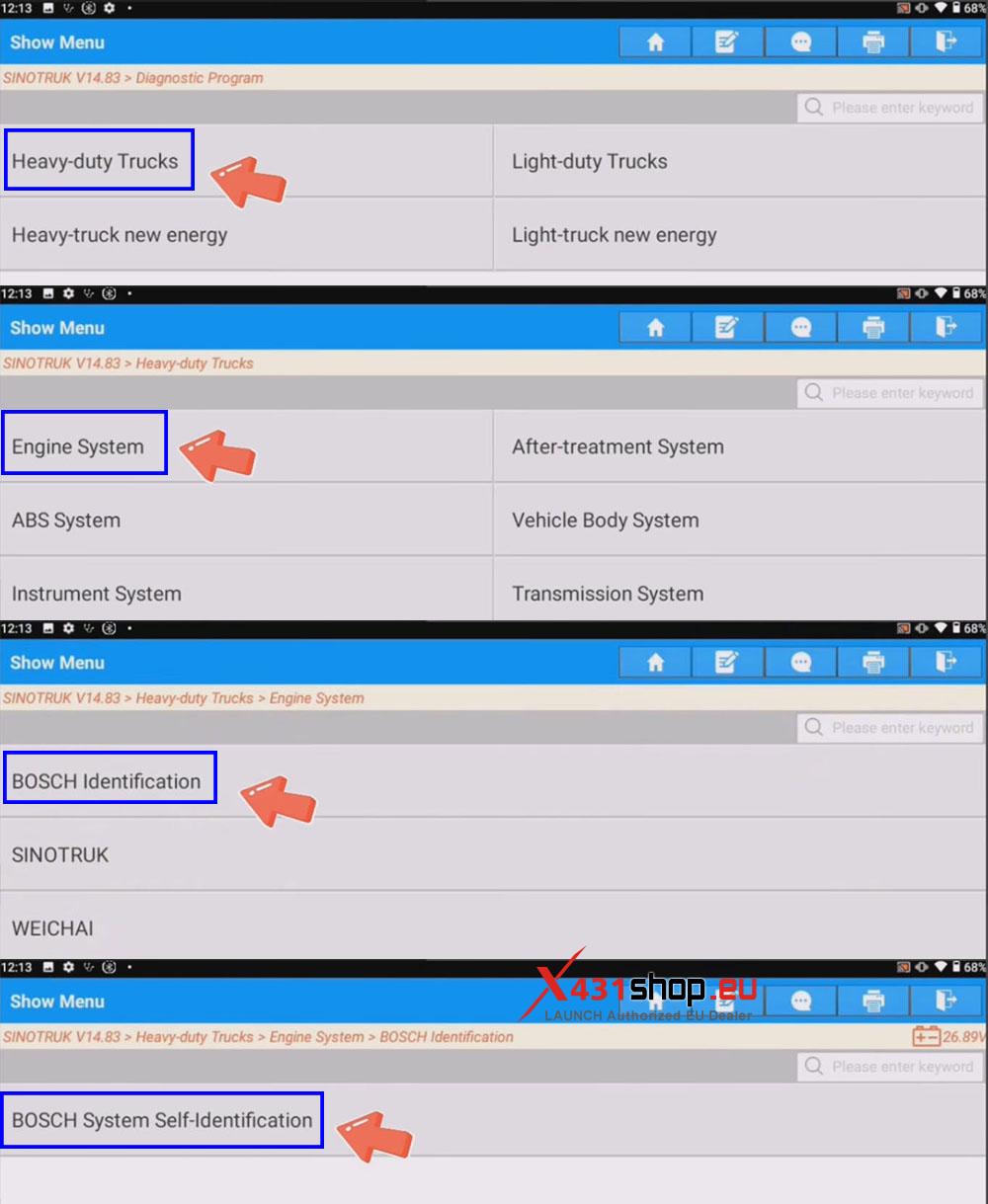
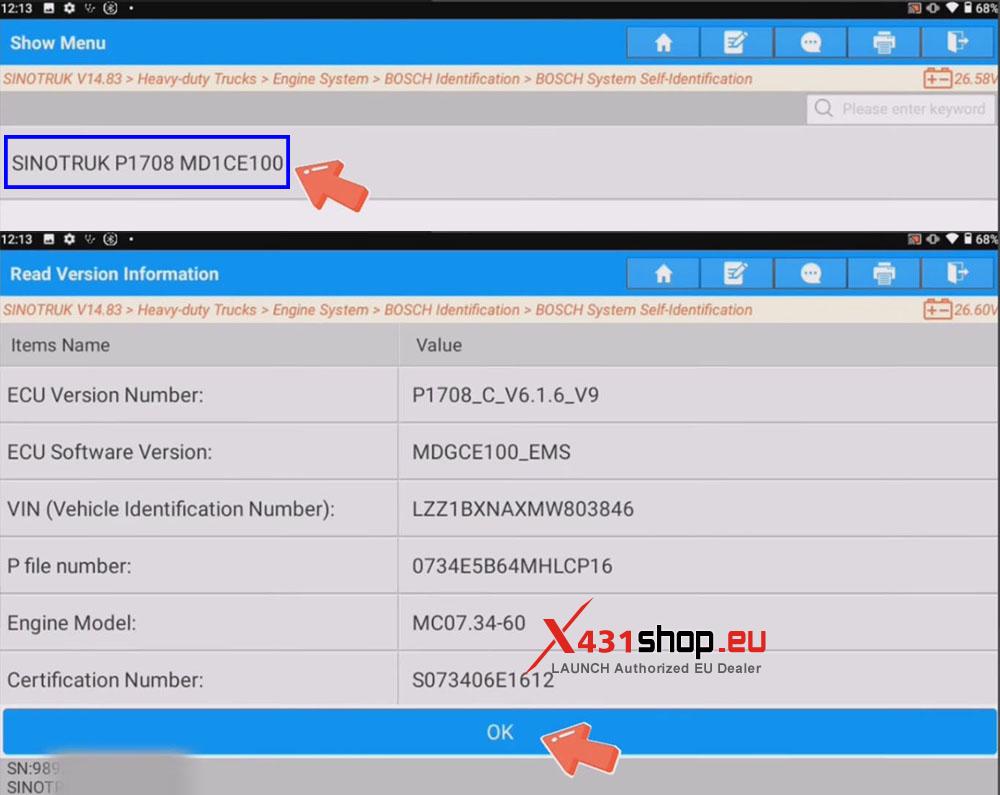
2) The automatic identification function is available for some Bosch heavy-duty trucks. In this example, navigate through the menu as follows: [Heavy-duty Trucks] -> [Engine System] -> [BOSCH Identification] -> [BOSCH System Self-Identification], and select [SINOTRUK P1708 MD1CE100] after automatic identification is complete.
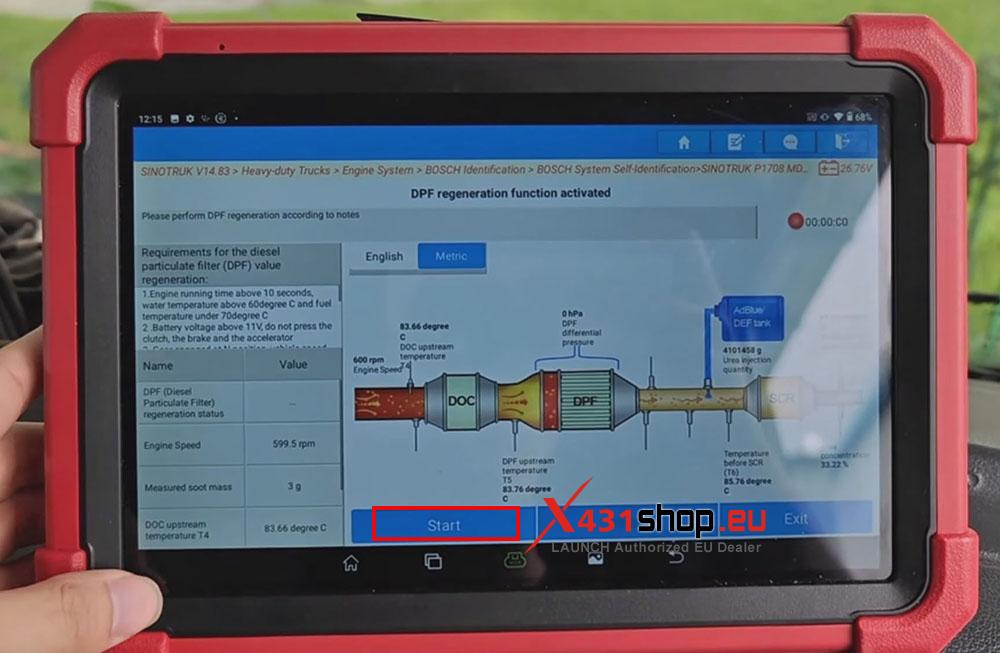
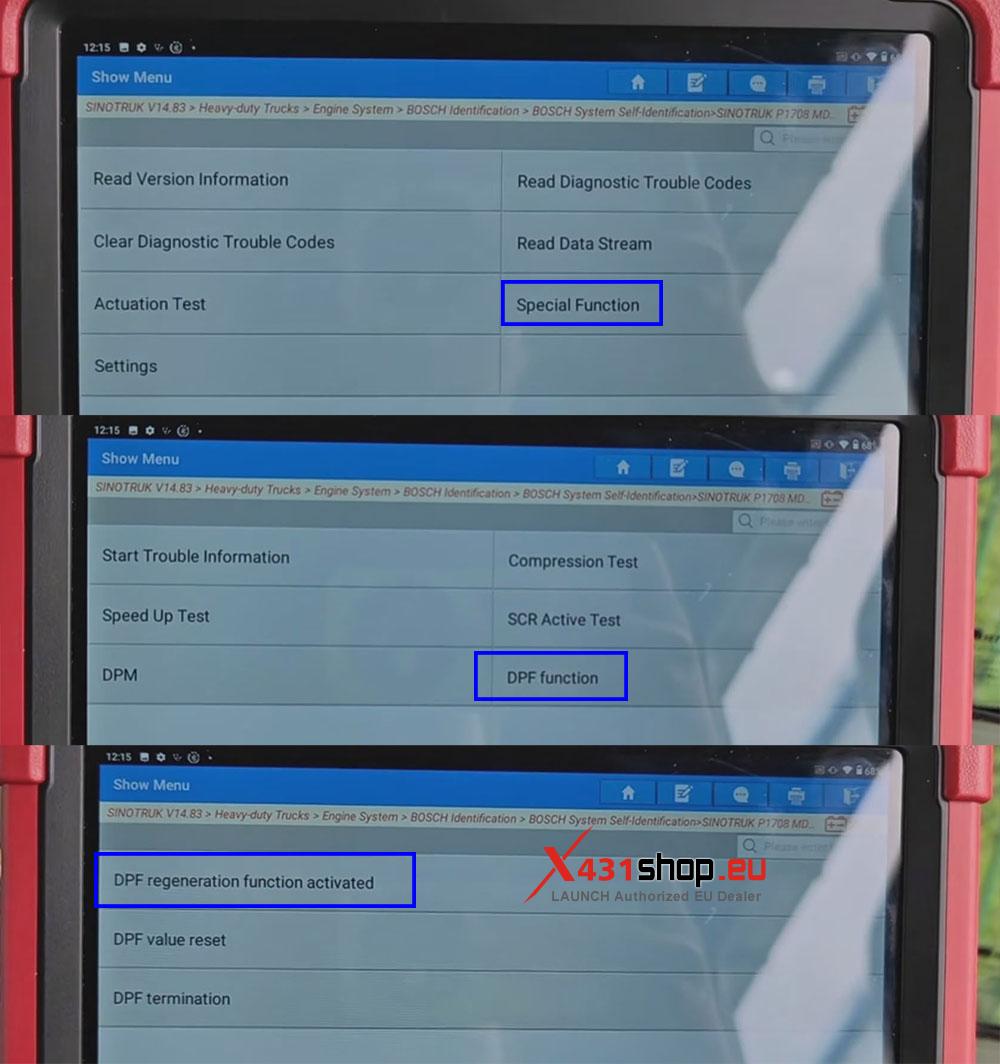
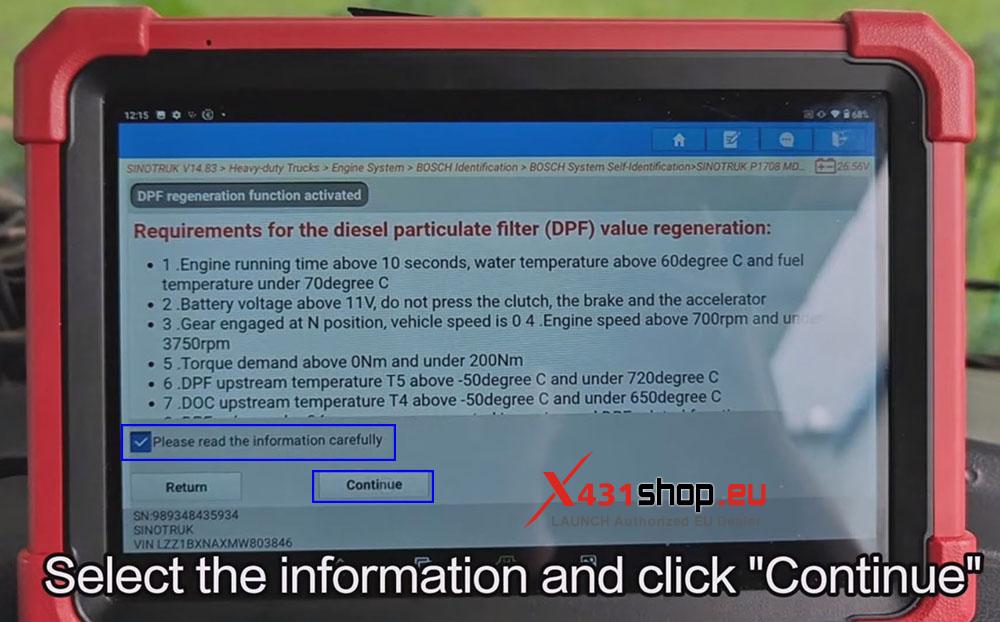
3) Select [Special Function] -> [DPF function] -> [DPF regeneration function activated].
4) Review the information and click [Continue].
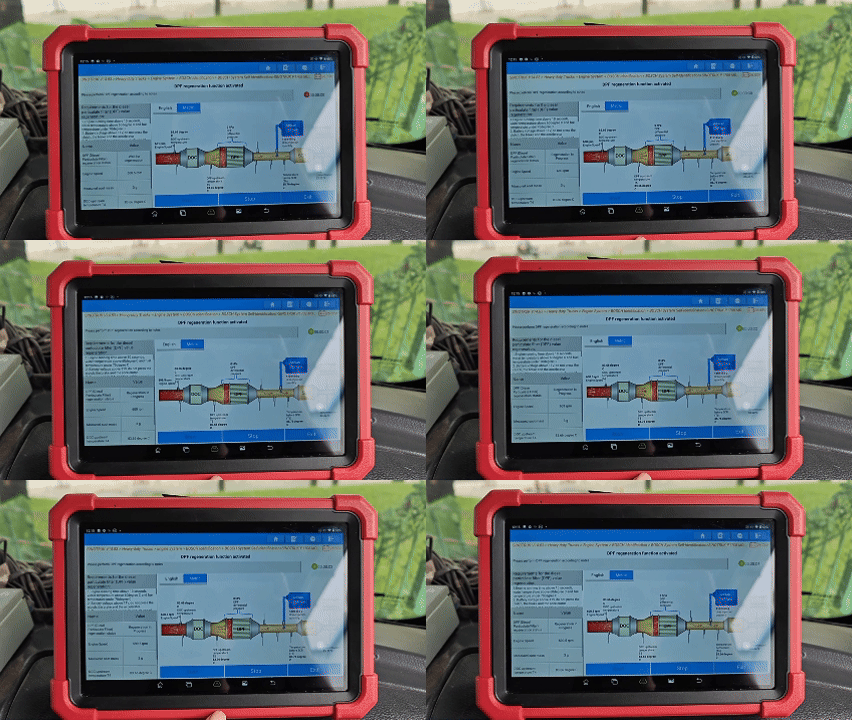
5) Click [Start] to monitor the vehicle status. Simply wait for the function to complete.