
If the DPF is completely clogged and requires replacement, the DPF value in the vehicle’s computer must be reset after the new filter is installed. You can use the LAUNCH X431 truck diagnostic tool to perform the DPF reset function, allowing the vehicle’s computer to adapt to the new DPF filter.
Supported Equipment: Any X431 PRO series, X431 PRO3 series, X431 PRO5, and X431 PAD series with truck diagnostic capabilities supports this function.
NOTE: In the previous article, we explained how to perform DPF regeneration on a 2021 Sinotruk Howo using the LAUNCH X431 Tool:
LAUNCH X431 Tool: Perform DPF Regeneration for Sinotruk Howo
Operation Procedure:
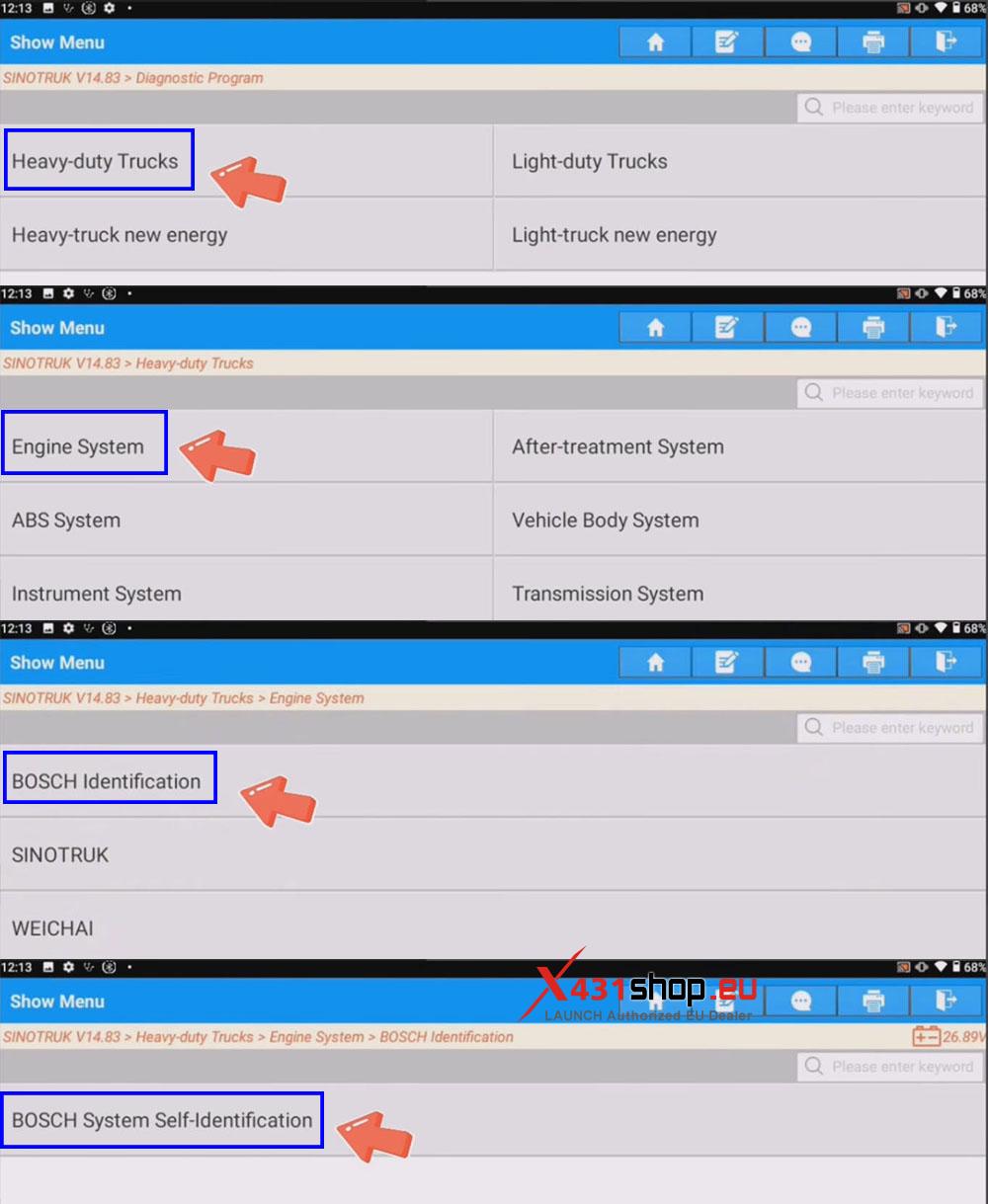
1) Connect the LAUNCH SmartLink HD to the vehicle’s OBD port. In the X-431 app, select [Diagnose] -> [Sinotruk]. It is recommended to use software version V14.83 or higher.
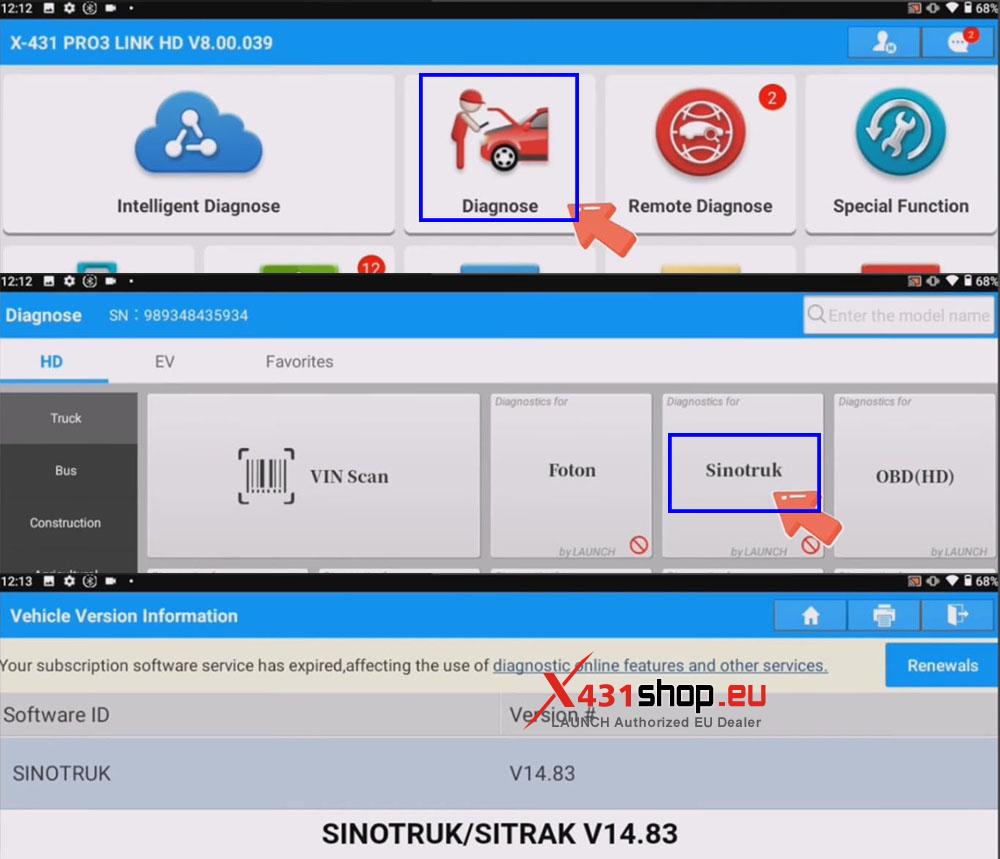
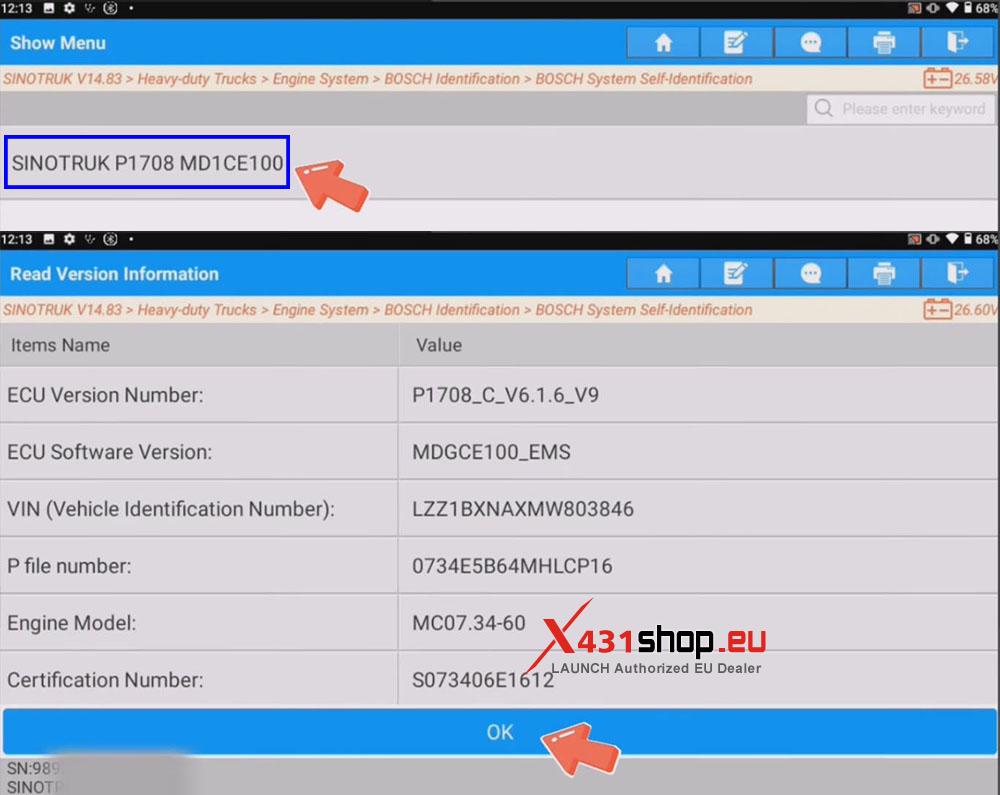
2) The automatic identification function is available for some Bosch heavy-duty trucks. In this example, navigate through the menu as follows: [Heavy-duty Trucks] -> [Engine System] -> [BOSCH Identification] -> [BOSCH System Self-Identification], and select [SINOTRUK P1708 MD1CE100] after automatic identification is complete.
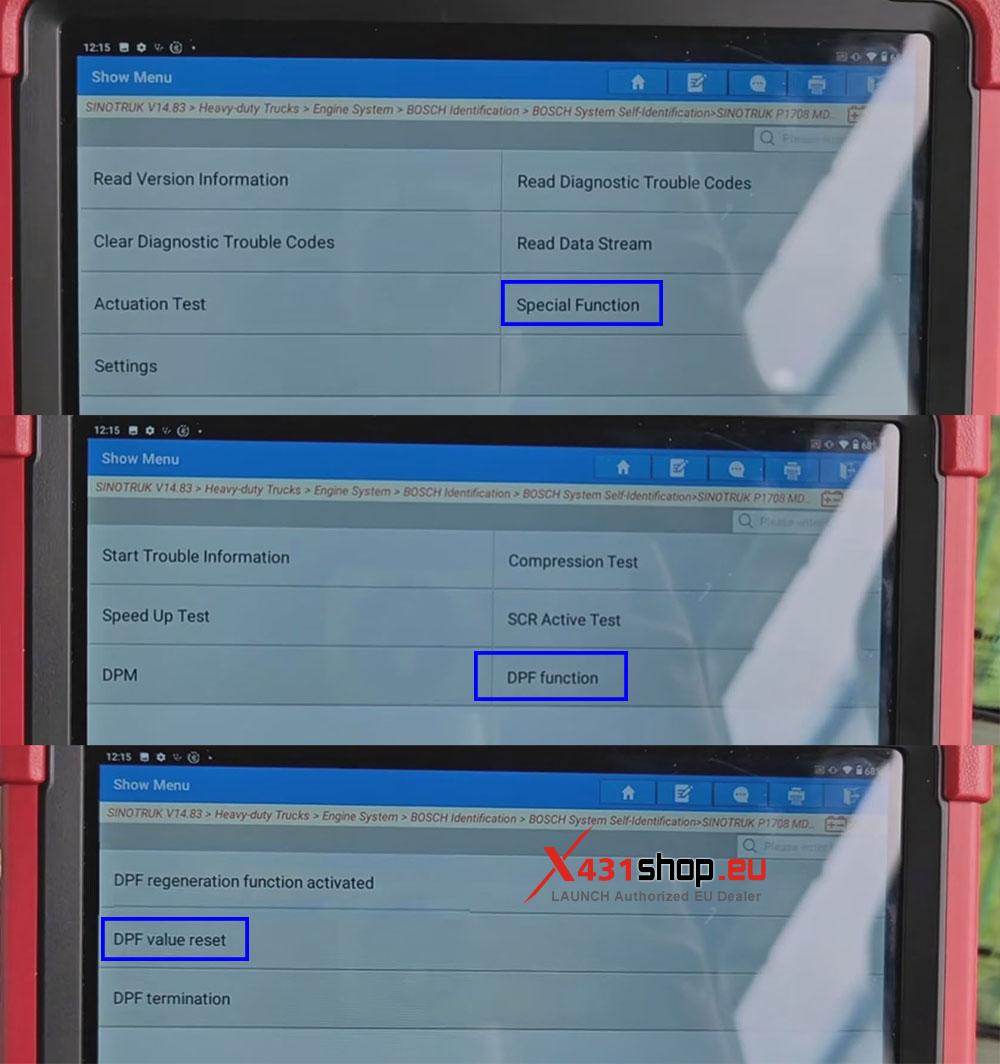
3) Select [Special Function] -> [DPF function] -> [DPF value reset].
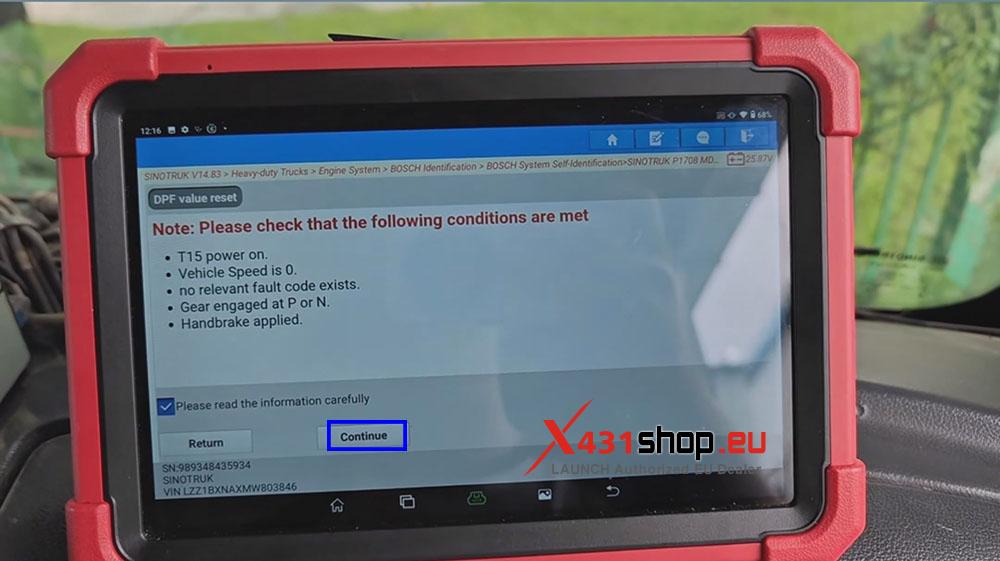
4) Select the information and click [Continue].
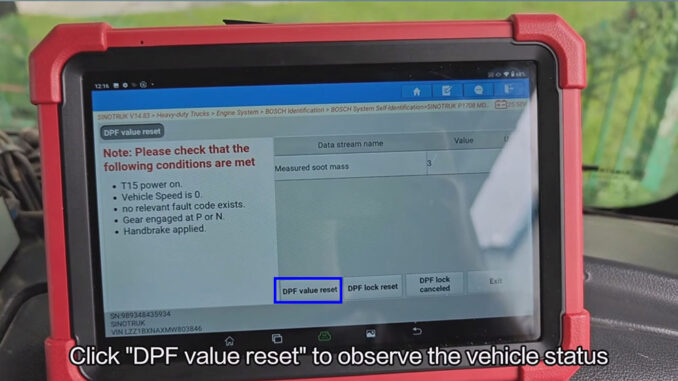
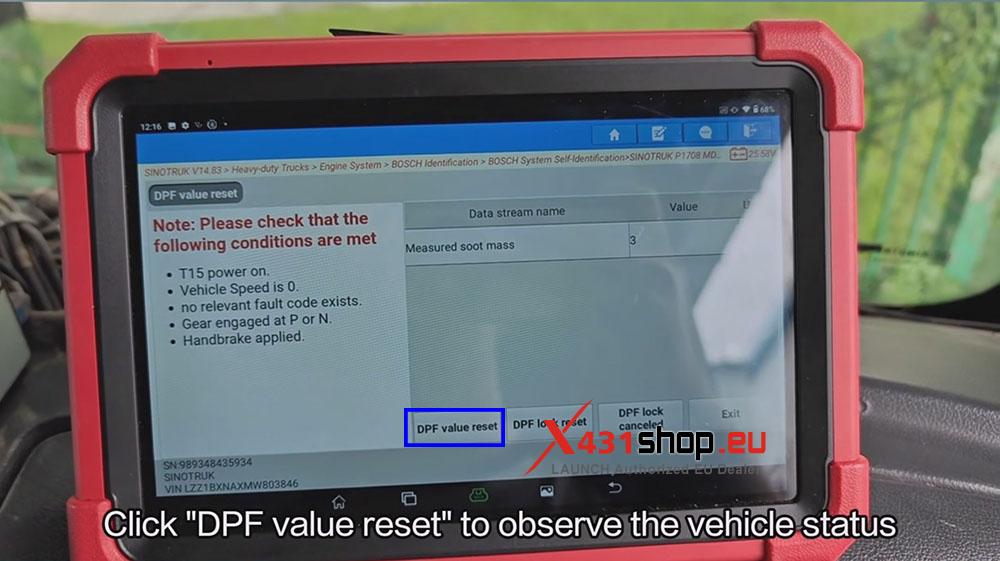
5) Click [DPF value reset] to observe the vehicle status.
If the function executes successfully, a success notification like the following will appear:
“Parameters successfully written. Please switch ignition to OFF position and exit the diagnostic system and wait in order to ensure the new written parameters are successfully stored in ECUPower ON again after 1 minute, and perform other functions after re-enter the system.”
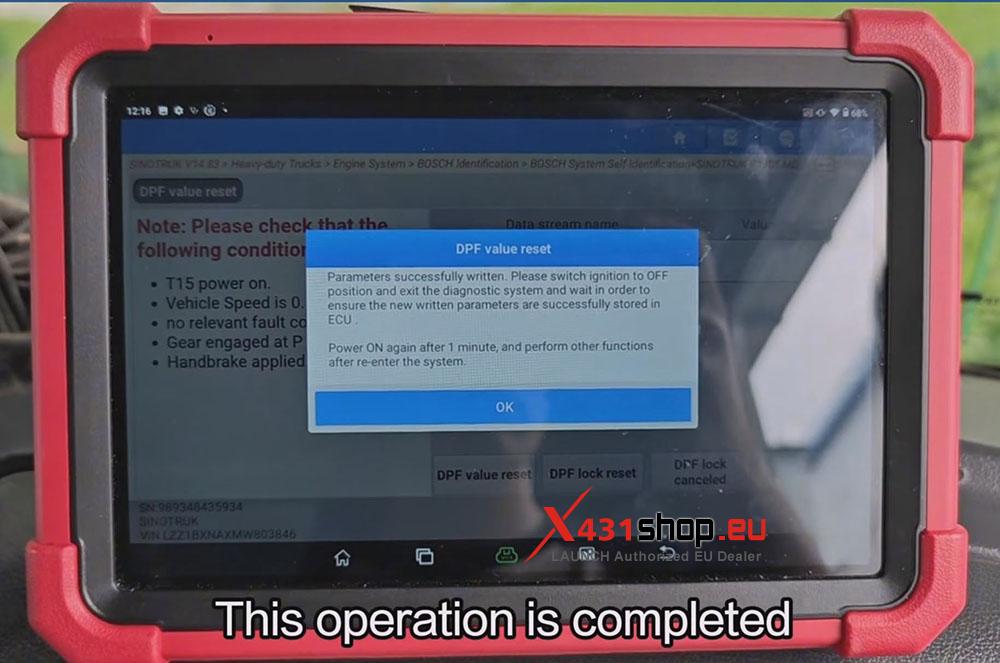
This operation is completed.