




LAUNCH currently offers two tools specifically for ECU programming: LAUNCH X431 ECU & TCU Programmer and LAUNCH XPROG3 + PC Adaptor. This article will describe how to use these two tools to clone the Bosch (6T50) vehicle’s ECU.
NOTE: The software functions of LAUNCH X431 ECU & TCU Programmer and LAUNCH X-PROG3 + PC Adaptor are basically the same. This time, we will use the software interface of LAUNCH X431 ECU & TCU Programmer.
Operation process:
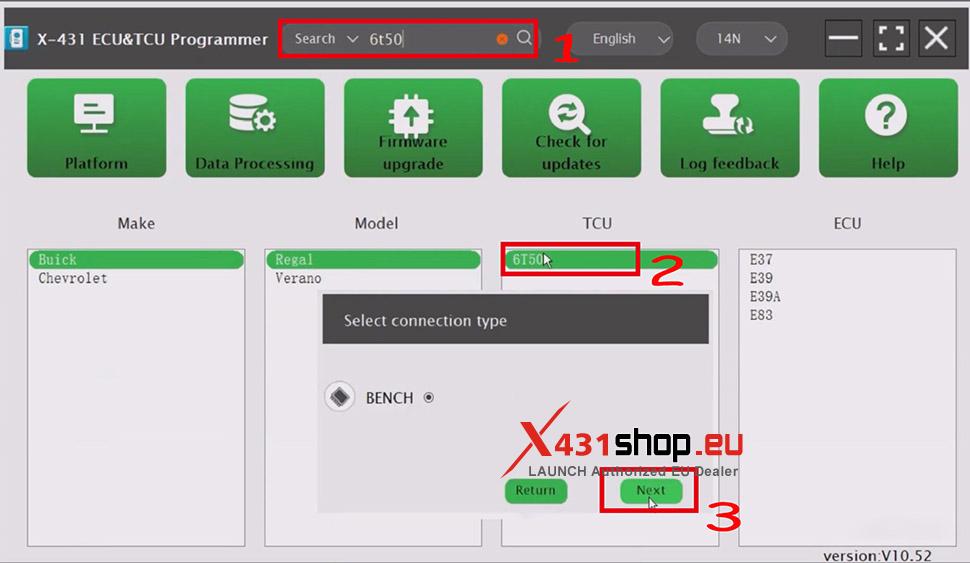
1. Open the software and search for [6T50] in the search box. Click on [6T50] in the search results. Select [BENCH] as the connection method.
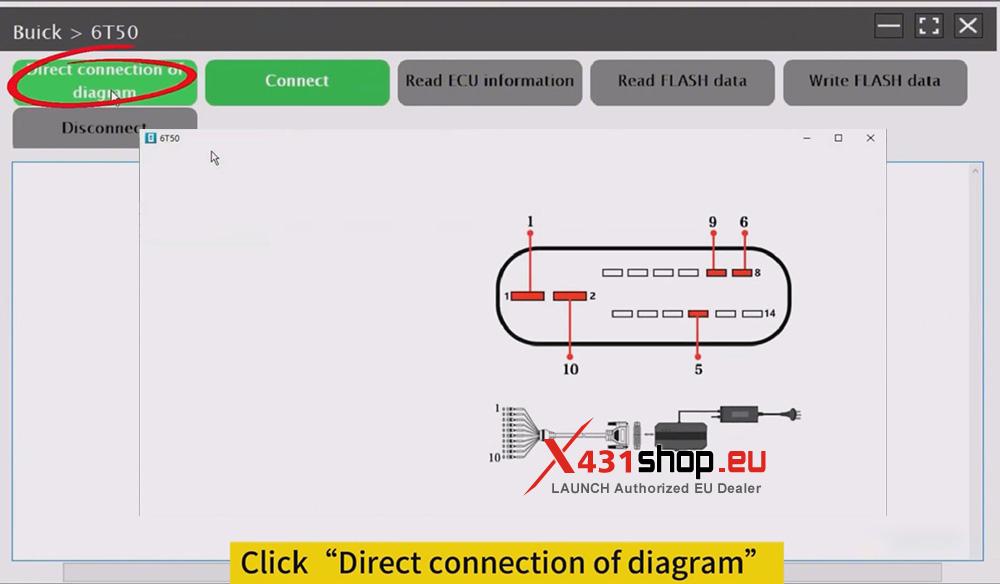
2. Click [Direct connection of diagram] to connect the vehicle’s computer according to the wiring diagram.
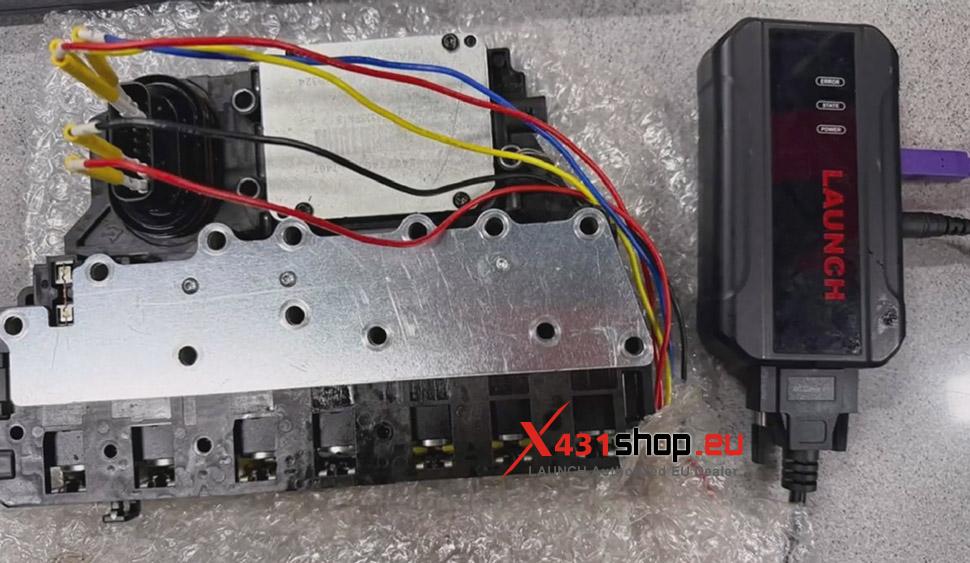
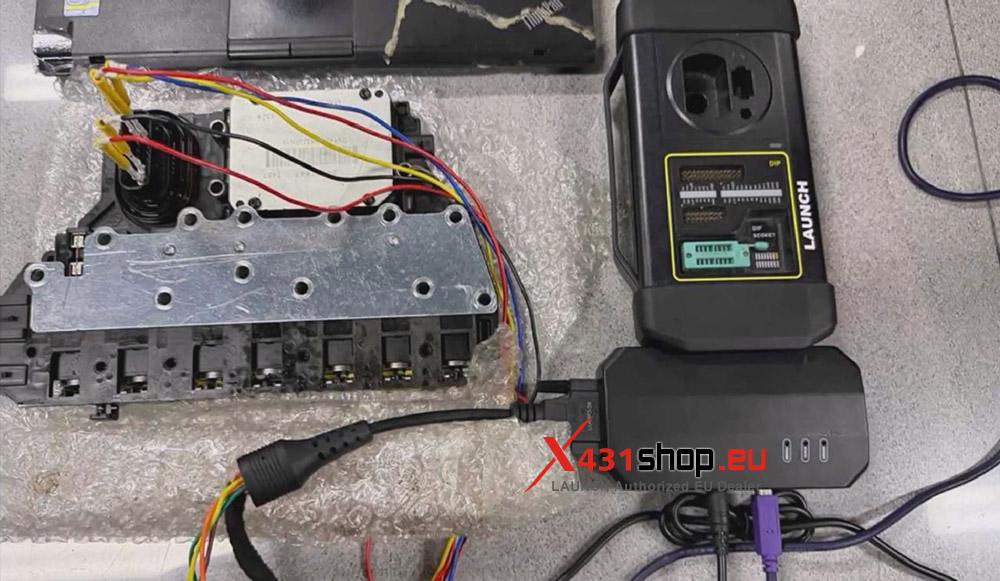
3. After completing the wiring, click [Connect]. Once the software indicates a successful connection, click [Read FLASH data].
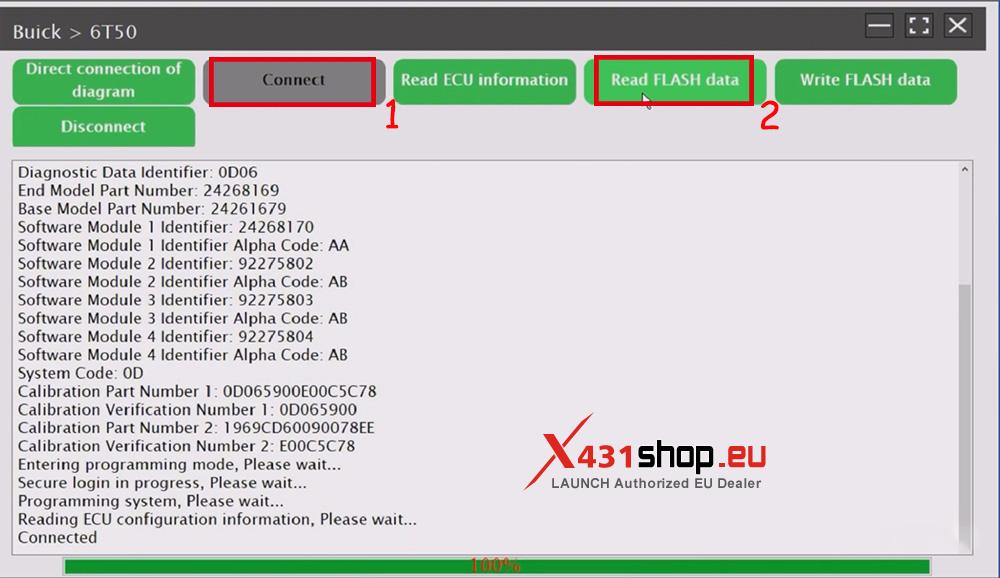
4. Save the read file.

5. Click [Disconnect].
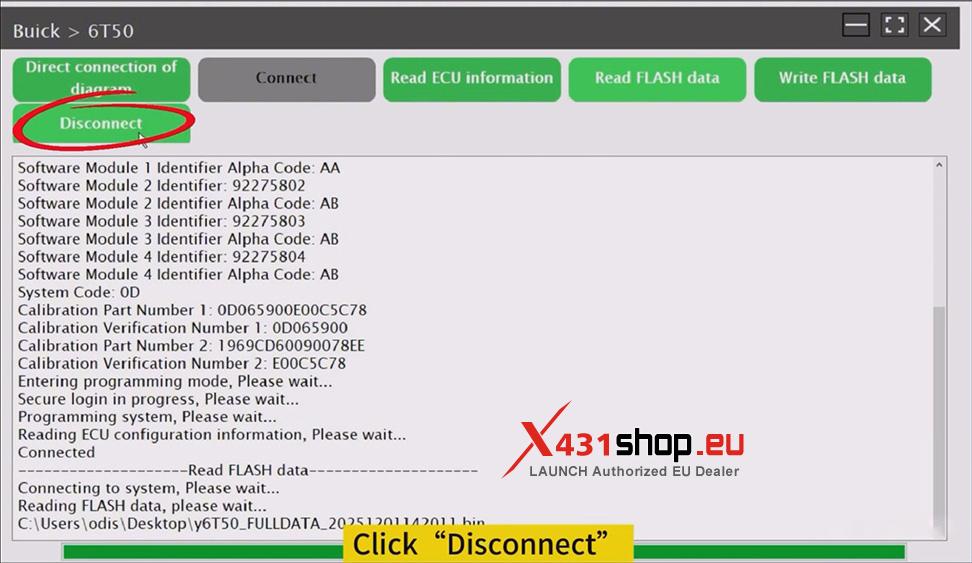
6. Reconnect the wiring to the new vehicle computer, then refer to steps 3 to 4 above to connect the TCU, read and save the FLASH data (for recovery).

7. Click [Write FLASH data] and select FLASH data to write. Don’t forget to click [Disconnect] after writing is complete.
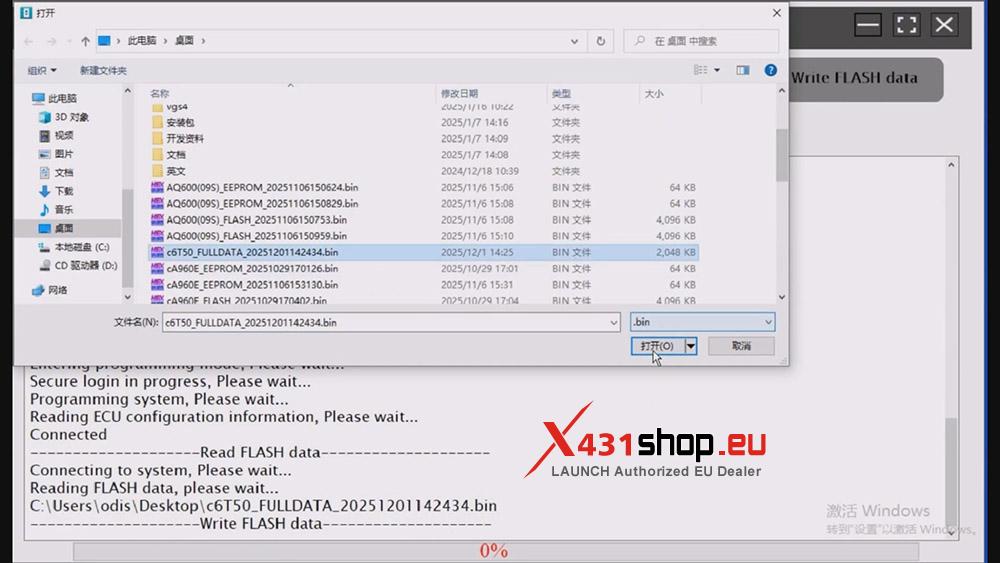
At this point, the work is complete, and the TCU can be connected to the vehicle for testing.