
Since 2022, Li Auto L-Series models have been equipped with an additional security gateway module that requires the LAUNCH LX CAN Diagnostic Cables for diagnostic access. This guide uses a 2023 Li Auto L8 and the LAUNCH X431 PAD7 to demonstrate the cable connection procedure.
Required Tools
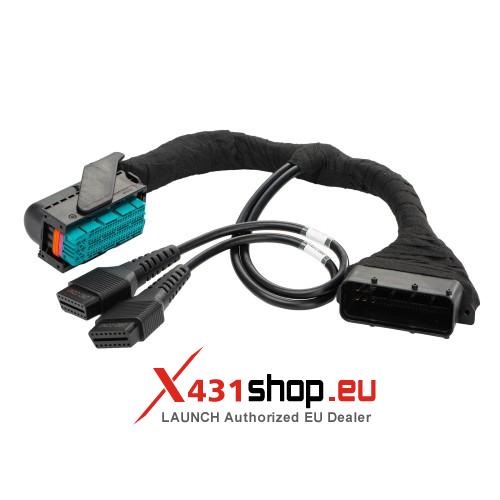
LX CAN Diagnostic Cables
The blue plug connects to the security gateway, the other end to the vehicle network, and the dual plugs to the diagnostic port.
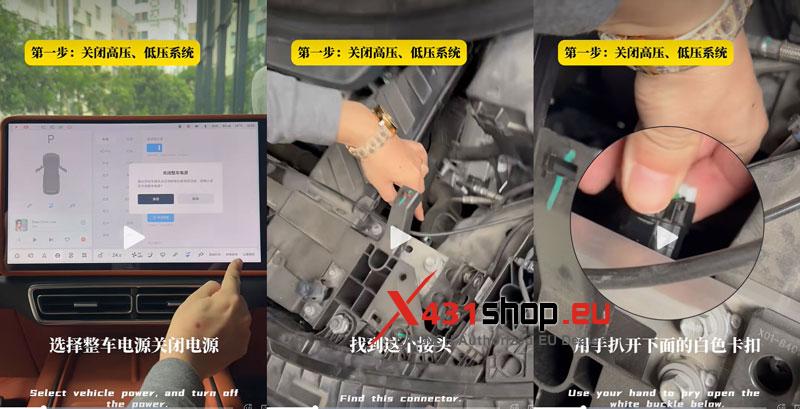
- Disconnect the High-Voltage & Low-Voltage Systems
- On the infotainment screen, go to Vehicle >> Maintenance >> Vehicle Power >> Turn Off The Power >> Close.
- Open the front hood and remove the upper cover. Locate the connector, release the white locking clip underneath by hand, and gently unplug it to disconnect the high-voltage system.
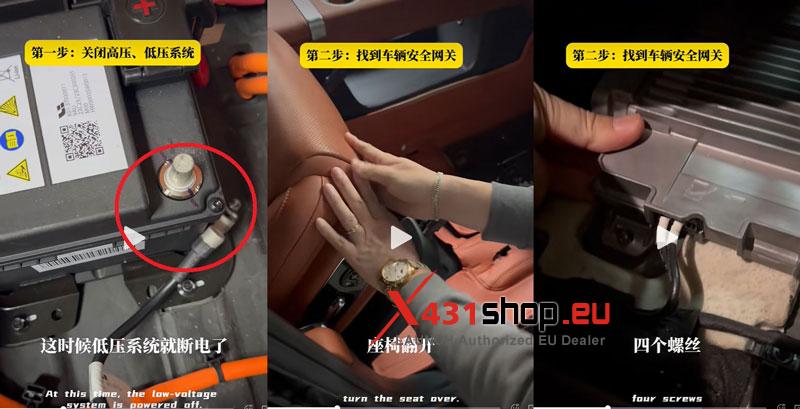
- Open the trunk, remove the upper guard plate and accessory box. Loosen and disconnect the negative battery terminal to power off the low-voltage system.
- Access the Security Gateway Computer
Remove the four passenger seat fixing screws and turn the seat over. Lift the carpet underneath to locate the security gateway computer. Remove its four fixing screws to make the cable connection easier.
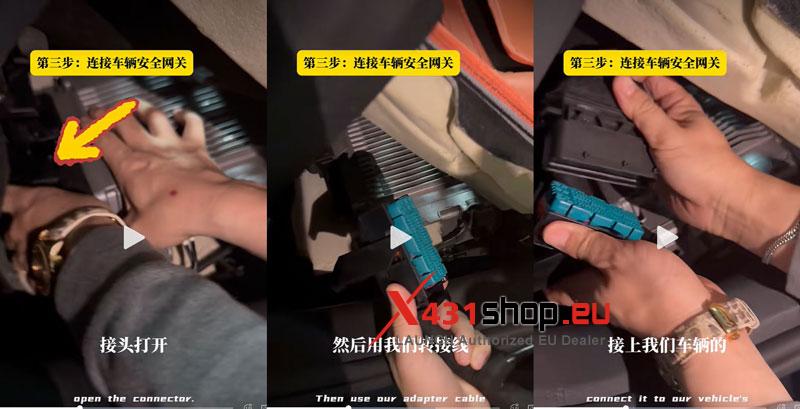
- Connect the LX CAN Diagnostic Cables
- Disconnect the original vehicle network connector at the security gateway computer.
- Connect the blue plug of the LX CAN Diagnostic Cables to the gateway computer.
- Connect the other end of the cable to the vehicle’s network interface.
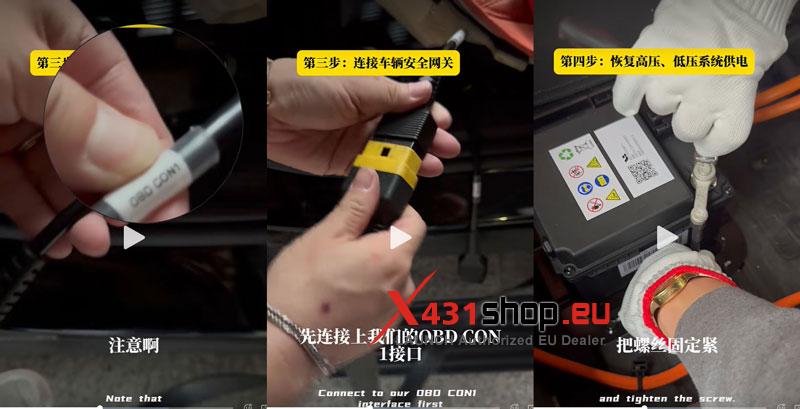
- Connect the LAUNCH X431 Diagnostic Tool to the OBD CON1 port.
Note: OBD CON1 and OBD CON2 on the LX CAN Diagnostic Cables have different functions.
- Restore Vehicle Power and Start Diagnosis
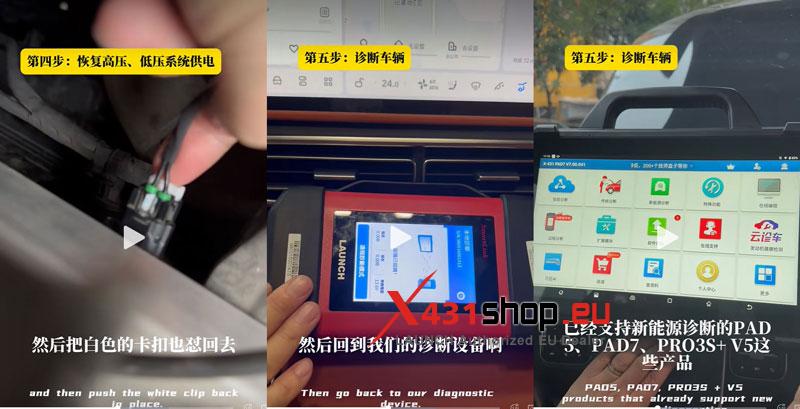
Reconnect the negative terminal of the low-voltage battery. Then reconnect the high-voltage system connector under the front hood and push the white locking clip back into place.
Now you can use the LAUNCH X431 tablet to diagnose the Li Auto L8.