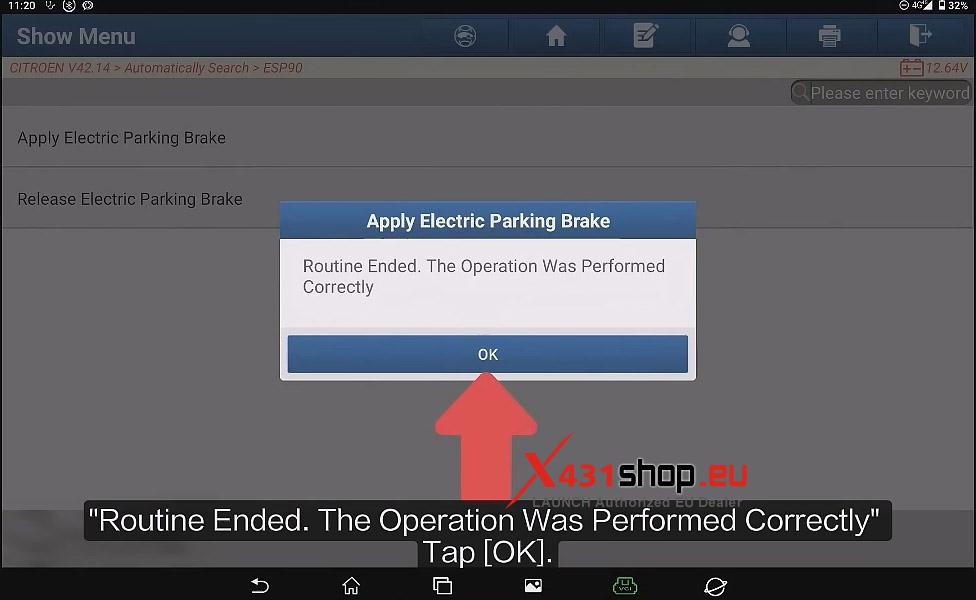


After replacing the brake pads, it is necessary to configure the anti-lock brake system within the vehicle’s computer to ensure the electric parking brake functions correctly. This article explains how to use the LAUNCH X431 PAD9 to perform the “Apply Electric Parking Brake” function on a 2018 Citroen Jumpy (K0).
Function Description:
This function is typically used in the following scenario: After brake pad replacement.
Tested Model:
Citroen – JUMPY (K0) – 2018
Supported Equipment:
X431 PRO series, X431 PRO3 series, X431 PRO5, and X431 PAD series, the current one for Demo is X431 PAD9.
Execution Conditions:
– The battery level is normal, and the vehicle is in a stationary state.
– Engine OFF.
– Ignition switch in the ON position.
– Vehicle parked on a level ground and wheels secured with wheel chocks.
Operating Procedure:
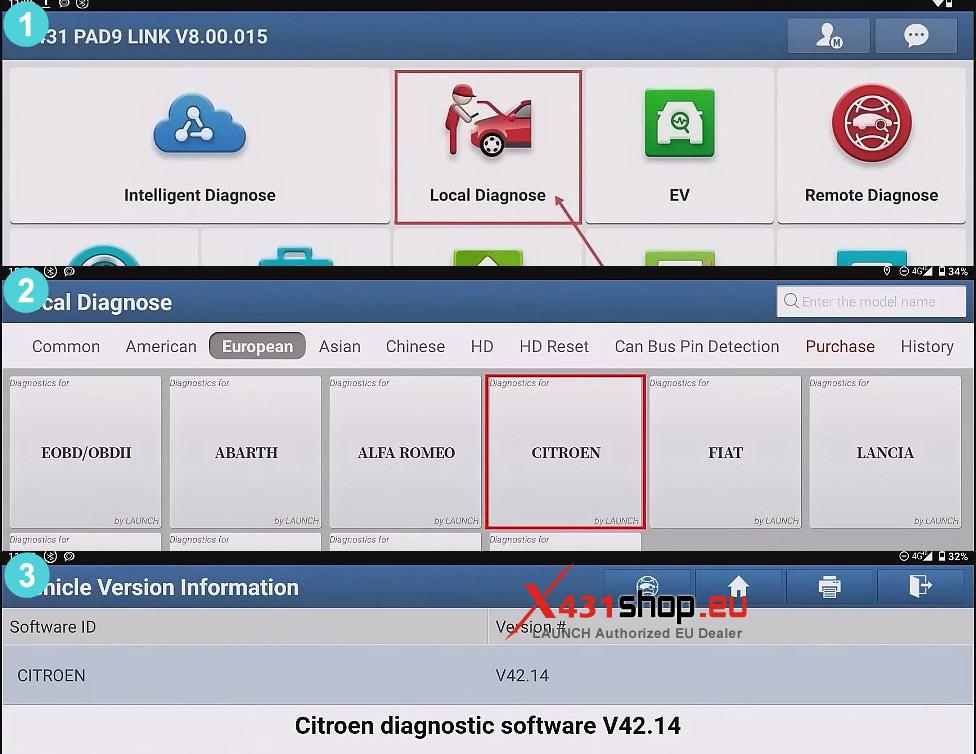
1) Connect the X431 tool to the vehicle’s OBD port, then select [Local Diagnose] -> [CITROEN] within the X-431 app. It is recommended to use the Citroen software (version V42.14 or higher).
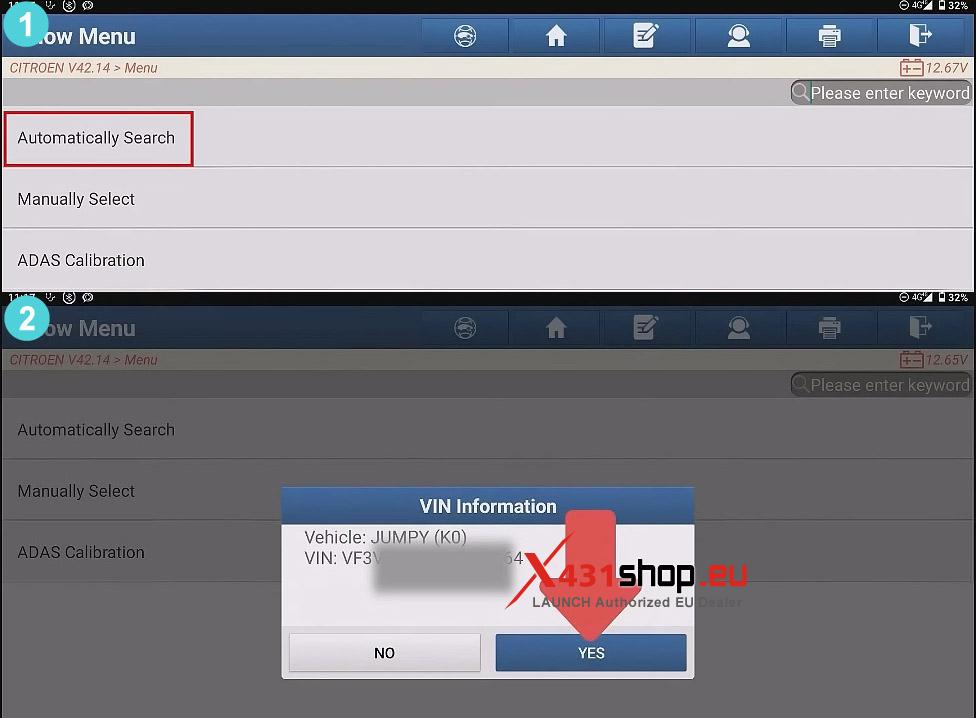
2) Click [Automatically Search], Confirm the vehicle information and tap [YES].
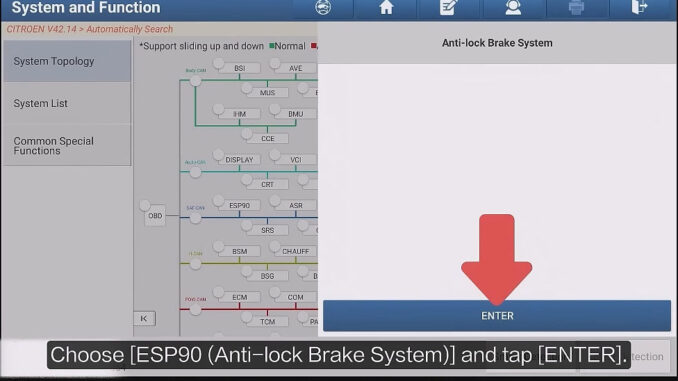
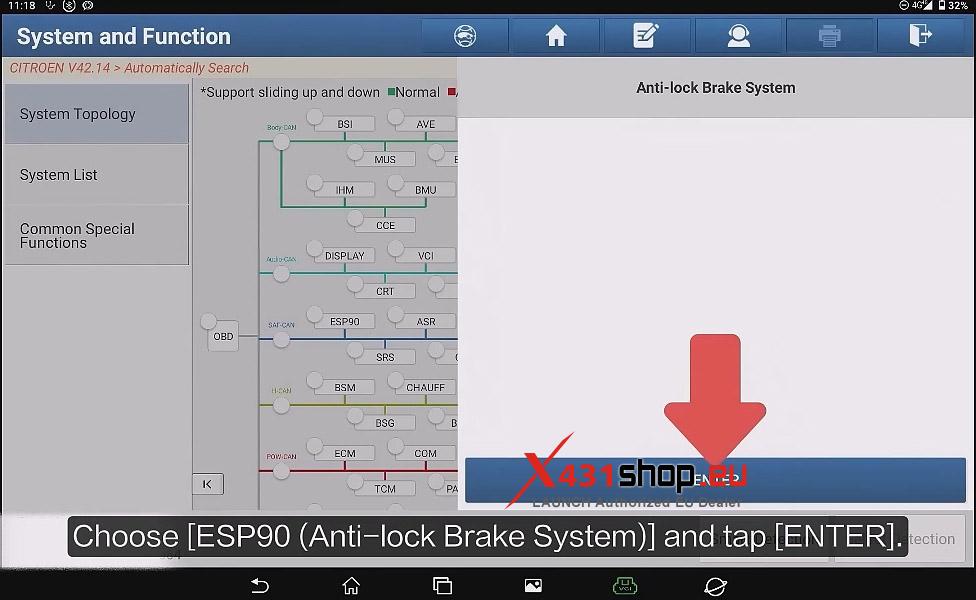
3) In the topology diagram interface, select [ESP90 (Anti-lock Brake System)] and tap [ENTER].
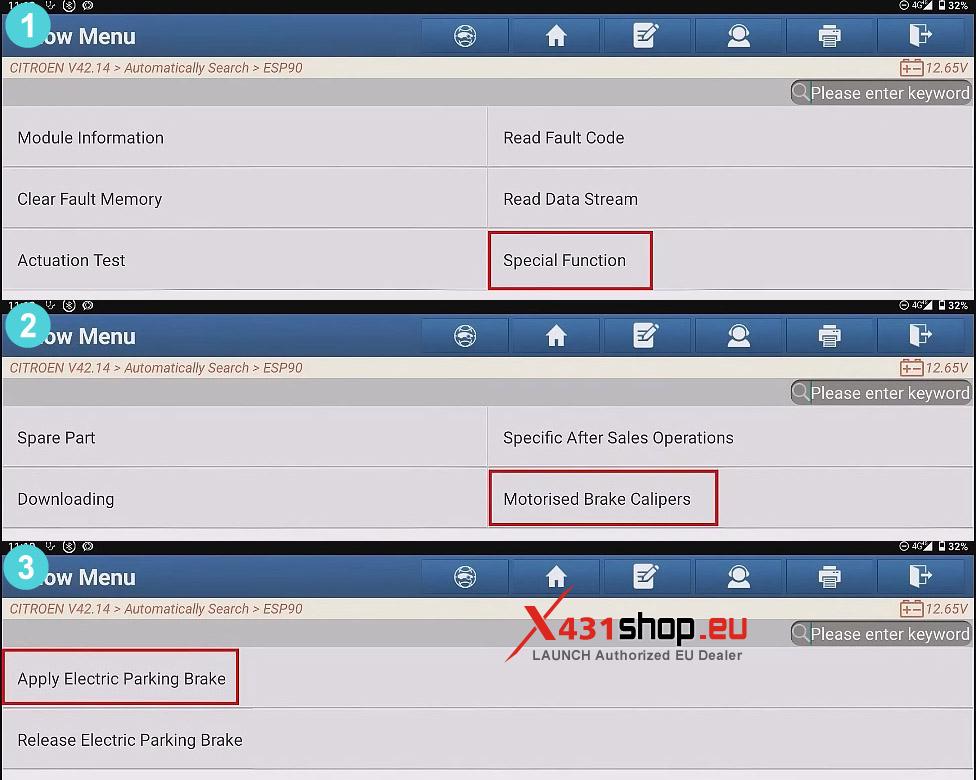
4) Choose [Special Function] -> [Motorised Brake Calipers] -> [Apply Electric Parking Brake].
NOTE: This actuator test is used to check the operation of the electric brake caliper.
If an actuator test is initiated, you must wait for the component to stop operating before starting another actuator test.
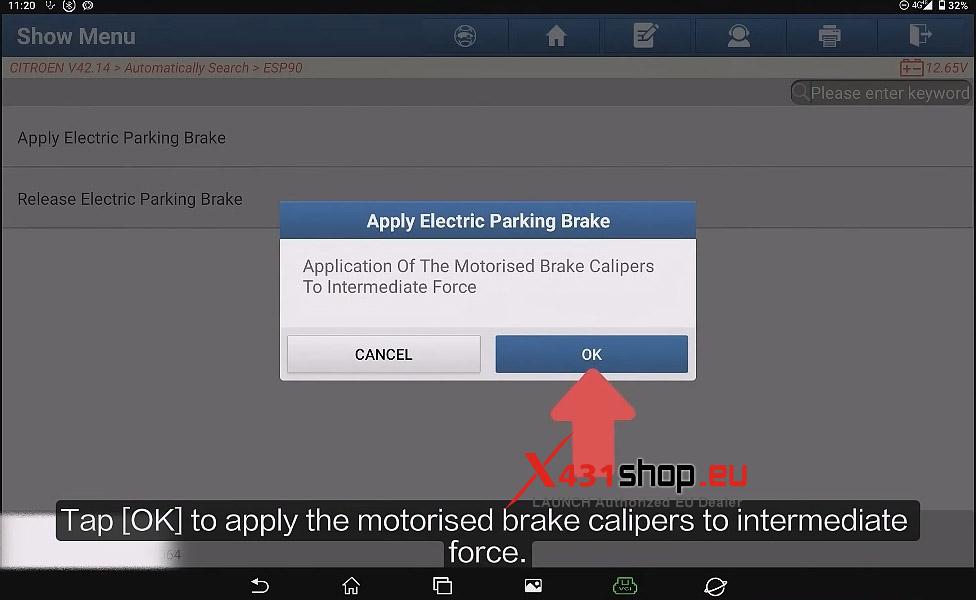
5) Tap [OK] to apply the motorised brake calipers to intermediate force.
6) Wait for the device to display the prompt “Routine Ended. The Operation Was Performed Correctly.” Click OK to complete the operation.