


The LAUNCH Creader TPMS 5011 V2 (CRT5011 V2) supports detecting vehicle tire pressure sensor malfunctions and also supports tire pressure sensor programming and tire pressure learning. This article will use a 2019 BMW 730Li as an example to demonstrate how to perform the tire pressure learning function using the LAUNCH CRT5011 V2.
Used Device: Creader TPMS 5011S V2
Tested Model: 2019 / BMW / 730Li
Operating Procedures:
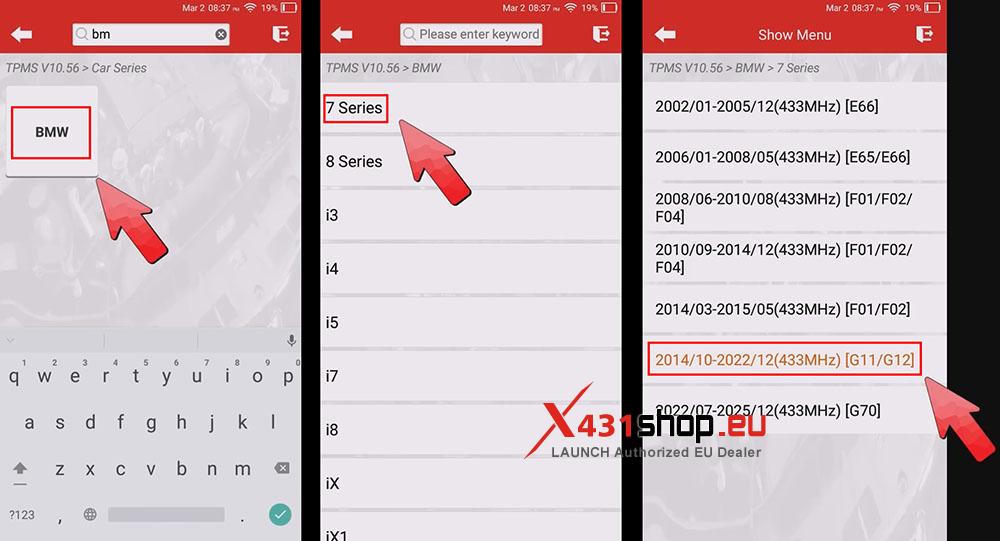
1) Click [TPMS] -> [BMW] -> [7 Series], choose the menu for the model year 2019.
Note: If multiple menus exist for the same model year, try another one if activation fails.
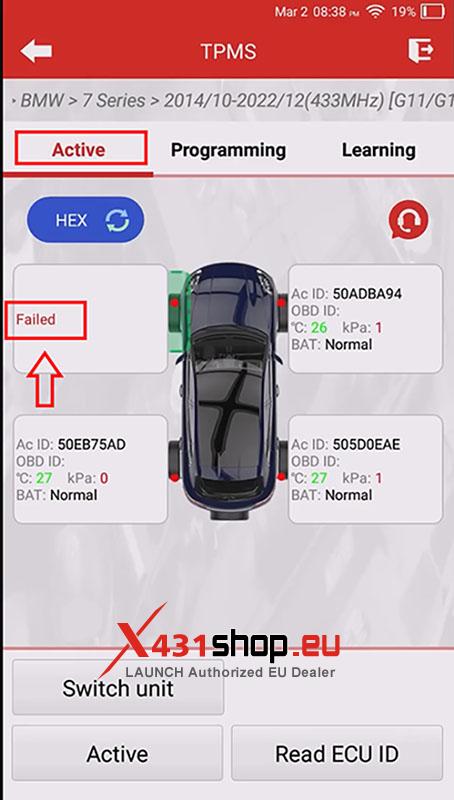
2) Choose [Active] to activate the four tire pressure sensors. The FR, RR, and RL wheel sensors are successfully activated, but the FL wheel sensor fails to be activated, so it is confirmed that the FL wheel sensor is damaged.
3) Remove the failed sensor, choose [Learning], and check the sensor part number or print number under the selected menu. Proceed only if one of them matches.
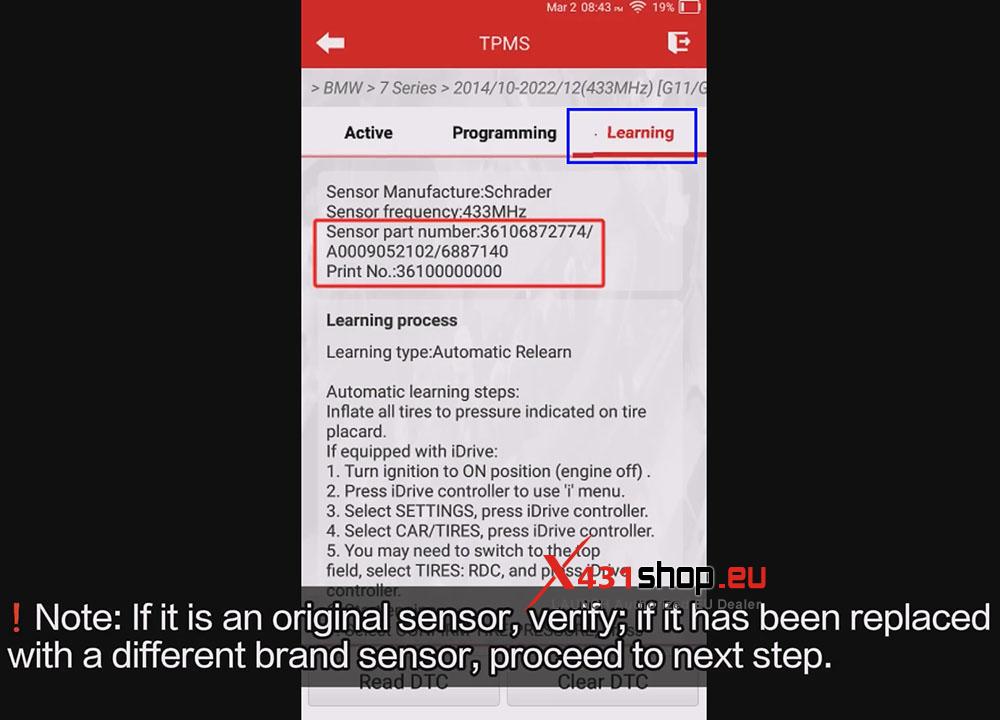
Note: If it is an original sensor, need confirm the Learn menu information is correct: if it has been replaced with a different brand sensor, proceed to next step.
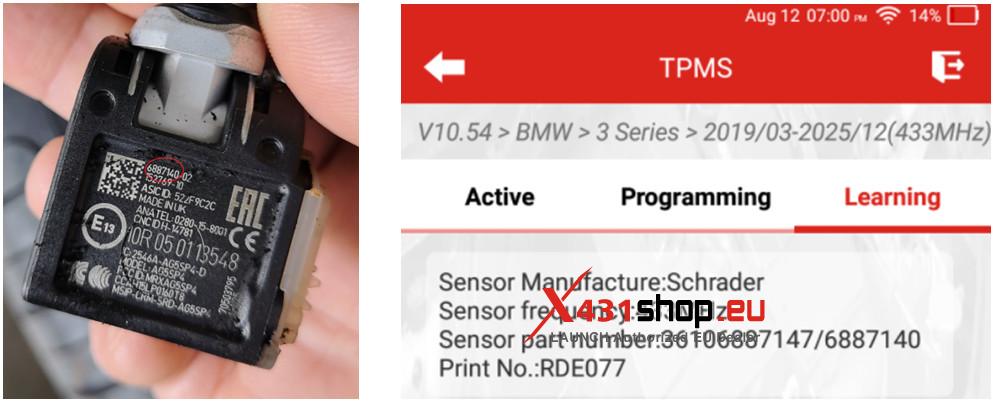
Confirm the Learn menu information is correct: Check the OE number of the original vehicle sensor and re-select the menu based on the OE number.
For example, for a 2019 BMW 3 Series, the original sensor OE is 407004CB0B. Compare this OE with the model and year OE of the device. If the OEs match, the menu is correct.
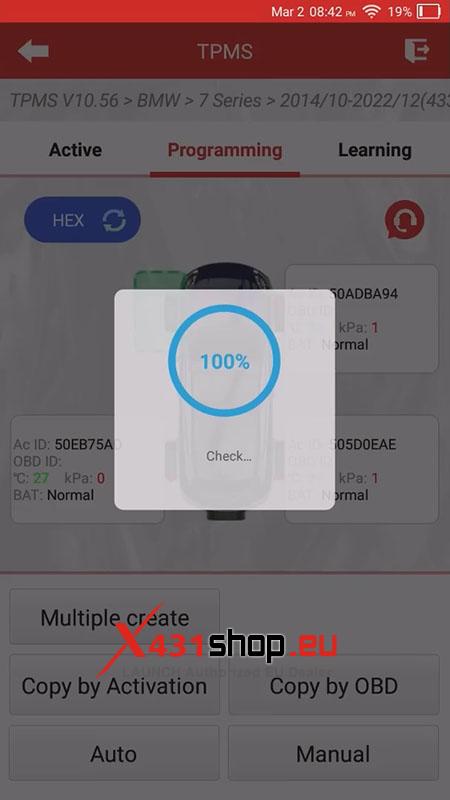
4) Click [Programming] and choose [Auto]. After confirming the ID, click [Programming].
Note: You can also choose [Manual] to input the original vehicle sensor ID or [Copy by OBD] to copy the sensor ID. For sensors programmed using this method, if the instrument panel does not display tire pressure values, the BMW learning method is still required for learning process(Refer to the Learning method at the end of the article, or refer to the Learning process listed in the 5011 V2 APP).

5) The programming is completed.
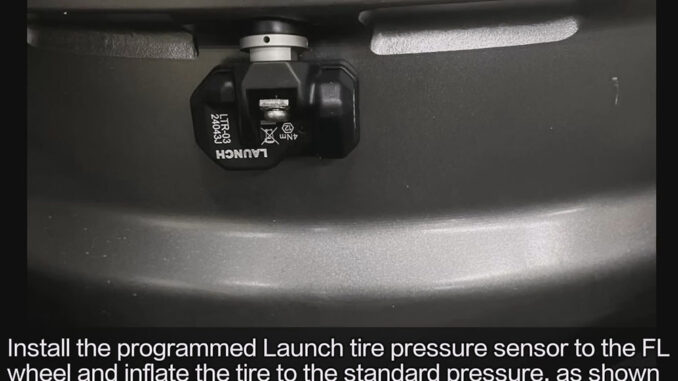
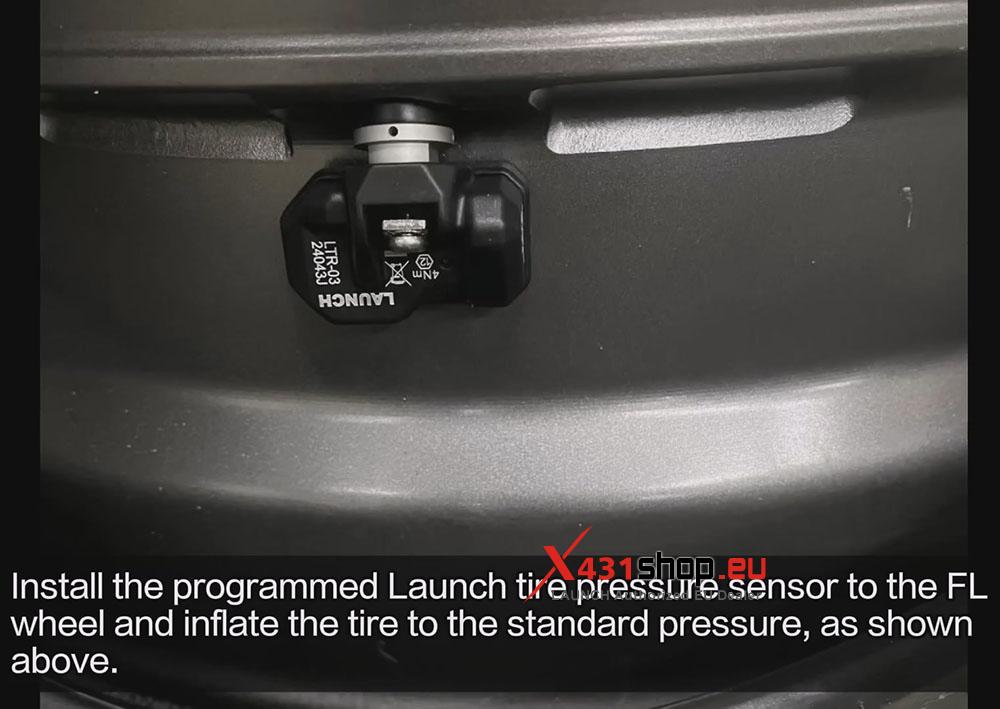
6) Install the programmed Launch tire pressure sensor to the FL wheel and inflate the tire to the standard pressure, as shown above.
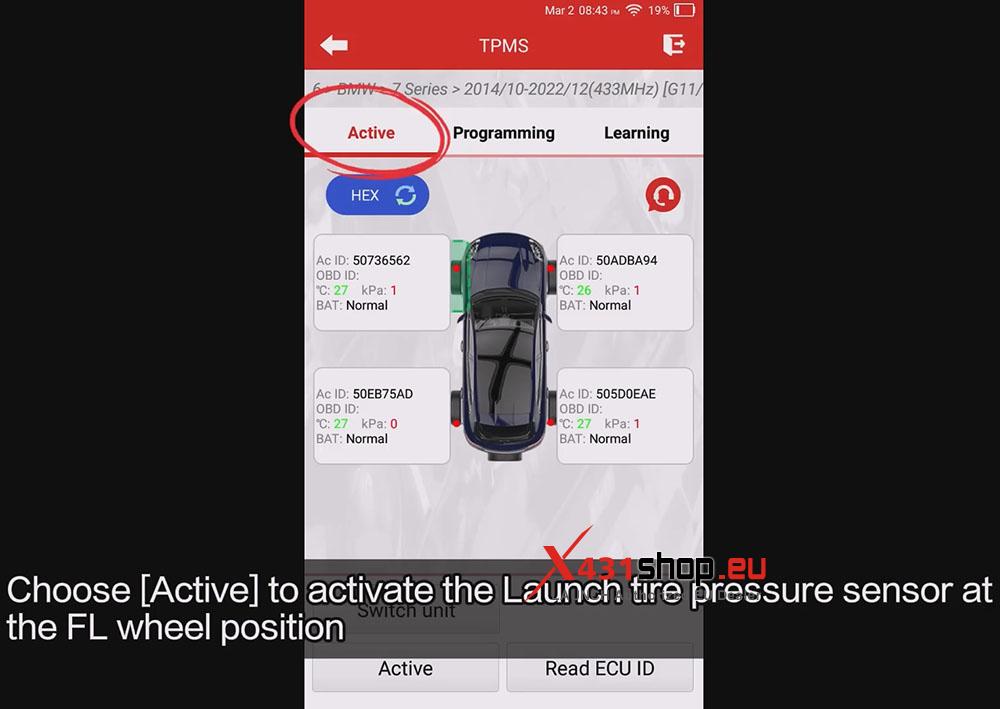
7) Choose [Active] to activate the Launch tire pressure sensor at the FL wheel position.
8) Click [Learning] and perform the operation using the automatic learning method.
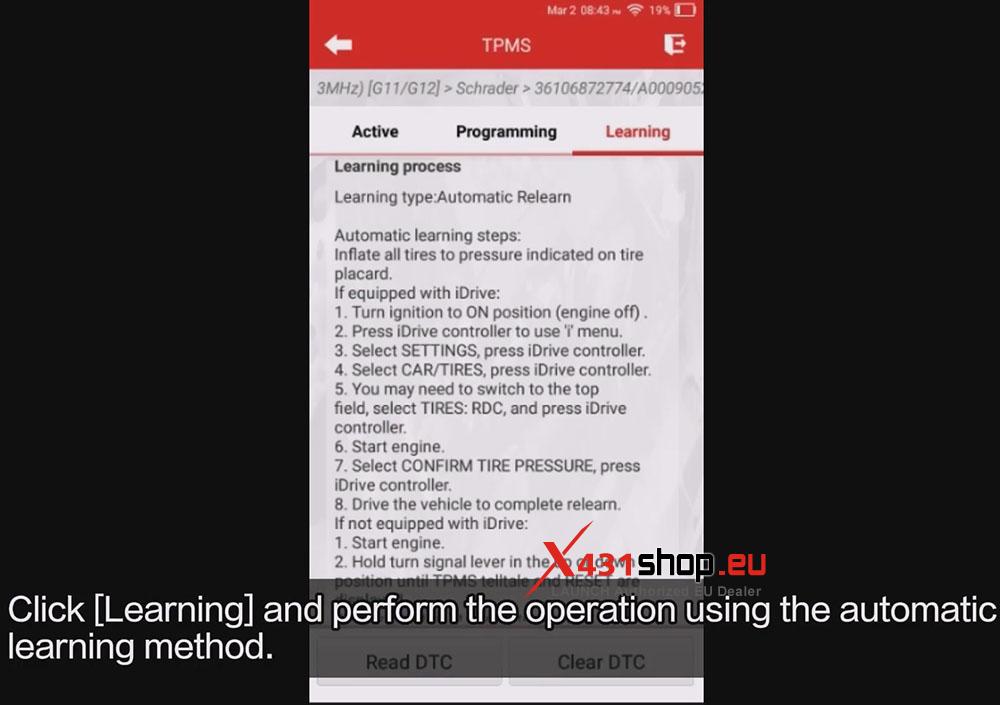
Learning method:
After locking the vehicle and allowing it to sleep for 20 minutes, you need to select tire pressure reset on the central control screen and then conduct a road test at a speed above 25 km/h.
Drive until the tire pressure reset progress bar is completed, the tire pressure light on the instrument panel goes out, and the tire pressure value is displayed normally.
Learning is completed.