




This article will describe how to perform suspension height sensor calibration on a 2015 GMC Yukon using the LAUNCH X431 PAD tool.
Function Description:
The suspension height sensor (vehicle height sensor) functions to adjust the air suspension height or headlight height in real time. The sensor is mounted externally to the vehicle, monitors suspension compression and rebound, and sends the data back to the ECU, which in turn activates the air suspension compressor to adjust the vehicle height.
After replacing or physically adjusting the suspension height sensor, it is usually necessary to use a vehicle diagnostic tool (such as the LAUNCH X431 diagnostic tool) to perform the “Suspension Position Sensor Trim Height” function.
Tested Model: 2015 – GMC – Yukon
Equipment used in this test: LAUNCH X431 PAD IX
Devices supporting this function: X431 full range of diagnostic tools (including X431 PRO series, PRO3 series, PAD series, CRP919 series).
Operating procedures:
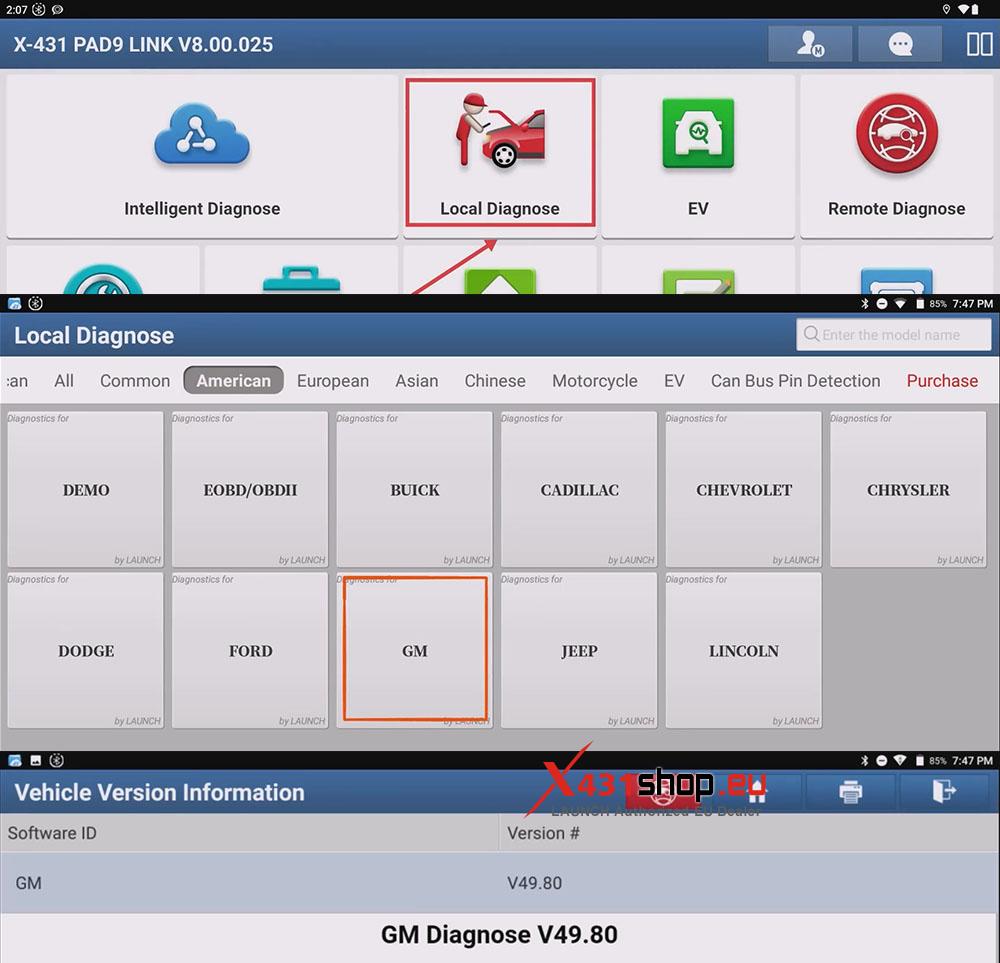
1) Connect the SmartLink of the X431 PAD to the vehicle’s OBD port. In the X431 APP, choose [Local Diagnose] -> [GM]. GM software version V49.80 or higher is recommended.
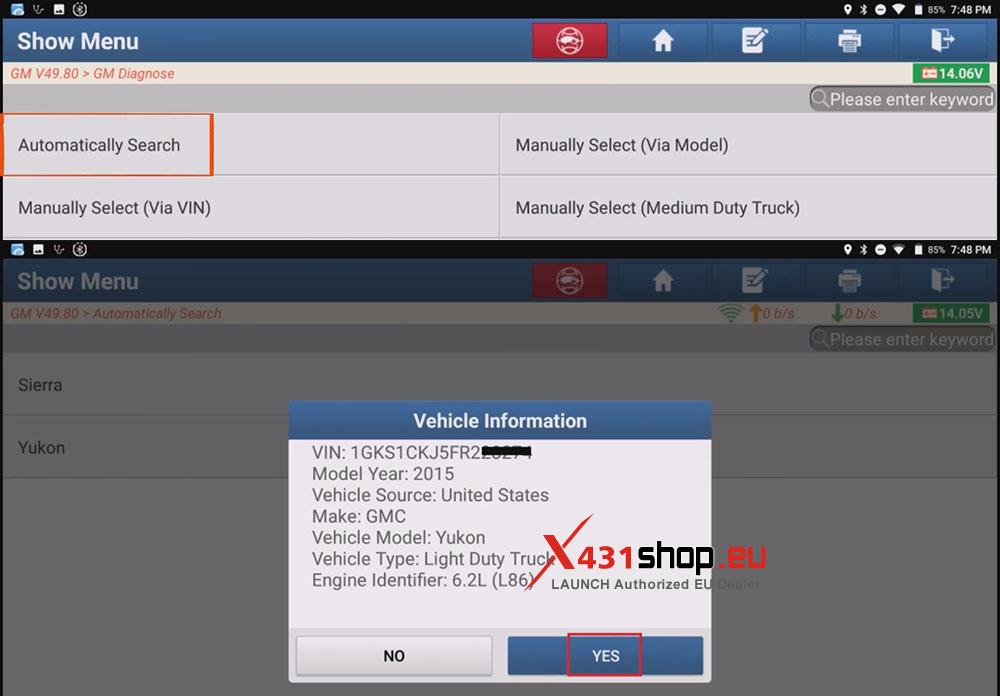
2) Select [Automatically Search] and then click [Yes] to automatically read the Vehicle VIN.
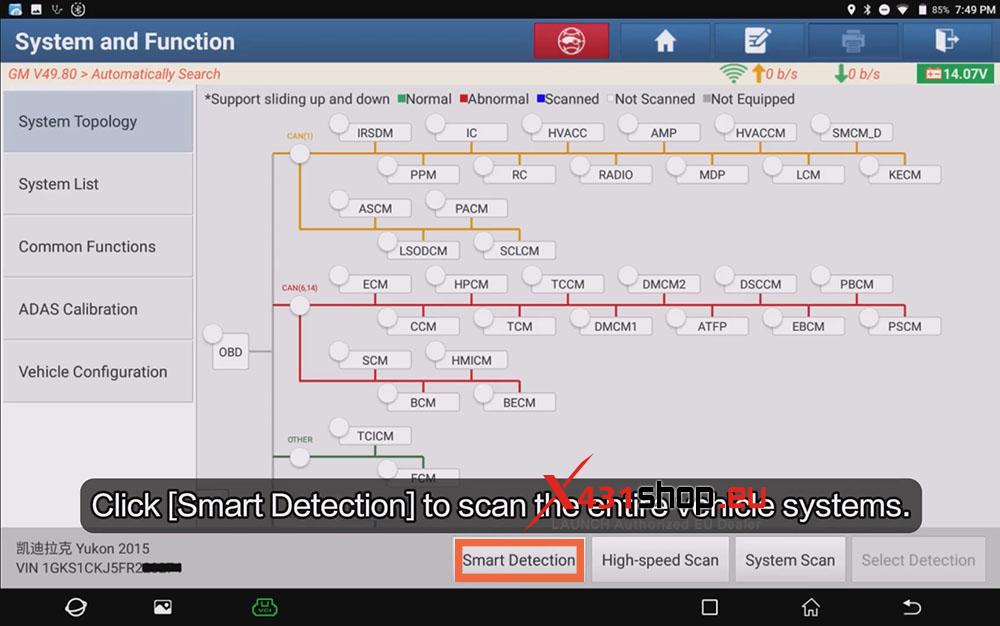
3) Click [Smart Detection] to scan the entire vehicle systems.
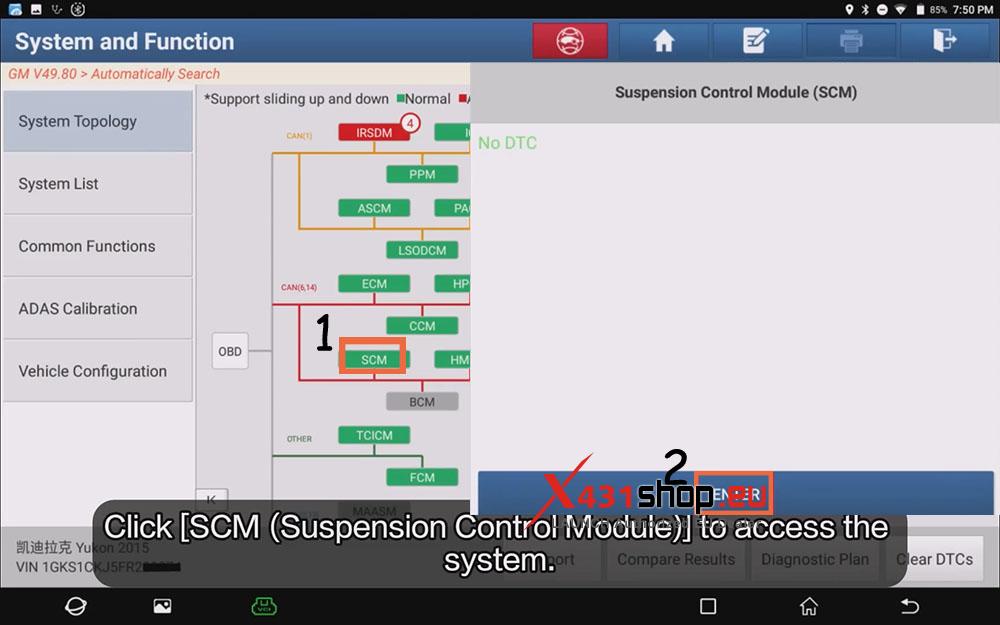
4) Click [SCM (Suspension Control Module)] and click [ENTER] to access the system.
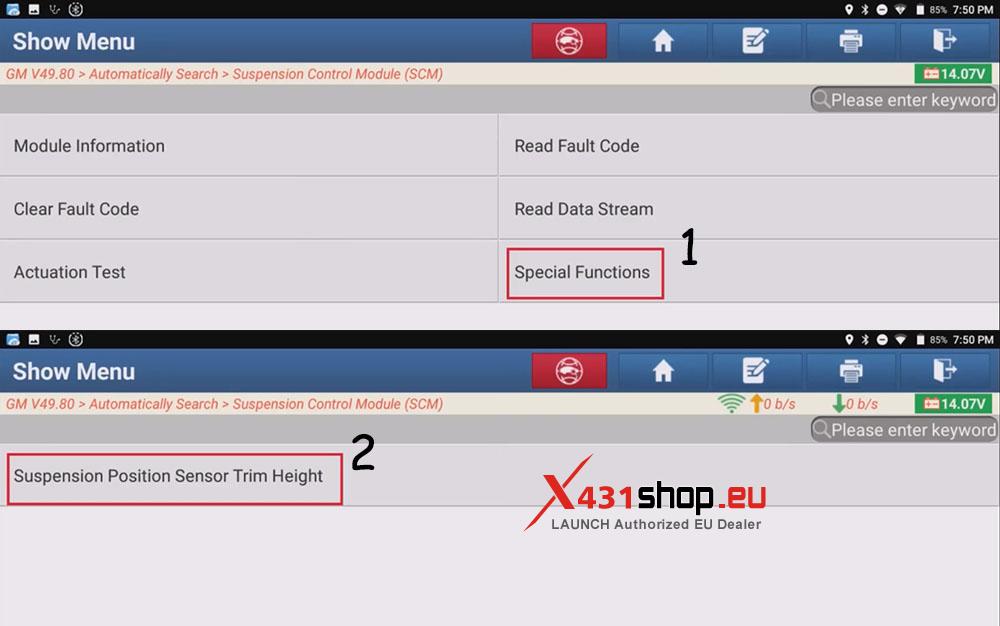
5) Select [Special Functions] -> [Suspension Position Sensor Trim Height] in sequence.
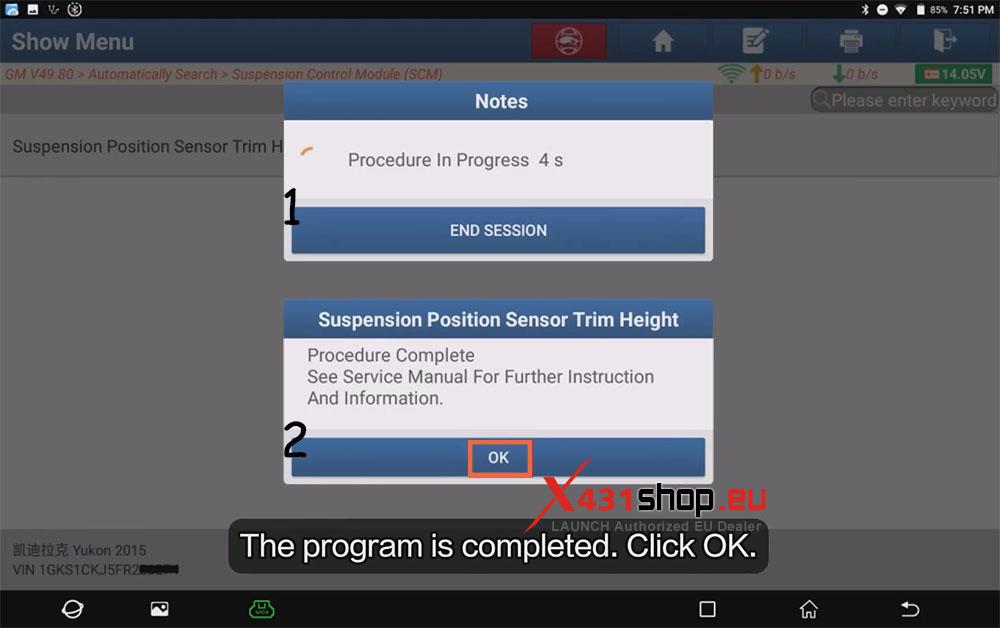
6) Wait for the function to complete, then click [OK], and the work is done.
Video Guide: