

The LAUNCH X431 diagnostic tool supports resetting vehicle systems and clearing fault codes/resetting malfunction indicators. Today we will demonstrate how to use the LAUNCH X431 PAD V ELITE Cam Crank Relearn on 2022 Fiat Pulse.
Background Description: Inside an engine, there is a component called the camshaft, which rotates synchronously with the crankshaft via a belt or chain. It controls the timing of valve opening and closing through irregularly shaped protrusions (cams) on its surface, ensuring the orderly intake and exhaust of the air-fuel mixture and exhaust gases.
When the engine malfunction indicator light appears on the dashboard, many car owners immediately think of the worst-case scenario: engine failure. However, in reality, the malfunction light might simply be due to a problem with the engine oil, a sensor malfunction, or a emissions system problem. Even if it is indeed a problem with the camshaft system, in most cases it only requires cleaning or replacing other small parts.
We can use the LAUNCH X431 to read the fault codes, determine the specific cause of the malfunction indicator lamp (MIL) illumination, and then perform repairs on the vehicle.
If the vehicle displays a message indicating that the crankshaft position has not been learned after the repair is completed, we can also use the X431 diagnostic tool to perform a relearning function by referring to the following steps.
Devices that support this feature: LAUNCH X431 PRO3 series, PAD series.
Equipment used in this test: LAUNCH X431 PAD V ELITE
Test vehicle: 2022 Fiat Pulse
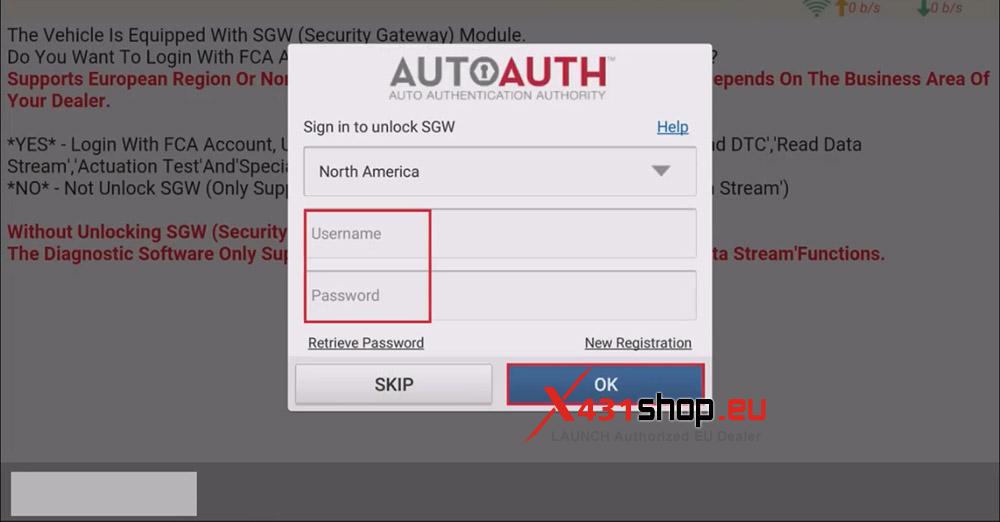
Note: Diagnosing 2019 and later FIAT vehicles requires unlock the SGW, so an FCA account is required. For more information, please see this article:
Operating procedures:
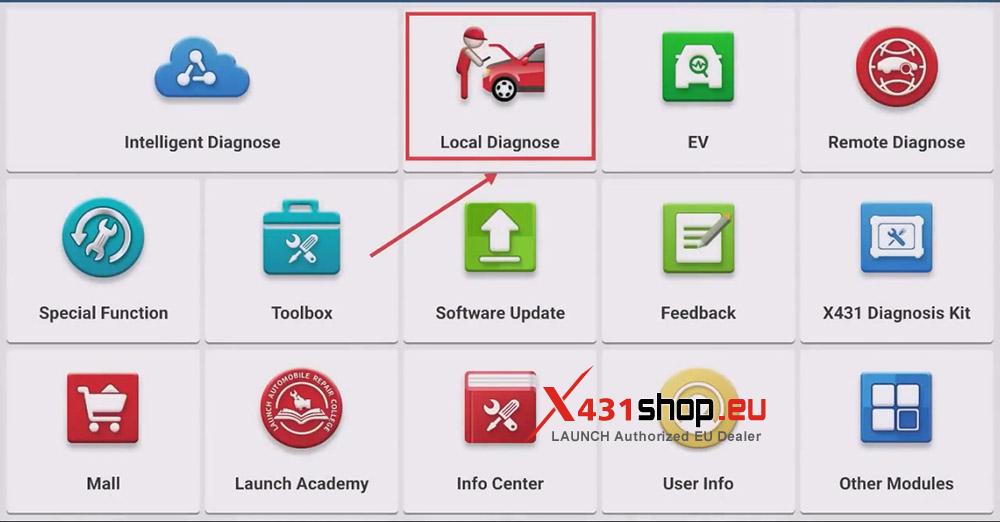
1. Connect the X431 PAD V ELITE to the vehicle, open the [X-431 APP], and select [Local Diagnose].
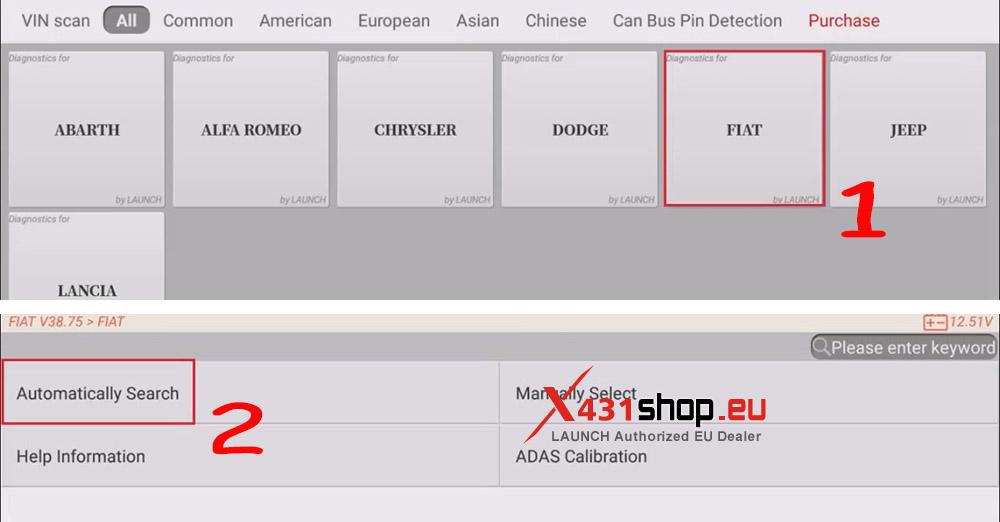
2. Choose [FIAT] -> [Automatically Search]. (FIAT software version V38.75 or above is recommended.)
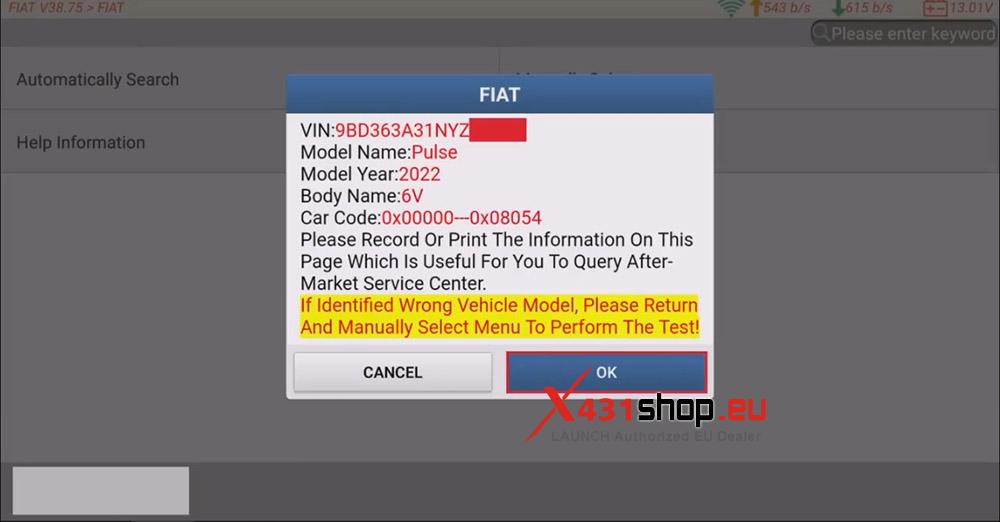
3. After confirming the vehicle information, click [OK], then unlock the SGW. (You need to log in to your FCA account.)
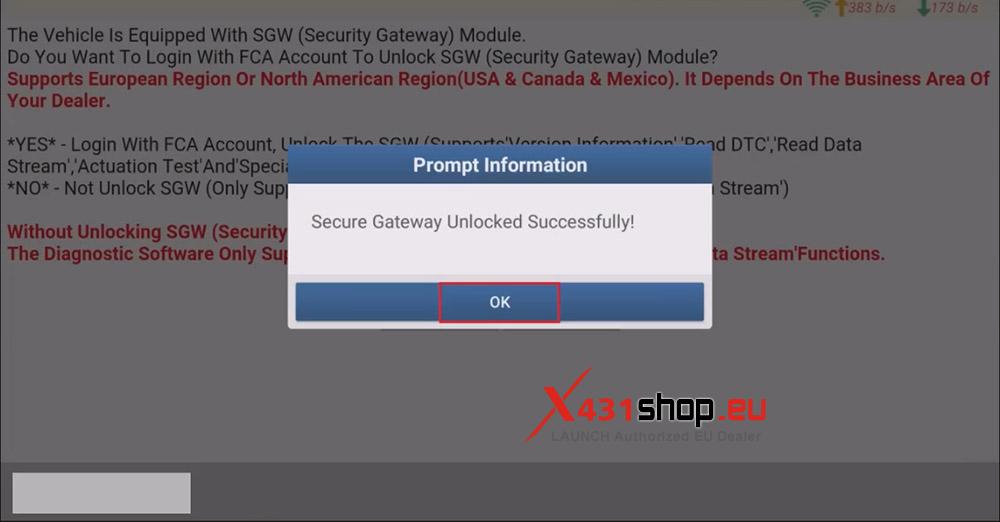
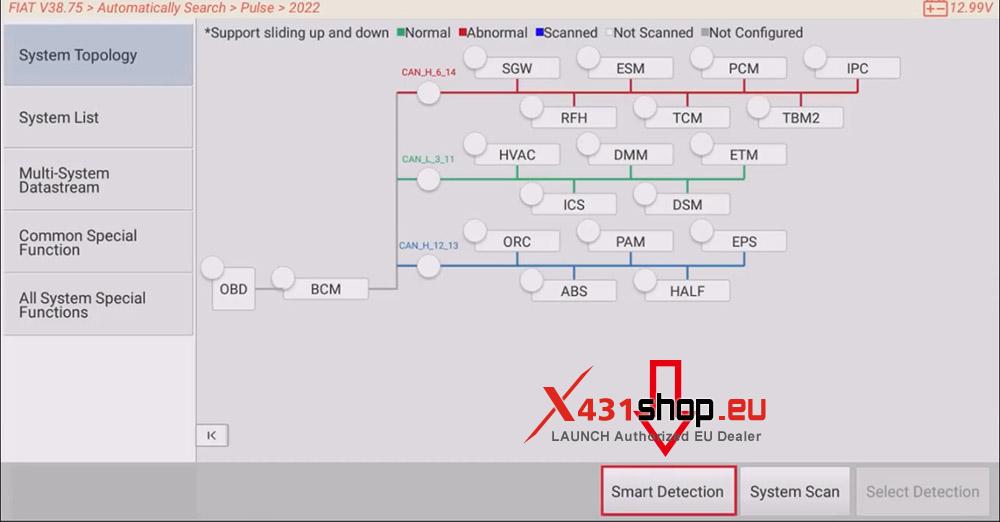
4. After successfully unlocking the FCA SGW, click [OK] to go to the topology diagnostic interface, and then click [Smart Detection] to scan the entire vehicle systems.
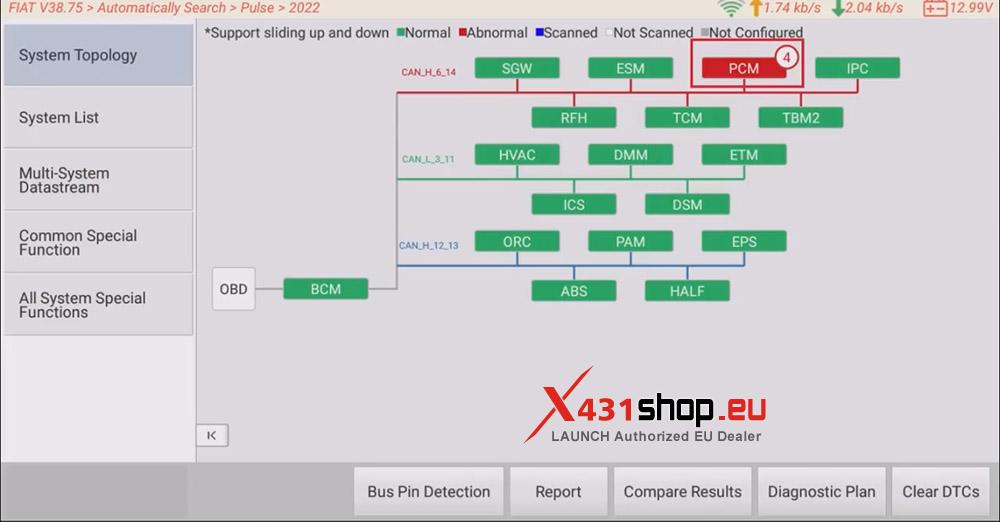
5. Click [PCM (Powertrain Control Module)] to access the system.
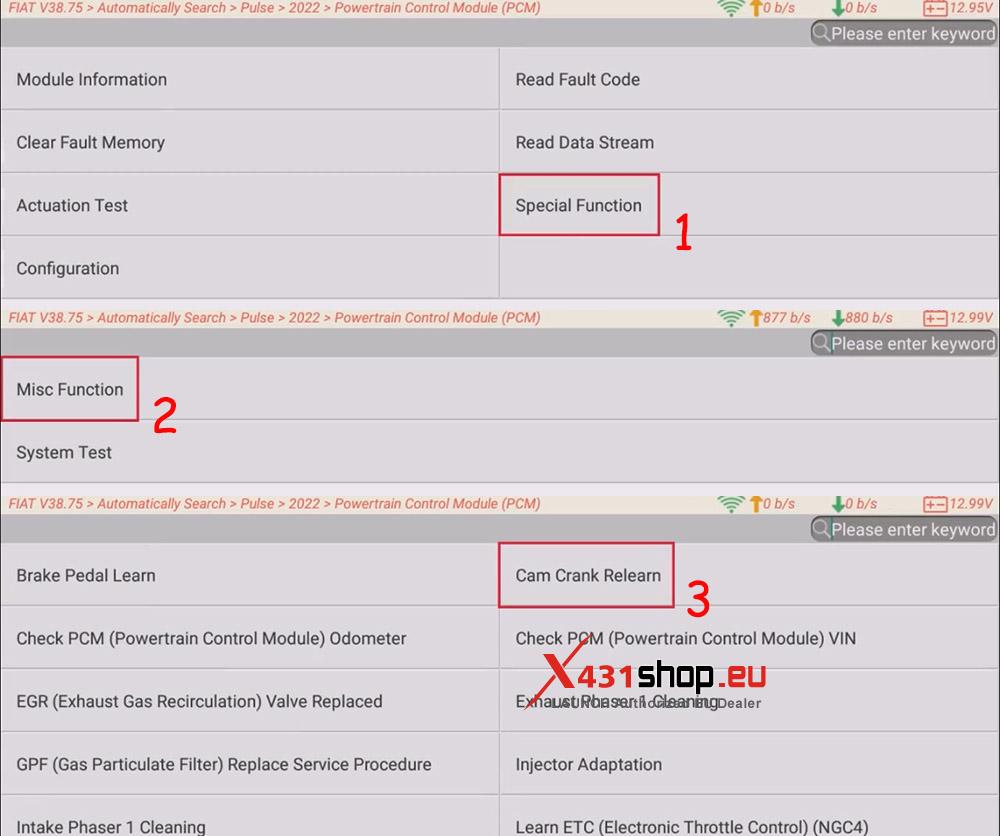
6. Choose [Special Function] -> [Misc Function] -> [Cam Crank Relearn].
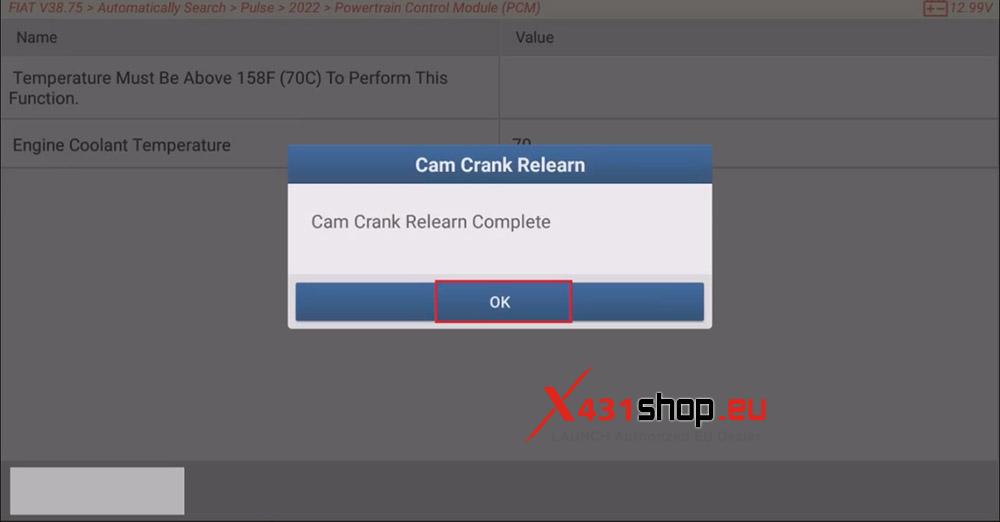
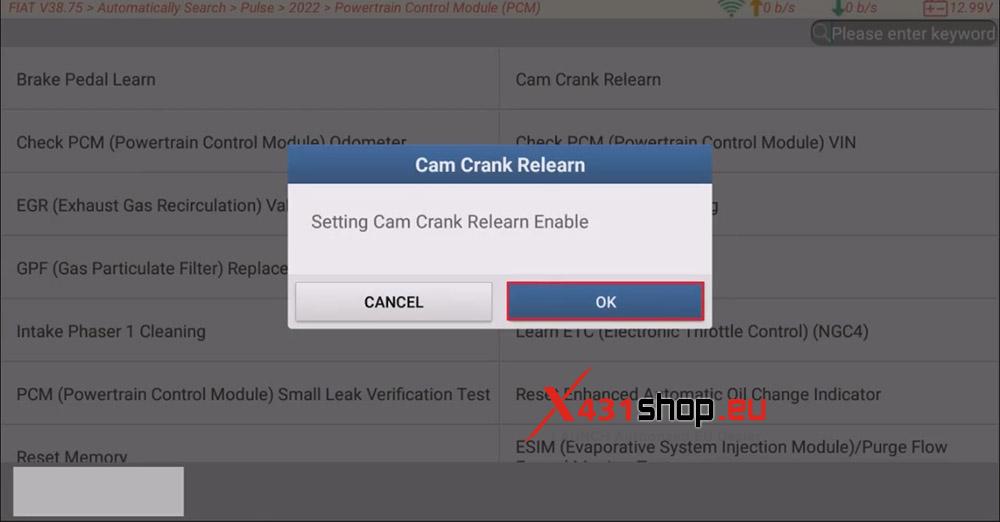
7. Read the function description and click [OK]. Then, select [OK] to Enable Cam Crank Relearn and wait for the diagnostic device to complete the operation.
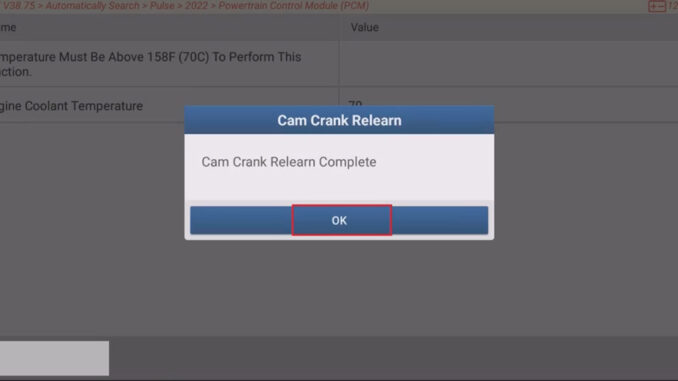
8. The X431 diagnostic tool displays “Cam Crank Relearn Complete“. Click [OK]. Program execution is complete.