


When replacing SUBARU vehicle control components (such as the steering wheel and suspension), the VDC sensor needs to be reset in the vehicle’s computer. This task can be easily accomplished using the LAUNCH X431 diagnostic tool; this article will explain how to do it.
Function Description:
This function is used for SUBARU models in the following situations:
After installing, replacing or adjusting the following parts, execute the VDC sensor centering mode:
1. Steering angle sensor
2. Steering wheel
3. Suspension parts
4. Wheel aligner
5. VDCCM & H/U
6. VDCCM & H/U bracket
Tested Model: 2021 / SUBARU / LEGACY
Tools supporting this function: LAUNCH’s full range of diagnostic tools, such as the X431 PRO series and X431 PAD series.
The tool used in this test: LAUNCH X431 PAD V ELITE
Operating procedures:
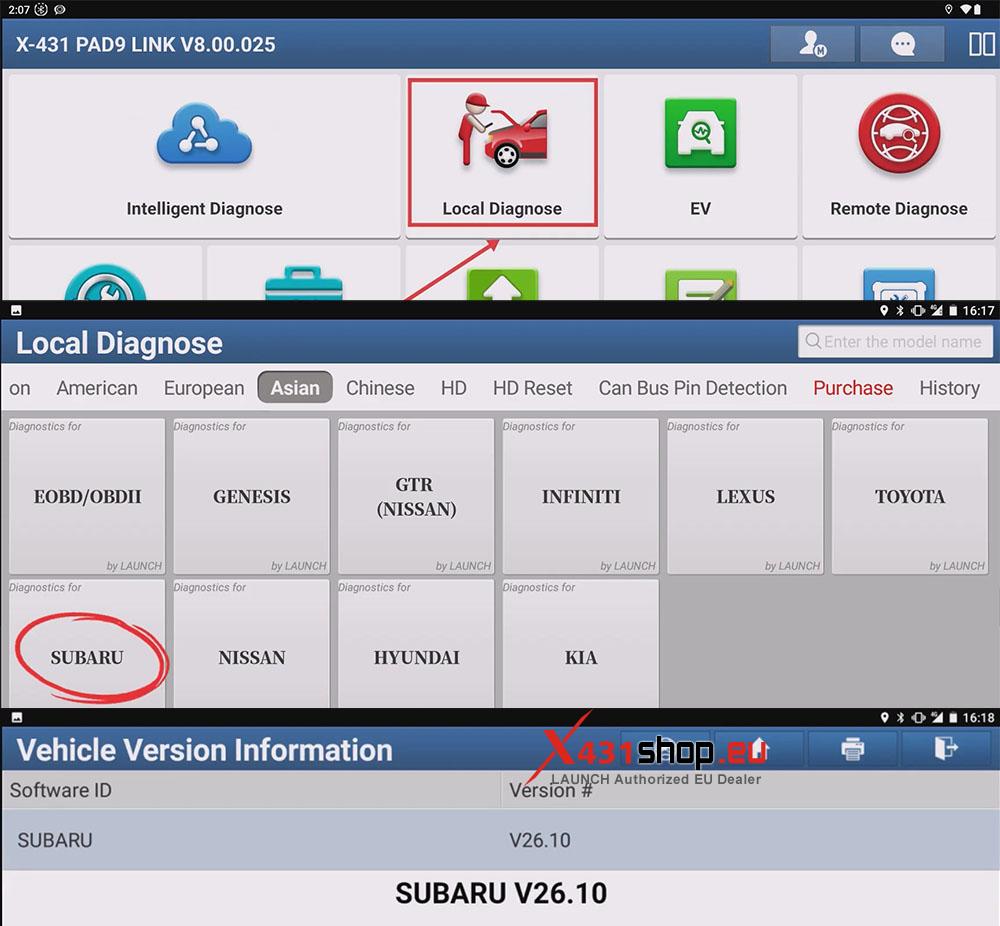
1) Choose [Local Diagnose] -> [SUBARU]. Check the vehicle version information and click OK.
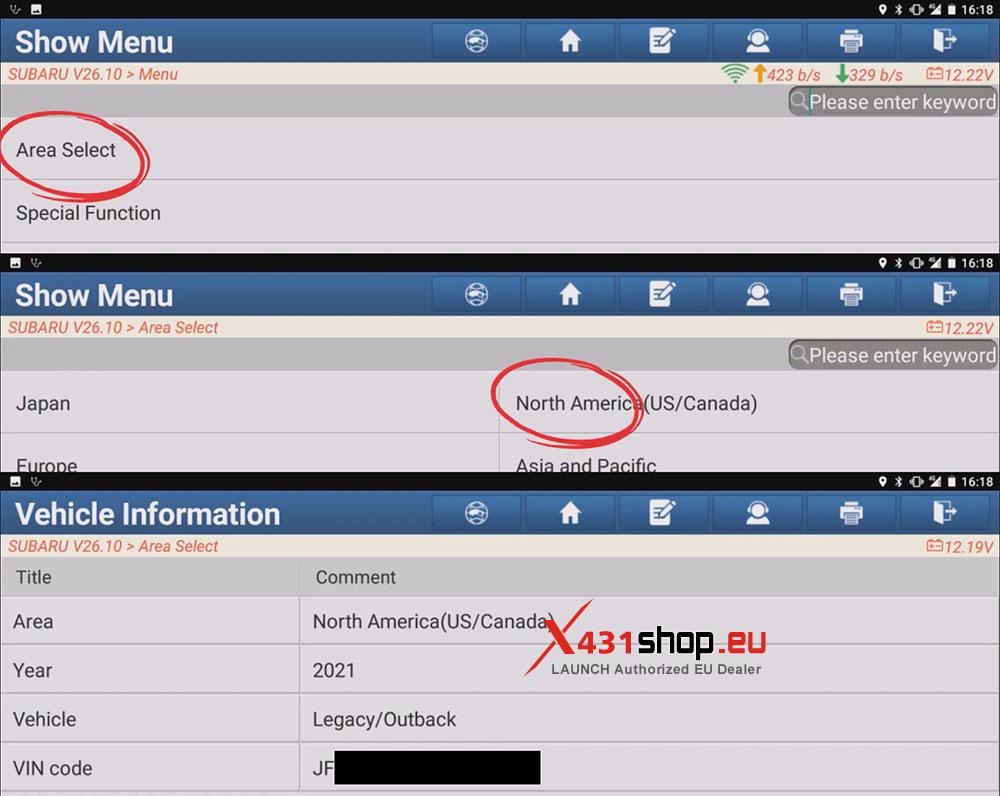
2) Select the region and country. This time we are diagnosing a Subaru vehicle in the United States. Click [Area Select] -> [North America (US/Canada)]. After confirming the vehicle information, click [YES].
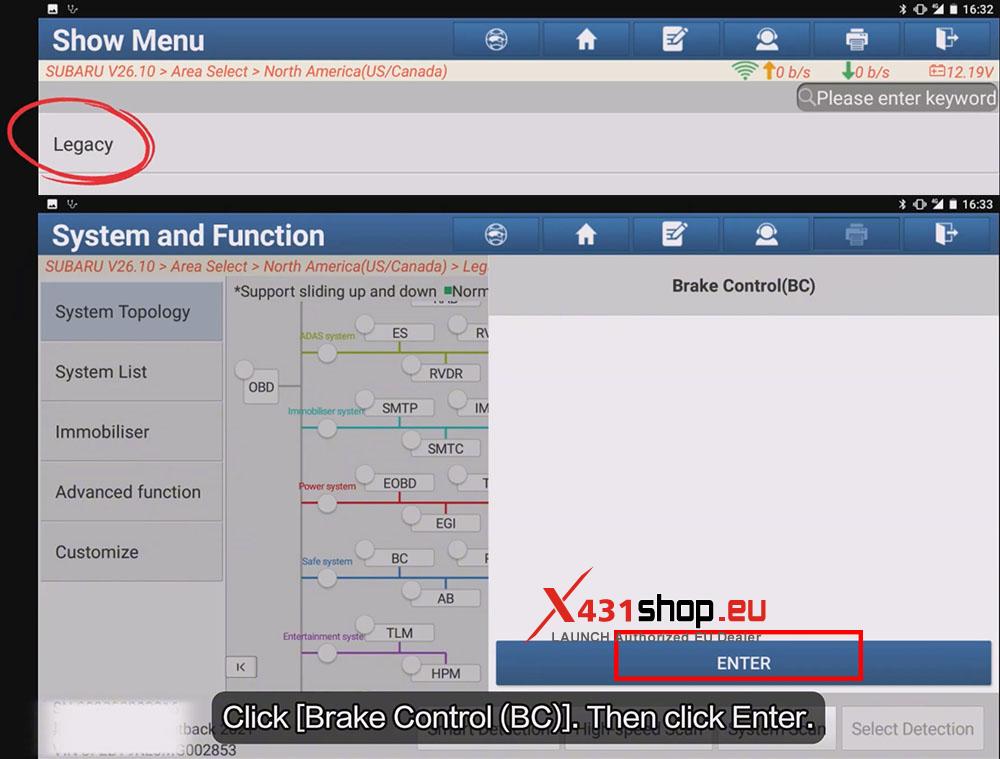
3) Choose [Legacy]. Enter the topology diagram interface. Click [Brake Control (BC)], then click [Enter].
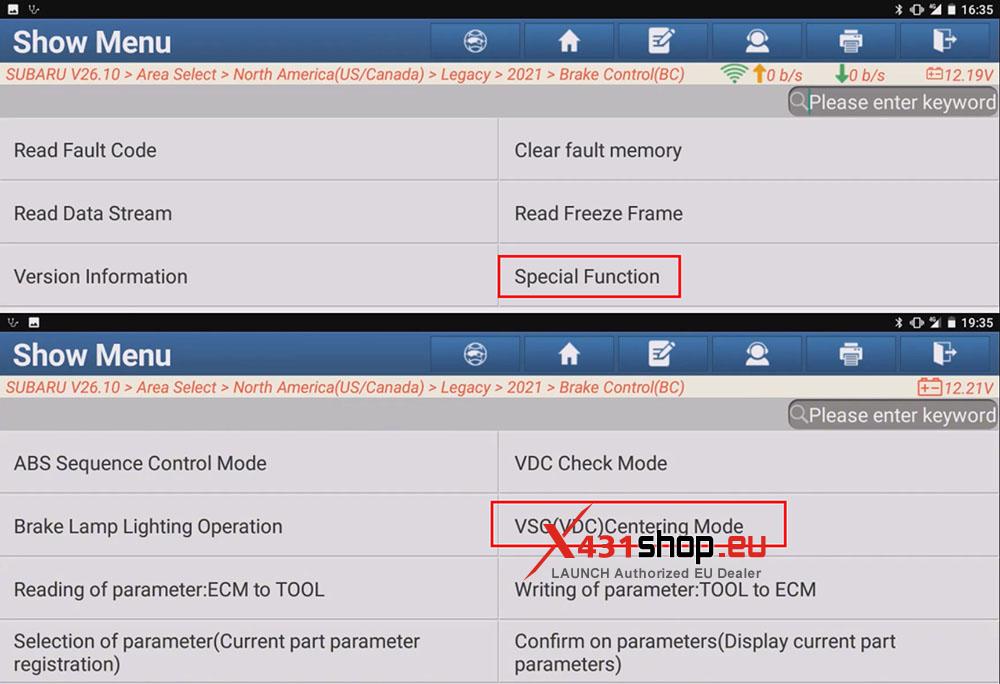
4) Choose [Special Function] -> [VSC (VDC) Centering Mode], click OK to start sensor calibration.
5) Follow the prompt: Stop the vehicle on a level surface in straignt ahead state. Select OK to begin.
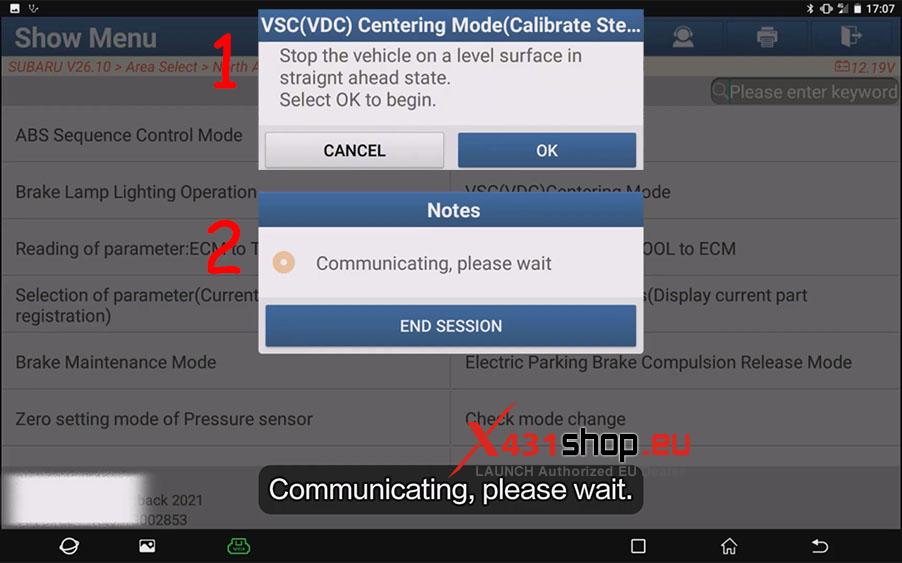
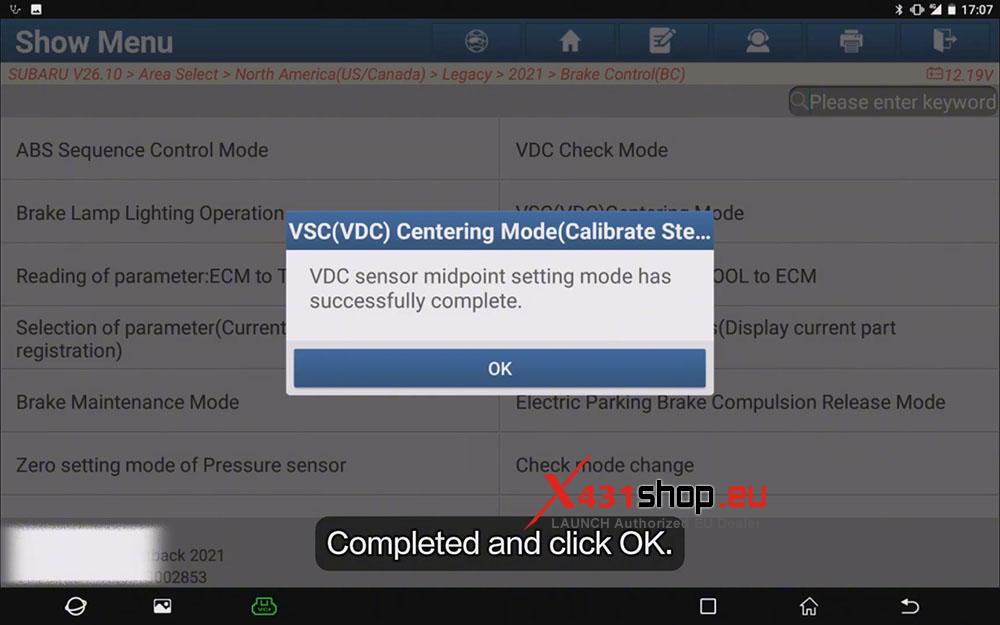
6) Wait Communicating. When it prompt: “VDC sensor midpoint setting mode has successfully complete.” Completed and click OK.