

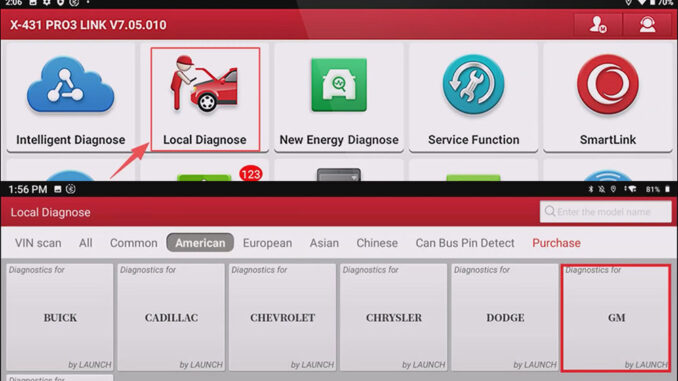
This article will describe how to reset the Fuel Pump Power Control Module using the LAUNCH X431 PRO3 V+ ELITE, the test vehicle was a 2021 GM Suburban. This feature is available on all LAUNCH X431 PRO3 Series and X431 PAD Series diagnostic tools.
Related background introduction:
Fuel Pump Power Control Module (also often called fuel pump driver control module or fuel pump electronic control module), its role in the vehicle engine is to intelligently adjust the speed and output pressure of the fuel pump to accurately match the fuel demand of the engine under different operating conditions.
When the Fuel Pump Power Control Module is replaced, software updated, or the fault code is cleared, a “configuration” or “reset” operation is usually required to rematch it with the vehicle’s ECU and enter normal working status.
This operation must use a professional car diagnostic tool (such as LAUNCH X431 diagnostic tool).
Operation process:
NOTE: Please ensure that the vehicle ignition switch is on, but the engine is turned off, and the vehicle speed is 0.
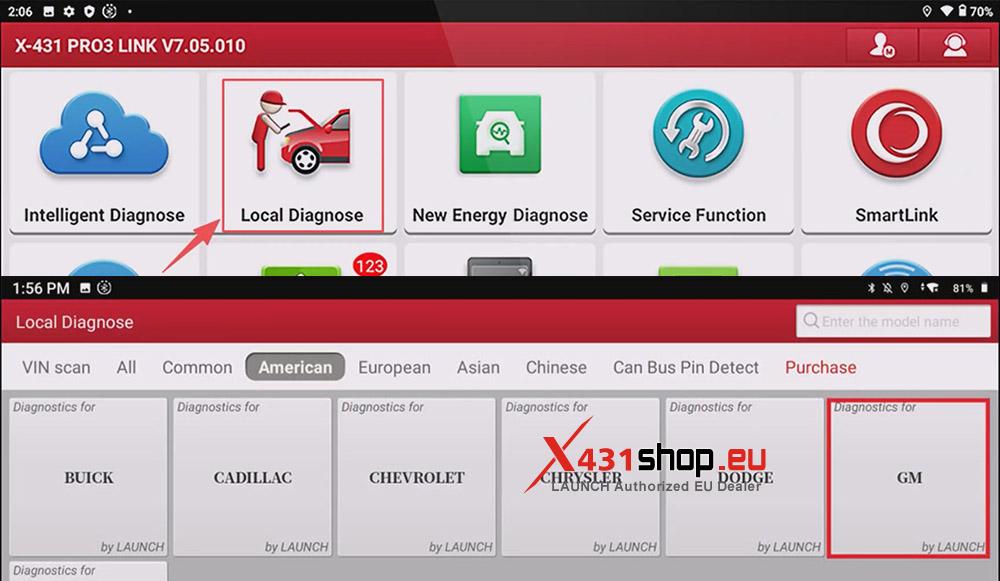
1) Connect the X431 device to the vehicle OBD interface, choose [Local Diagnose] -> [GM] on the X431 APP, check the vehicle version information and click [OK].
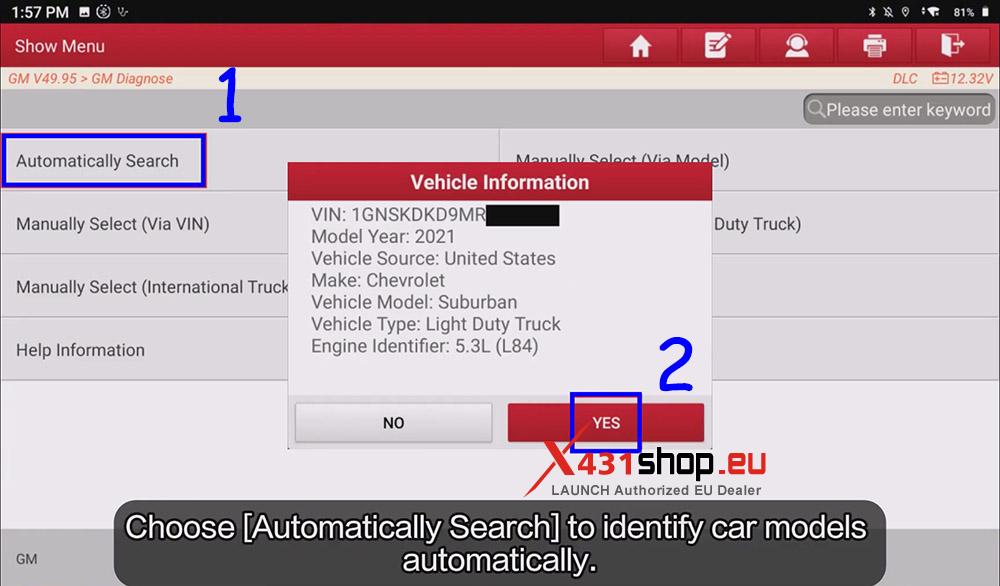
2) Choose [Automatically Search] to identify car models automatically. Verify the vehicle information and click [YES].
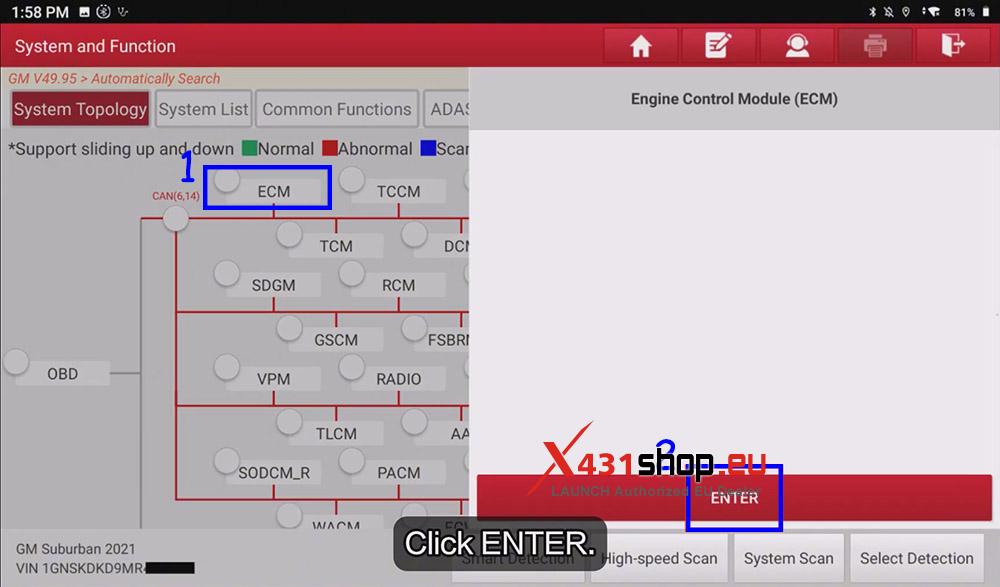
3) Click [ECM] -> [Enter], access the system.
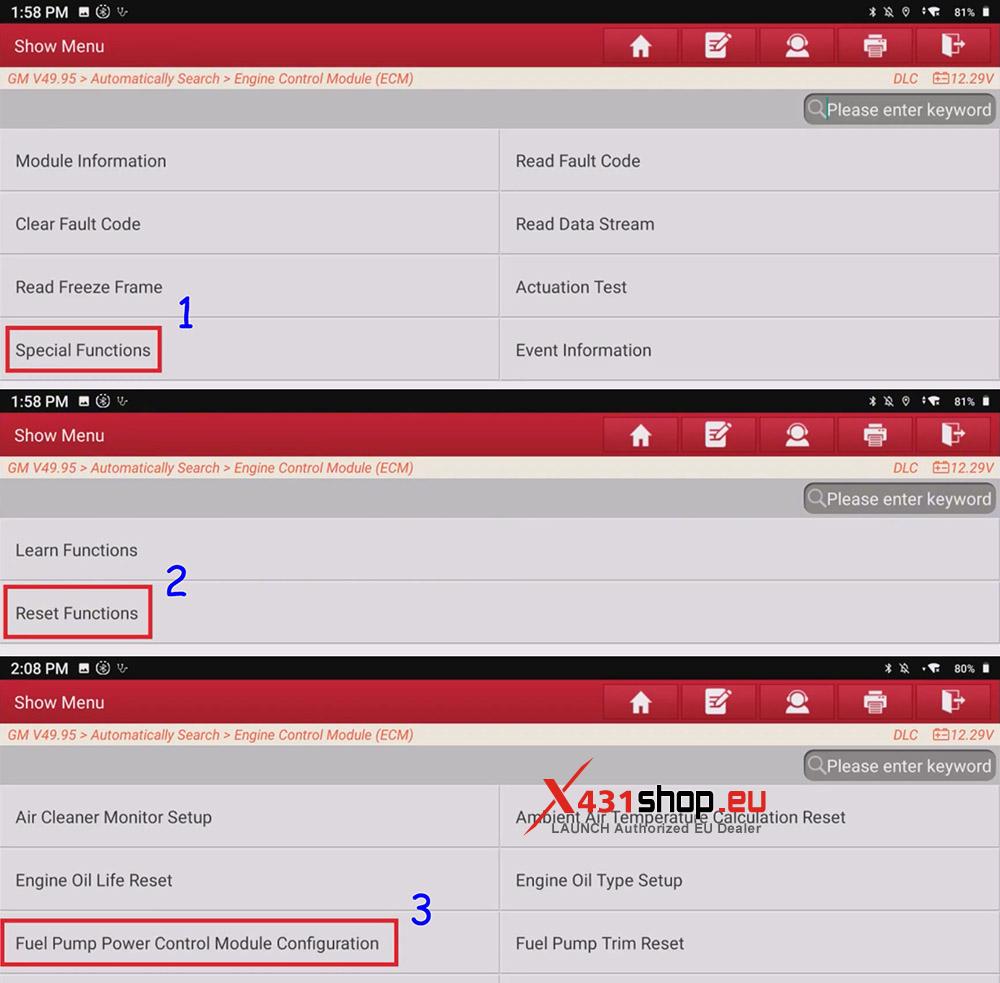
4) Choose [Special Functions] -> [Reset Functions] -> [Fuel Pump Power Control Module Configuration].
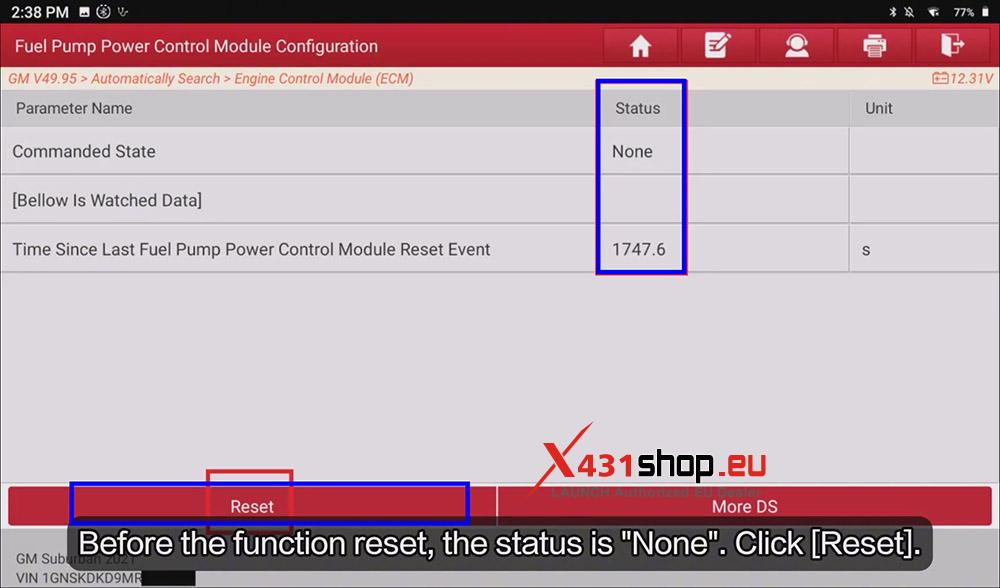
5) Before the function reset, the “Commanded State” is “None“, and we can see the time since last fuel pump power control module reset event.
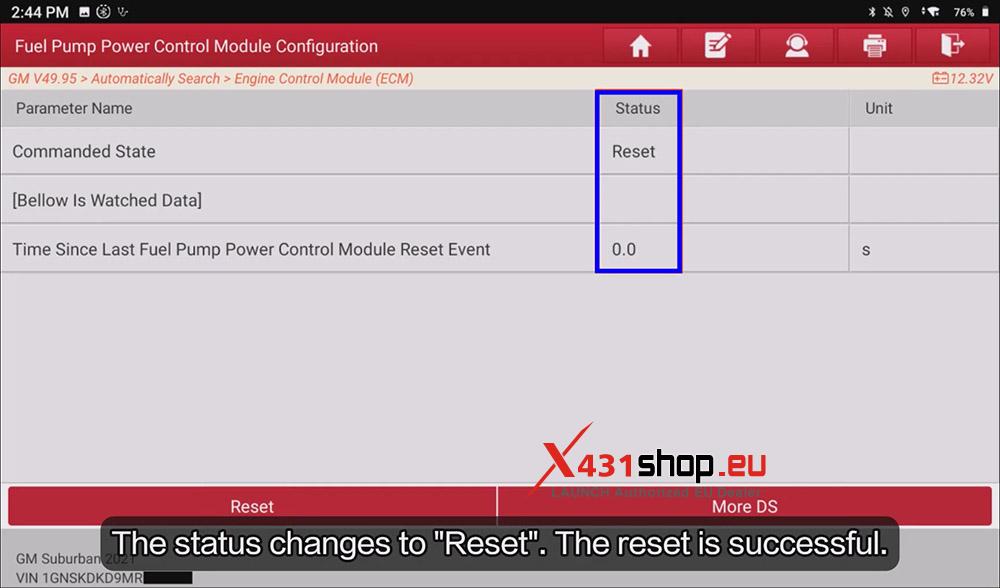
6) After clicking [Reset], the status changes to “Reset“. The reset function is successful.
Video Guide: