



This article will describe how to use the LAUNCH X431 Truck Diagnostic Tool (X431 PAD V HD) to perform Gearbox Clutch Learning on a Nissan UD CG5 truck (Volvo system).
What is clutch learning in a transmission?
In truck transmissions, “clutch learning” typically refers to the self-learning process in an AMT (Automated Manual Transmission) system. This process is used to calibrate parameters such as the clutch’s engagement point and friction point to ensure smooth gear shifting.
When is it necessary to perform the transmission clutch learning function?
This operation is generally performed after replacing clutch-related components (such as friction plates, TCU, etc.). For example:
- Replacing clutch friction plates, pressure plates, release bearings, etc.;
- Replacing the TCU or performing related repairs;
- After the vehicle experiences noticeable shifting jerks and other faults have been ruled out.
How to execute the transmission clutch learning function?
The operating logic may differ between brands (such as ZF, Fast Gear, etc.). It is recommended to consult the vehicle’s repair manual or use dedicated diagnostic equipment. Alternatively, you can use the LAUNCH X431 diagnostic tool, connected to the vehicle’s OBD port, to execute the clutch self-learning function for most vehicles.
Operation Procedure:
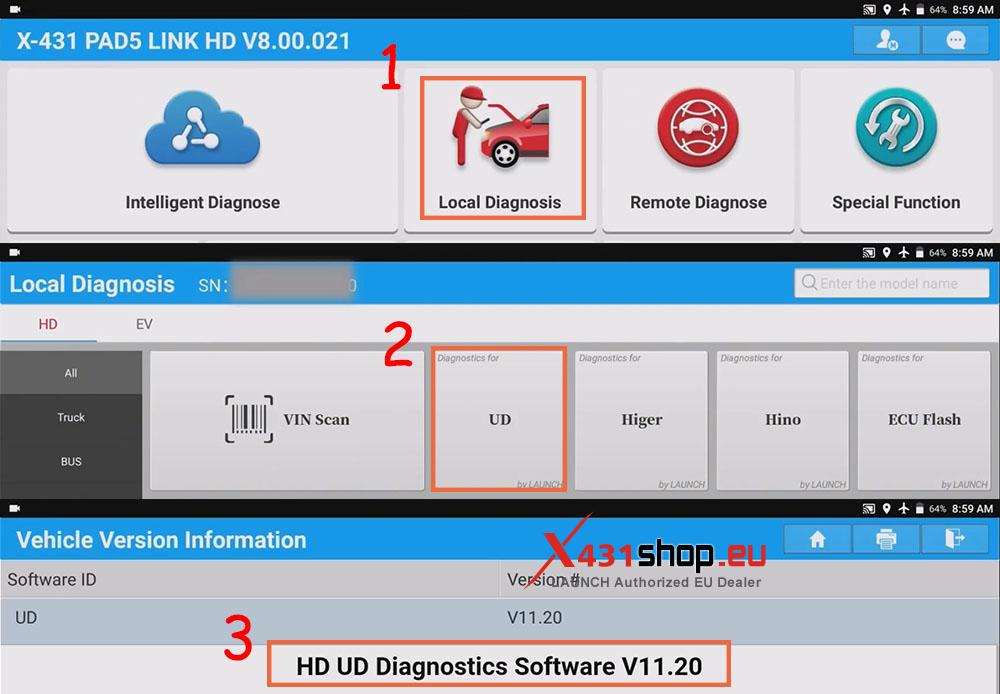
1) Connect the vehicle to the X431 PAD via LAUNCH SmartLink, then operate the device on the X431 PAD. Click [Local Diagnosis] -> [UD], confirm that the software version is higher than V11.20, and click [OK].
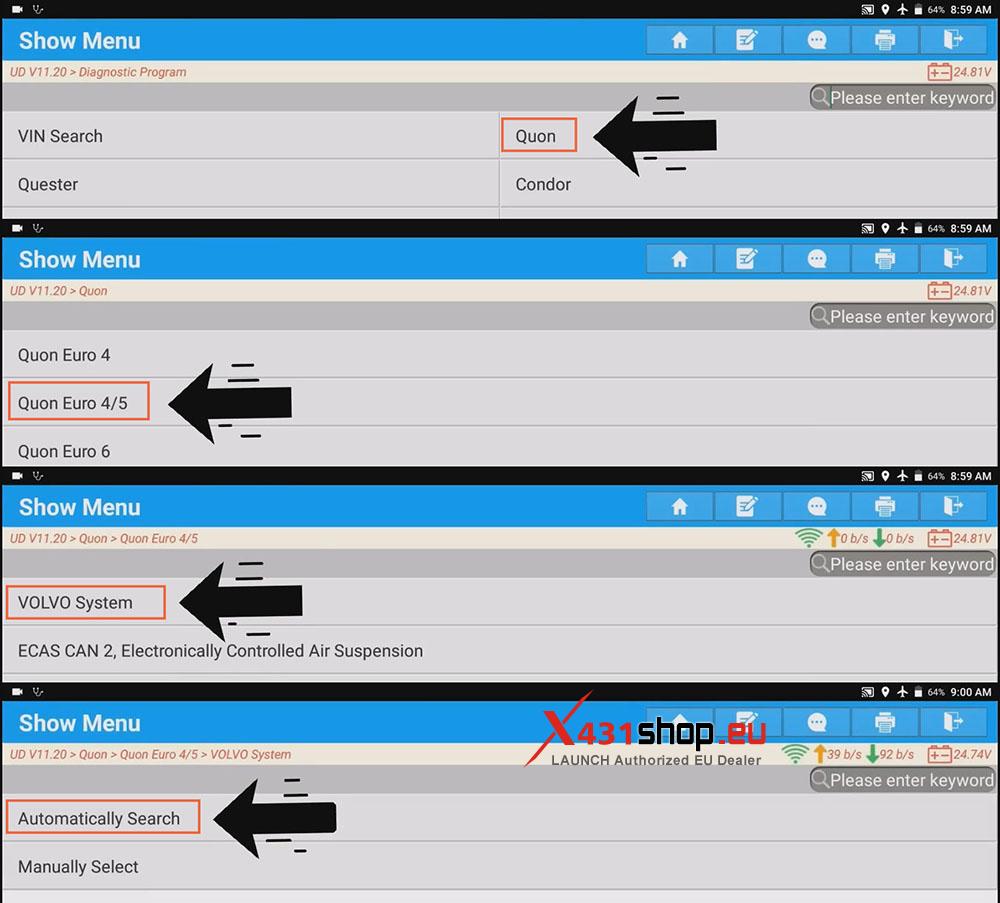
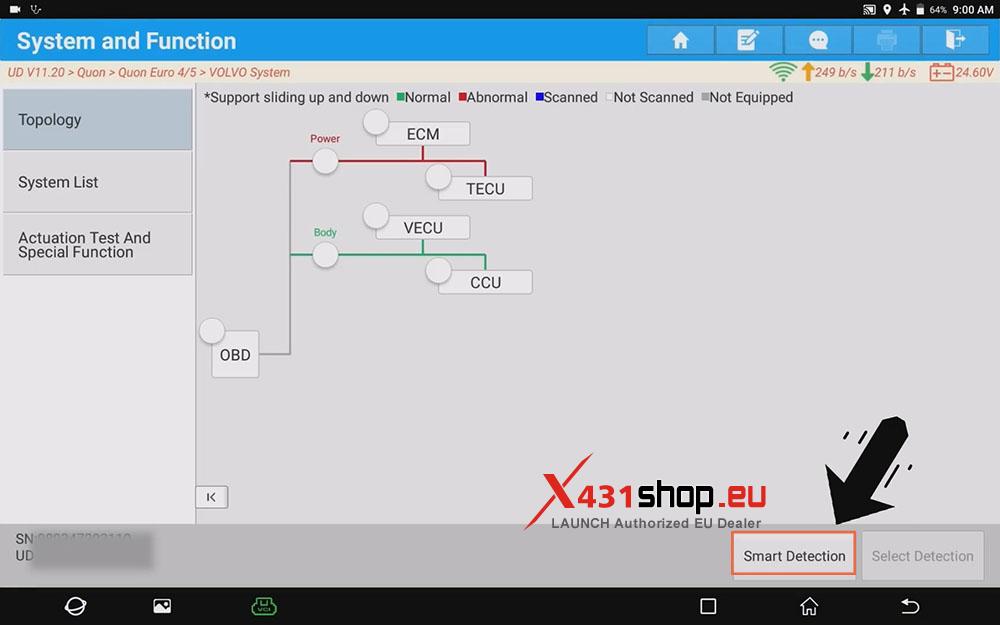
2) Select the vehicle model and enter the topology interface: [Quon] -> [Quon Euro 4/5] -> [VOLVO System] -> [Automatically Search].
3) Click [Smart Detection] in the topology interface.
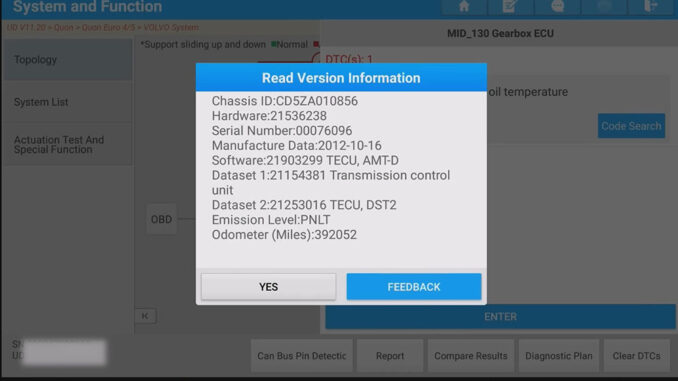
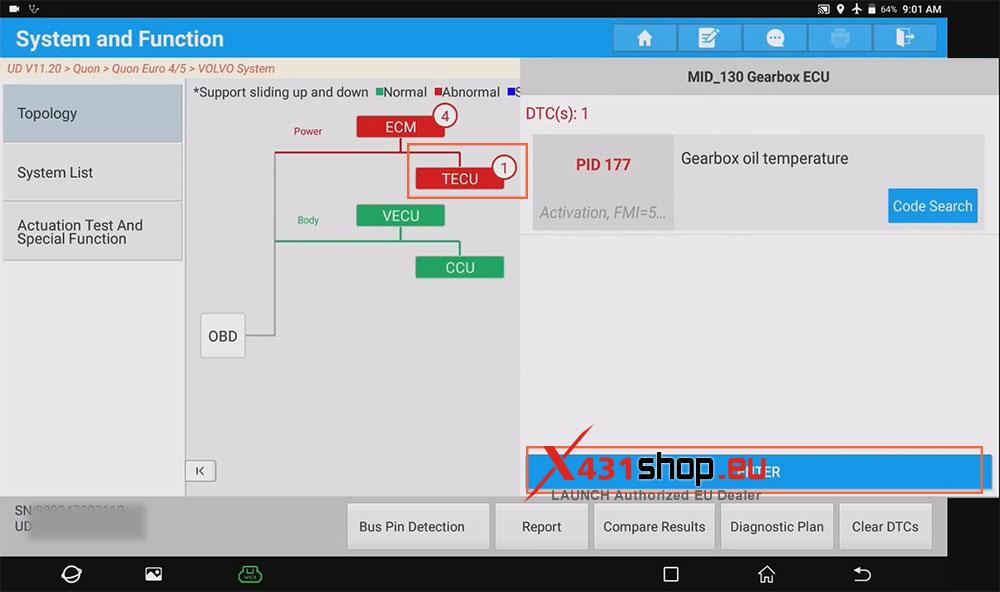
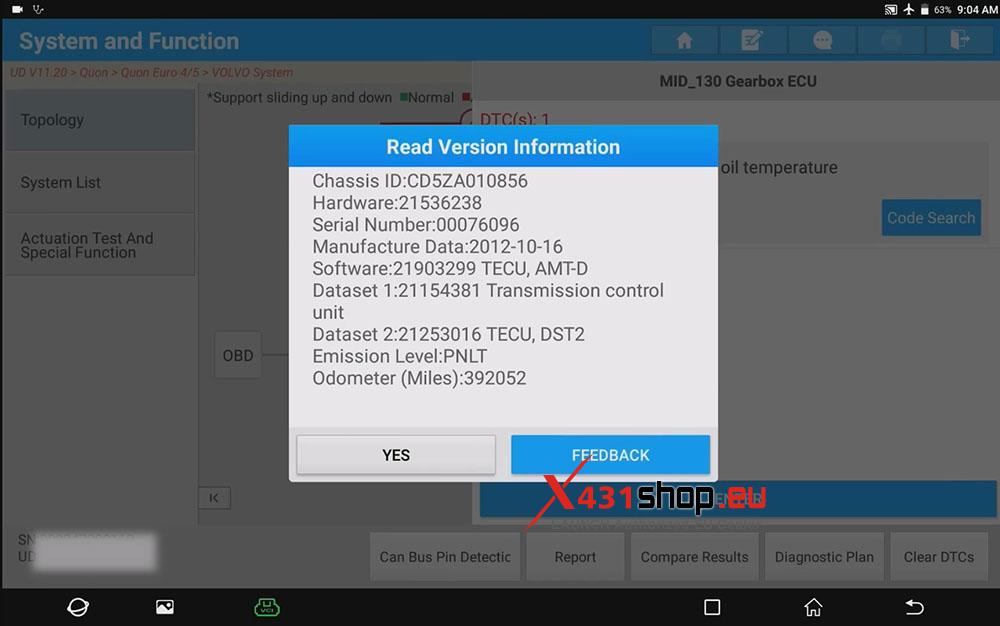
4) Click [TECU], and we can see DTC: PID 177. Click [ENTER] to view details, and then click [YES].
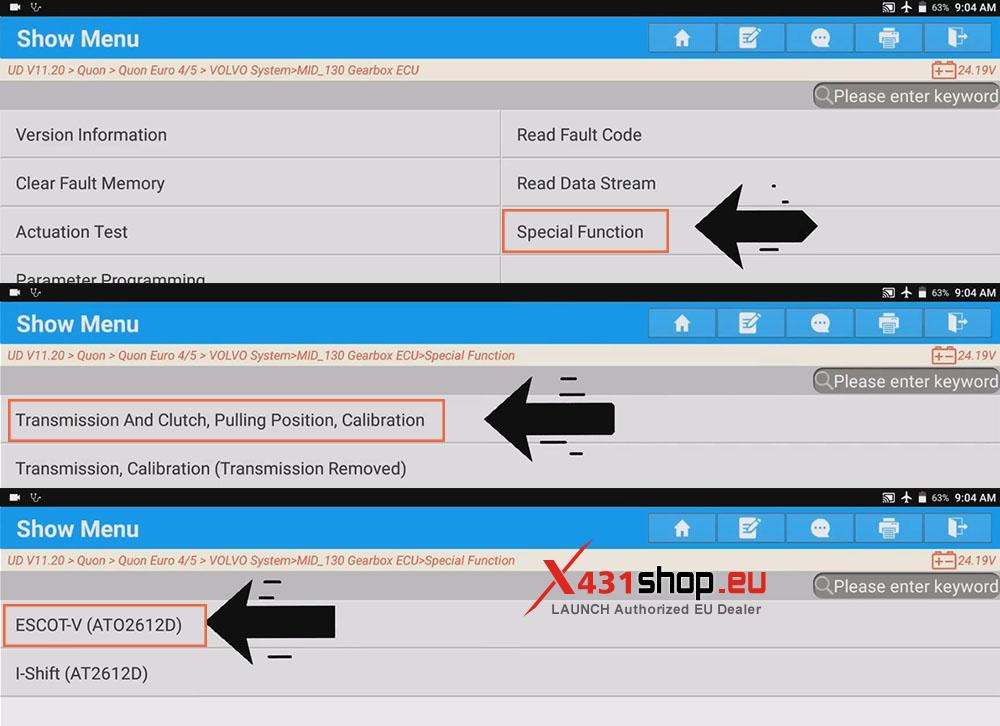
5) Click [Special Function] -> [Transmission And Clutch, Pulling Position, Calibration] -> [ESCOT-V (ATO2612D)]. After reading the function description, click [OK].
The Purpose Of The Calibration Is To Adjust The Settings Of The Sensor And To Find The Engagement Point Of The Clutch.
Note: After Calibration, An Internal Adjustment Of The Incline Sensor Is Required So It Can Display A Correct Value.Perform The Internal Adjustment By Driving 2 km. Drive For 1 km And Then Drive Back Again.If Adjustment Of The Incline Sensor Is Not Made, Certain Functions, For Example Hill Start Assist And Gear Selection, Will Not Perform As Well.
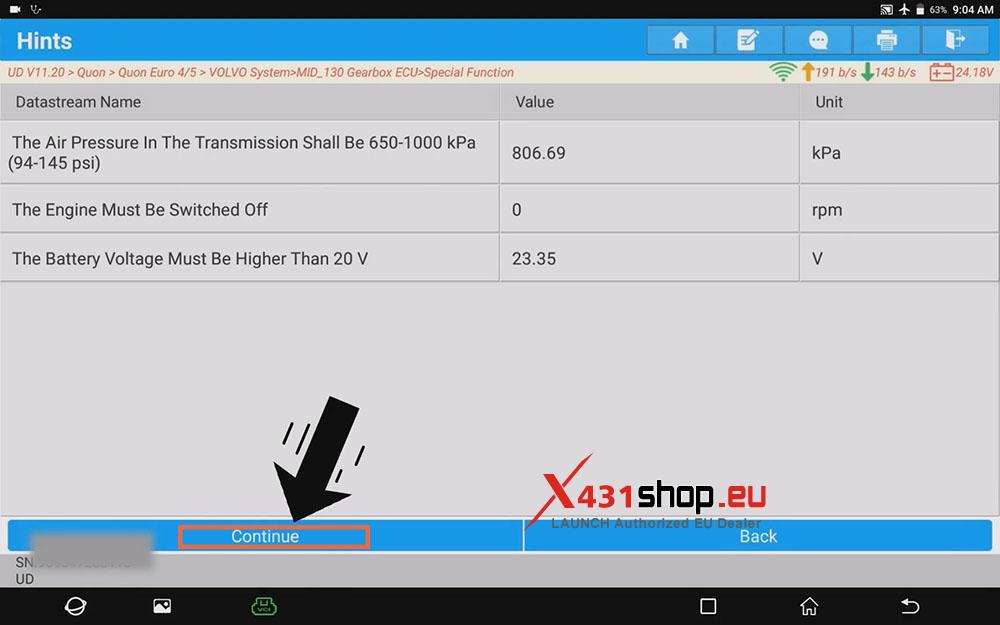
6) Click [Replacing The Clutch (Used ONLY When Replacing The Clutch)]. The engine should be off at this time.
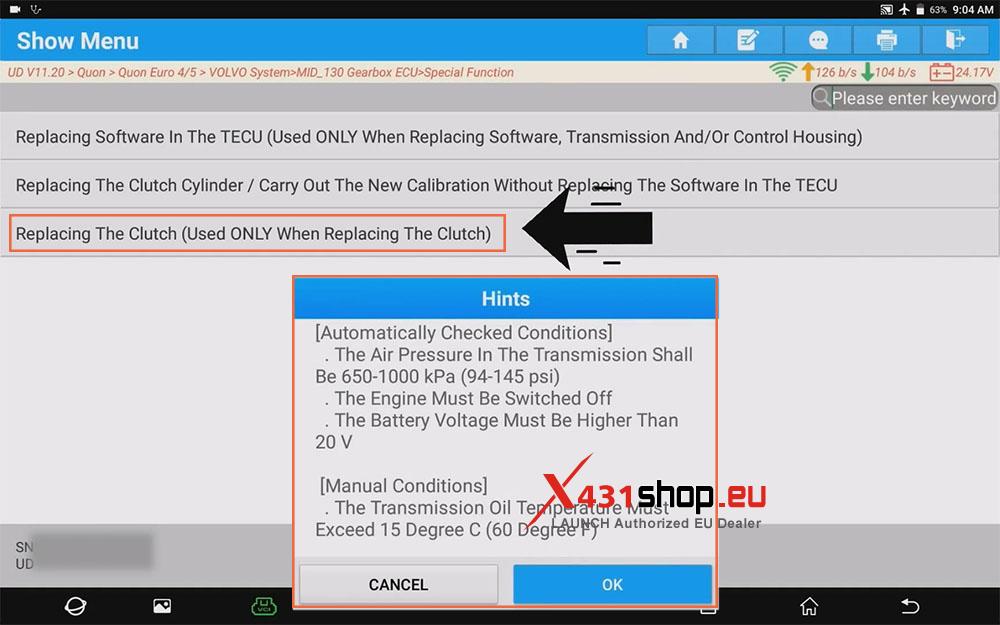
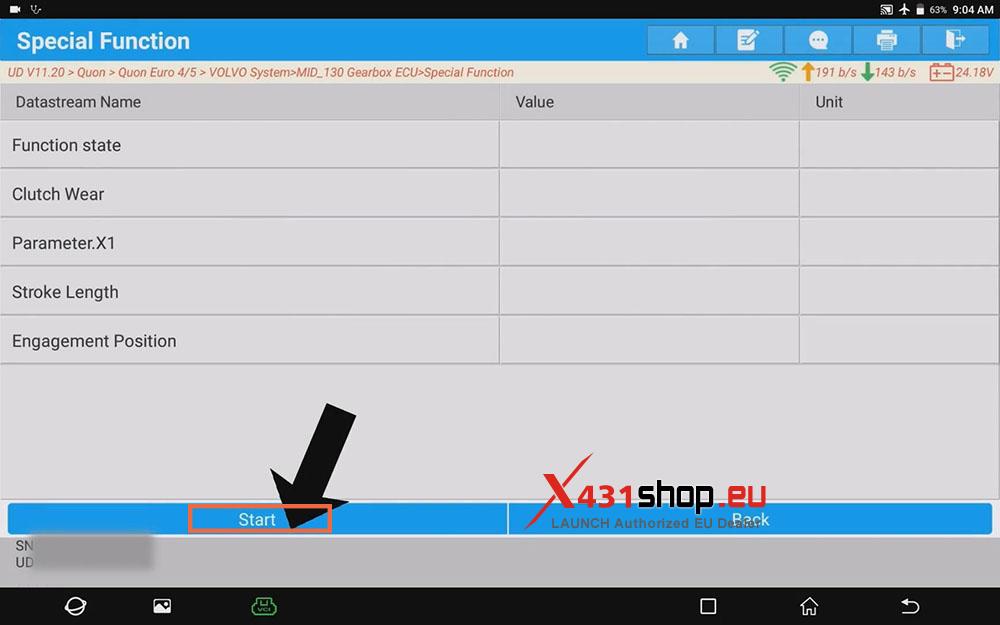
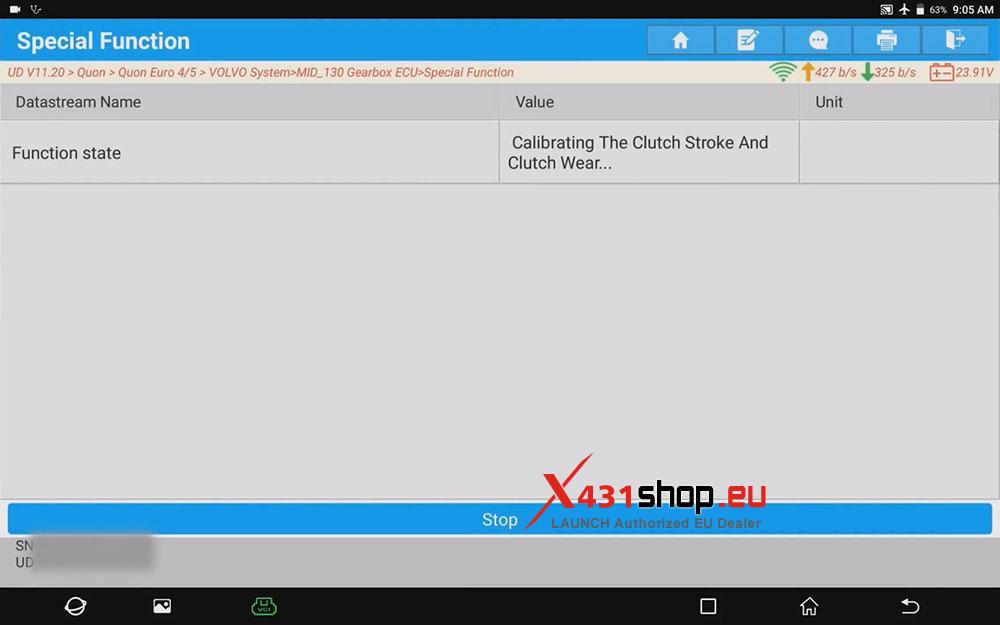
7) In the data stream interface, click [Continue] -> [Start]. The X431 device will then perform “Calibrating The Clutch Stroke and Clutch Wear”. Wait for it to complete.