

This article will introduce how to perform key matching on a Peugeot 3008 vehicle using the LAUNCH X431 IMMO tool (IMMO PLUS/IMMO ELITE).
Tools used: LAUNCH X431 IMMO PLUS (X431 IMMO ELITE also supports this function)
Vehicle model: Peugeot 3008
Operating procedures:
To perform key matching for a vehicle, we should first generate a new key of the specified type.
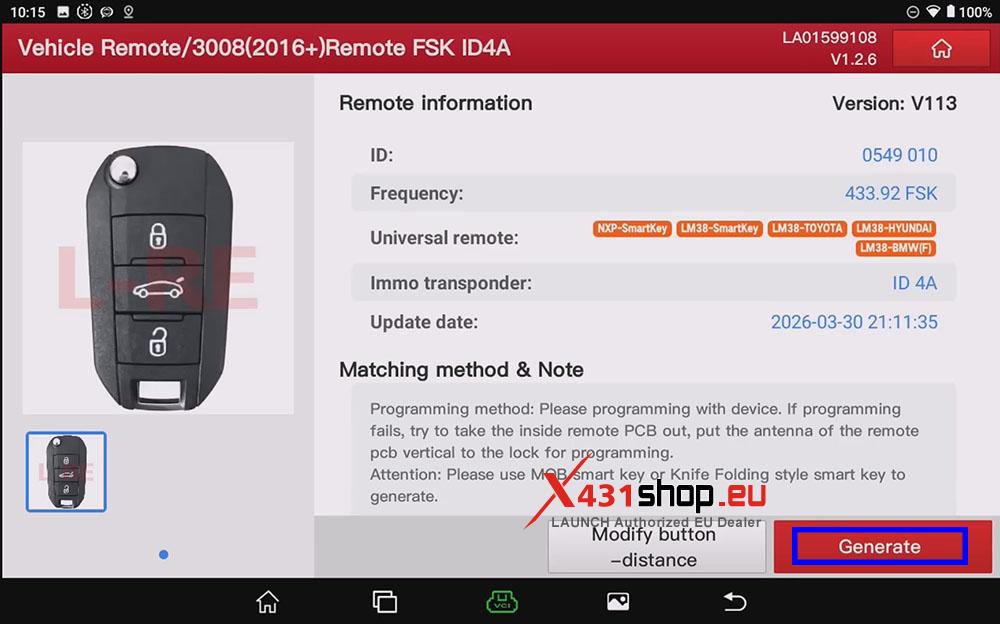
1) Prepare a new key (only original/LAUNCH series keys are supported). On the X431 IMMO PLUS, click [Vehicle Remote] -> [Peugeot] -> [All remotes] -> [3008(2016+)Remote FSK ID4A].

2) Click [Generate], and bring the key close to the X431 Key Programmer/X431 G5. Wait for the X431 device to display a success message, then click [Complete].
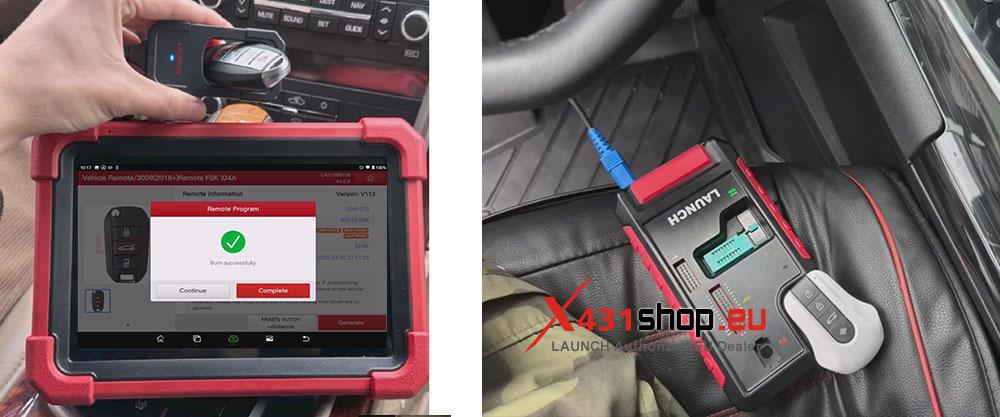
After the key is generated, we will program the vehicle key so that the new key can be matched with the vehicle’s anti-theft system.
3) Open the [PEUGEOT] software on the X431 IMMO PLUS and go to the function menu: [Anti-theft Password Reading] -> [All Lost Anti-theft Password Reading] -> [BSI] -> [Automatic Scan].
NOTE:
1. BSI Control unit voltage too low is likely to cause function failure. Make sure the battery is fully charged.
2. Internet is needed to perform this function. Make sure the device has normal access on WIFI connection.
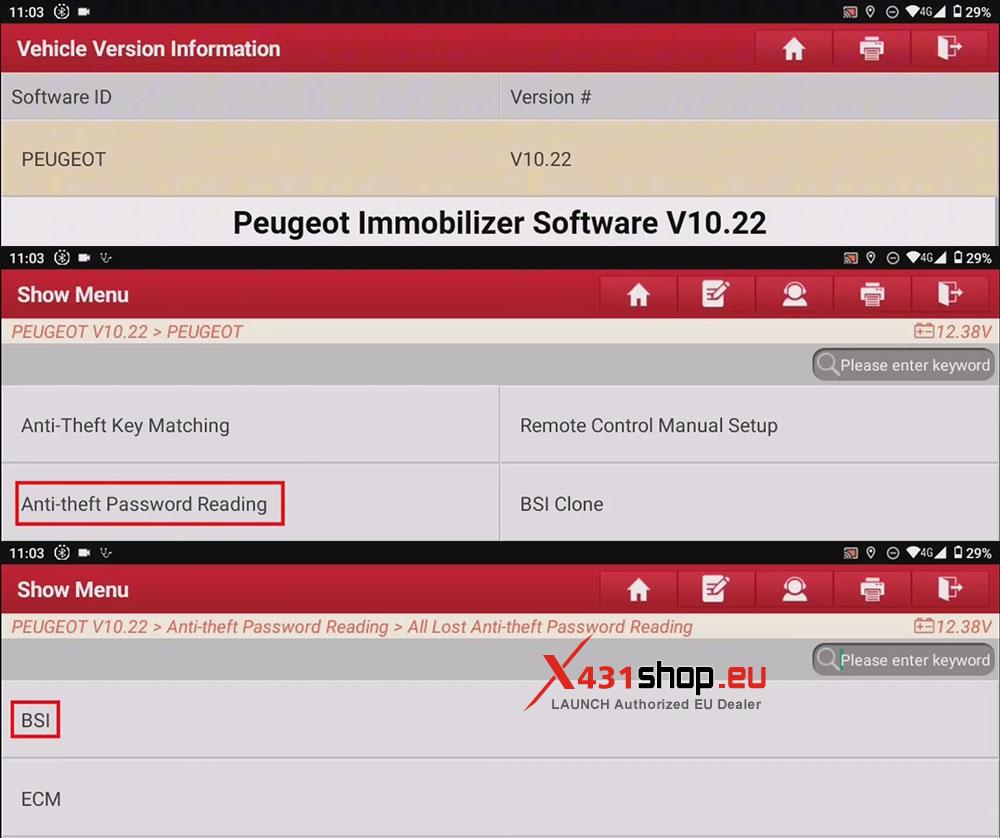
4) Follow the instructions of the X431 tool: Press the double-flash switch. The X431 tool will then begin reading the EEPROM, write down the read anti-theft password, and use it for subsequent steps.
NOTE: [Wiper start], [headlamp ON] are normal when performing this function. If you mind it, plugging out fuse at relative position will prevent it from starting.

5) Return to the initial function menu, this time select: [Anti-Theft Key Matching] -> [Automatic Scan]. After confirming the vehicle information, click [Smart Key System], and then press the double-flash switch again.
NOTE: All Keys Will Be Cleared After This Function Is Performed. Re-matching Is Required To Use The Keys. To Perform The Function, Get All Keys Ready.

6) Enter the confidential code. (The confidential code is 4 digits, And there is no letter ‘O’ or letter ‘I’ in the confidential codes.)

7) Entering the Key Number To Be Learned. The Number of Keys To Be Programmed Cannot Exceed 5. (If you only have one original key, enter 2).
Insert The Smart Key To Be Matched Into The Smart Key Card Slot (Note: If You Have The Original Car Key, You Must Match The Original Car Key Before Matching The New Key, Otherwise, The New Key May Lack The Remote Control And Intelligent Functions). Click OK when the operation is completed.

8) Matching succeeded. Take out the smart key, Then insert the next smart key.

9) After adding, the device displays “Number of matched keys: 2”.

10) Conduct the test: Start The Car After Each Smart Card Is Operated As Follows: Insert The Smart Card Into The Slot, Turn On The Ignition And Wait For 3 Seconds Before Turning Off It, And Take Out The Smart Card And Press The Lock Key For 5 Seconds.
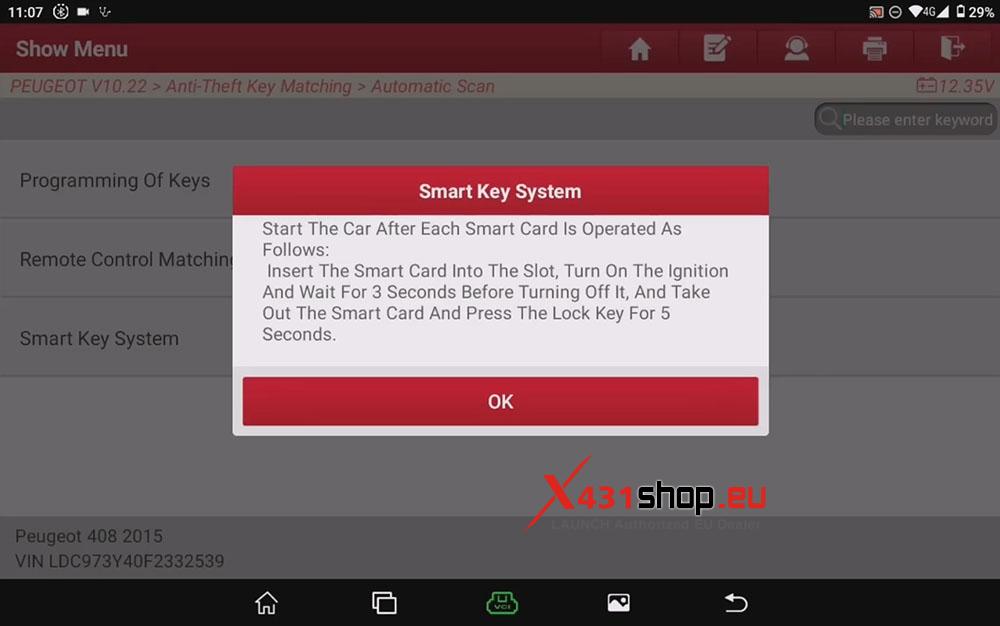
Matching Completed.