


Are you seeing a “Service Due” or “Maintenance Required” message on your Audi A5 dashboard? Using the LAUNCH X431 PAD7, you can manually clear these alerts after an oil change to keep your vehicle’s maintenance records accurate.
While this guide focuses on the PAD7, you can also use other LAUNCH X431 Diagnostics tools, such as the V+, PRO5, or IMMO Elite, to follow the same professional process.
Pre-Service Preparation
Ignition: Ensure the vehicle ignition is ON but the engine is OFF.
Connection: Connect your X431 VCI to the OBDII port and pair it with your tablet.
Step 1: Access Maintenance Functions
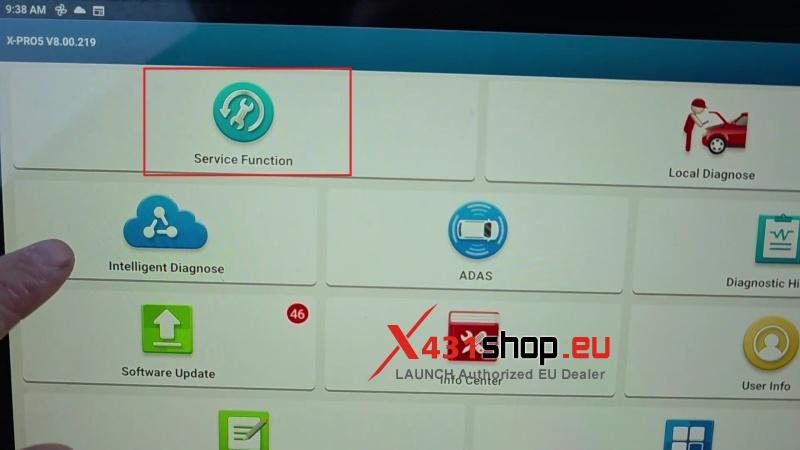
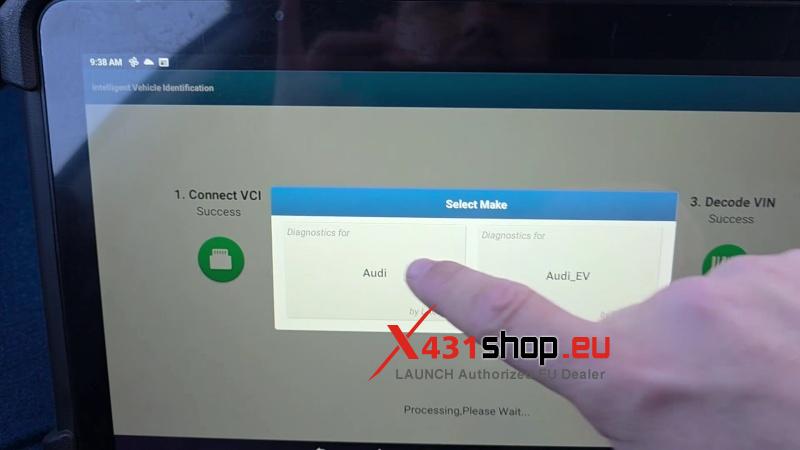
To begin, connect your device to the vehicle and navigate through the following menu path on your LAUNCH tablet:
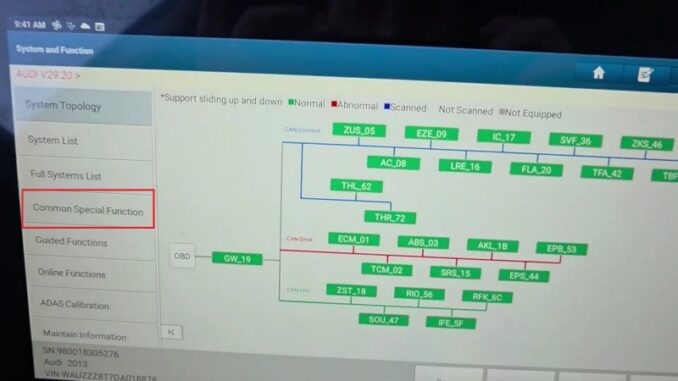
Intelligent Diagnose >> Audi >> Diagnostic >> Smart detection >> Common Special Function >> Oil Maintenance Reset >> Oil Maintenance Reset
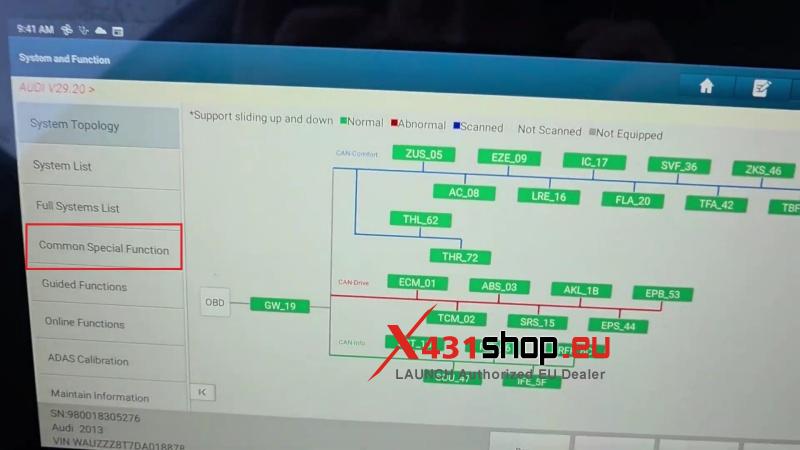
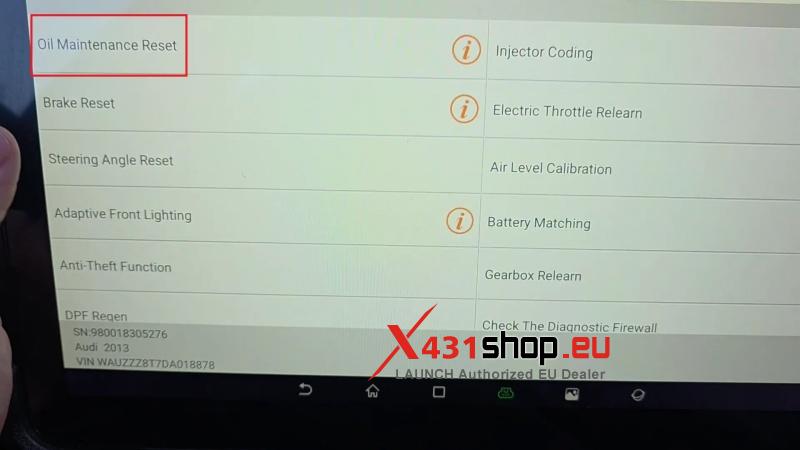
Step 2: Perform Minor Maintenance Reset
- Auto Reset >> Oil Reset(minor maintenance) >> Mauually Set Arbitrarily
- Set mileage to next oil change (Enter a value ≤ 15,000) and press OK.
- Set days to next oil change (Enter a value ≤ 365) and press OK.
Note: If the reset is successful but the “Maintenance” prompt remains, you must proceed to Step3.
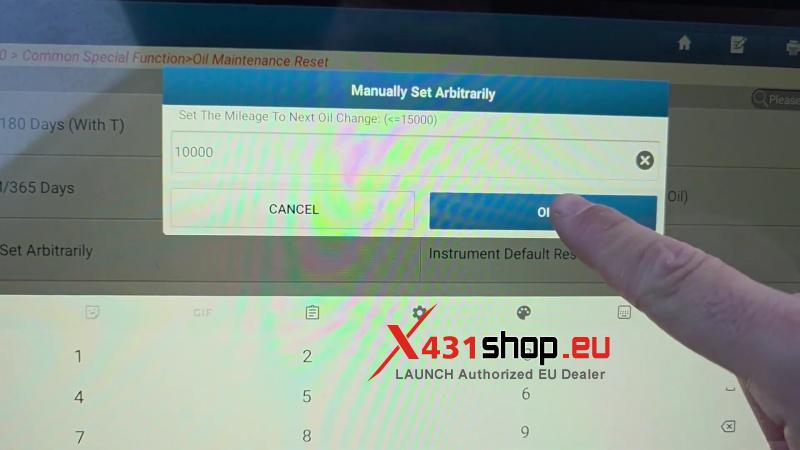
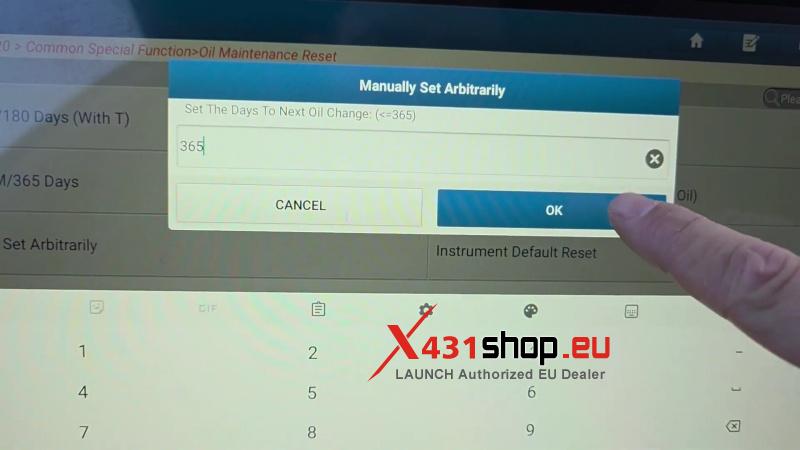
Step 3: Perform Major Maintenance Reset (If Required)
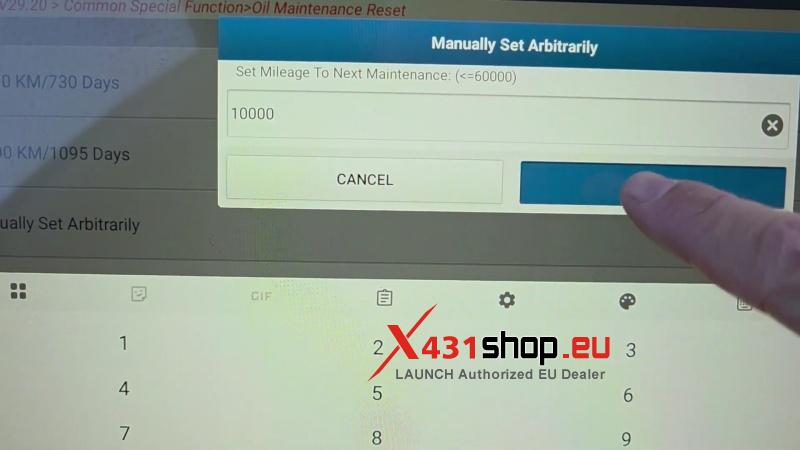
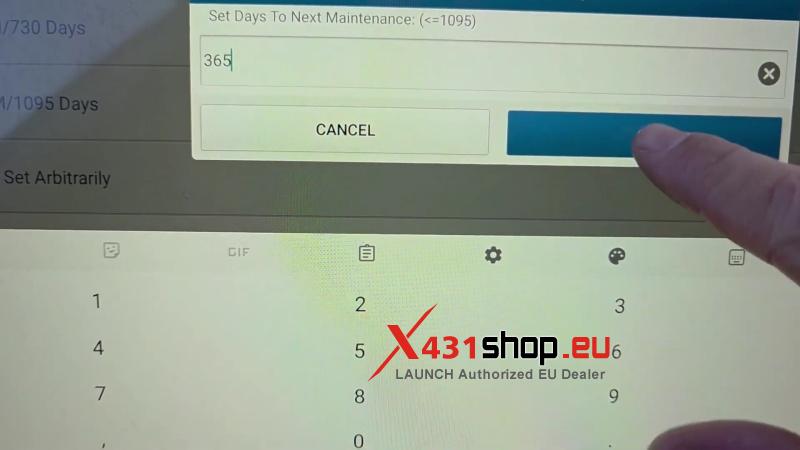
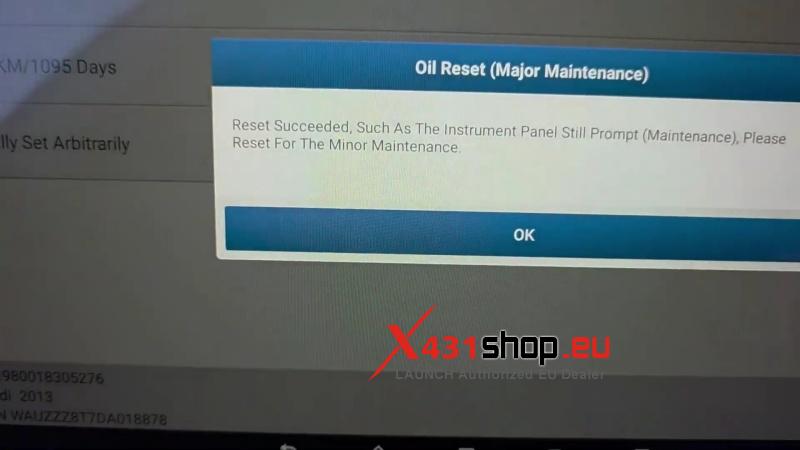
If the dashboard still shows a service light, select: Oil Reset(major maintenance) >> Mauually Set Arbitrarily
- Set mileage to next maintenance (Enter a value ≤ 60,000) and press OK.
- Set days to next maintenance (Enter a value ≤ 1,095) and press OK.
- Once the “Reset succeeded” message appears, the process is complete.
Quick Reference: Maintenance Reset Parameters
| Maintenance Type | Max Mileage (km/miles) |
Max Time (Days) |
|
Minor Service |
15,000 |
365 |
|
Major Service |
60,000 |
1,095 |
Pro Tip: Always ensure your entries do not exceed the maximum values allowed by the vehicle’s ECU, as listed in the table above.
Frequently Asked Questions (FAQ)
Q: Can I use this process for other Audi models like A4 or Q5?
A: Yes, LAUNCH X431 diagnostics tools follow a similar software process for most Audi models.
Q: Why do I need to perform a “Major Reset” separately?
A: Audi vehicles track minor oil changes and major vehicle inspections on different schedules; resetting one may not clear the overall prompt if both are due.
Get the Right Tools for the Job
Ready to upgrade your workshop with professional-grade diagnostics? Whether you need the flagship LAUNCH X431 PAD VII or specialized Audi adapters, we have you covered.
Visit www.x431shop.eu today to browse the latest LAUNCH diagnostic technology and take advantage of our expert support!