



This article will describe how to use the LAUNCH X431 PAD V ELITE to perform the PDF parameter reset function (on a 2013 MAN TGM truck after replacing the PDF).
Background description:
The DPF (Diesel Particulate Filter) in a diesel engine is responsible for capturing carbon particulate matter in the exhaust and preventing it from being released into the atmosphere.
Over time, the DPF can become clogged. Normally, performing DPF regeneration can clear the clogged particles, but if the blockage is severe, cleaning or replacement may be necessary.
Even after replacing the DPF, the old carbon load data (i.e., the total amount of particulate matter accumulated in the DPF) stored in the vehicle’s ECU (Electronic Control Unit) still exists. If it is not reset, the ECU will mistakenly believe that the new filter is severely clogged, thus continuously triggering regeneration commands, limiting torque and speed, and even illuminating the malfunction indicator lamp, affecting the normal operation of the vehicle.
Therefore, the DPF’s carbon load value needs to be reset to its initial value (usually 0 or a very low value) so that the vehicle system can correctly recognize the newly installed DPF as clean, thus enabling normal subsequent regeneration operations and monitoring. Resetting DPF parameters requires professional diagnostic equipment, such as the LAUNCH X431 diagnostic tool.
Devices that support this function: X431 PRO3 series, X431 PAD series (The heavy truck diagnostics function needs to be activated).
Equipment used: LAUNCH X431 PAD V ELITE (HD)
Vehicle model: 2013 MAN TGM
Operating procedures:
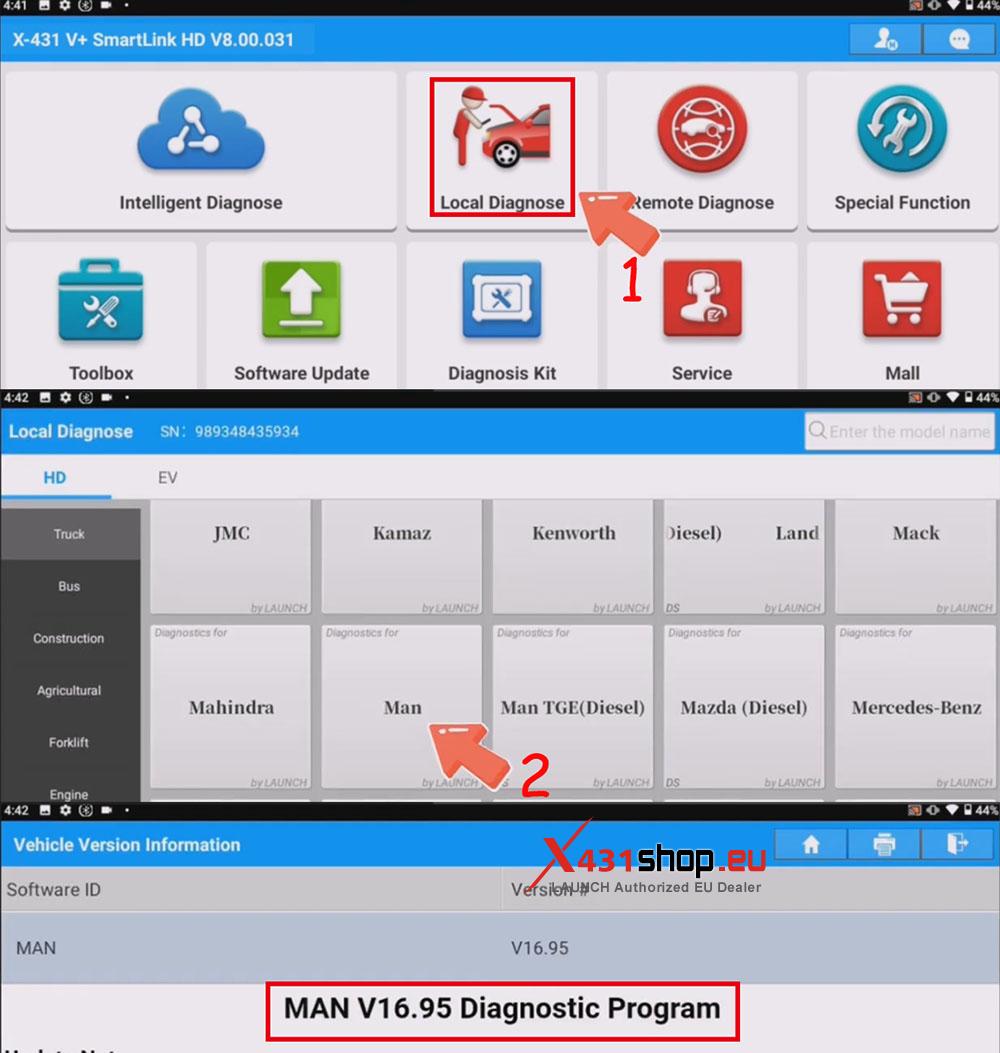
1). Connect the X431 PAD V ELITE to the vehicle’s OBD port. On the X431 PAD, select [Local Diagnosis] -> [MAN]. The MAN truck diagnostic software version needs to be V16.95 or higher.
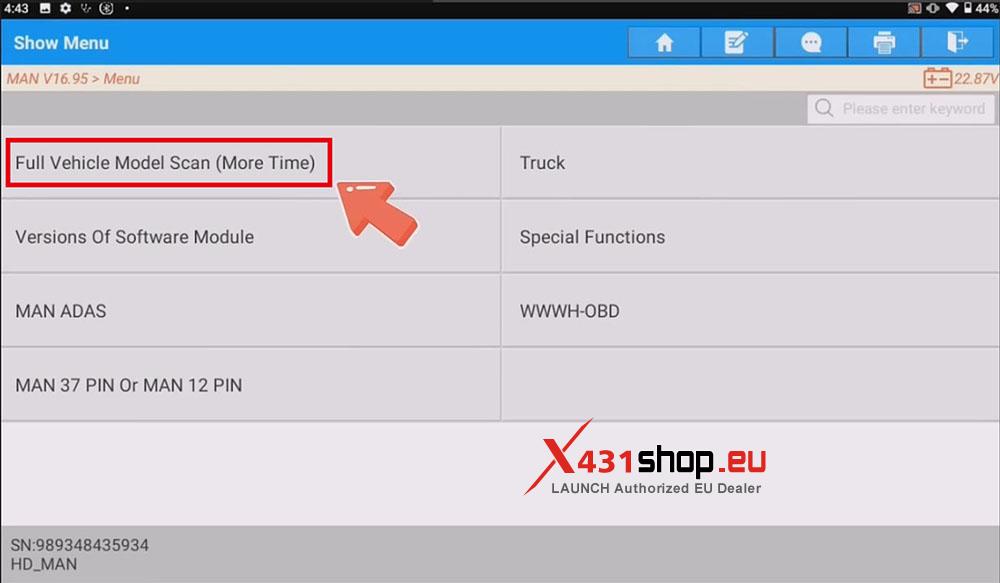
2). Select [Full Vehicle Model Scan (More Time)].
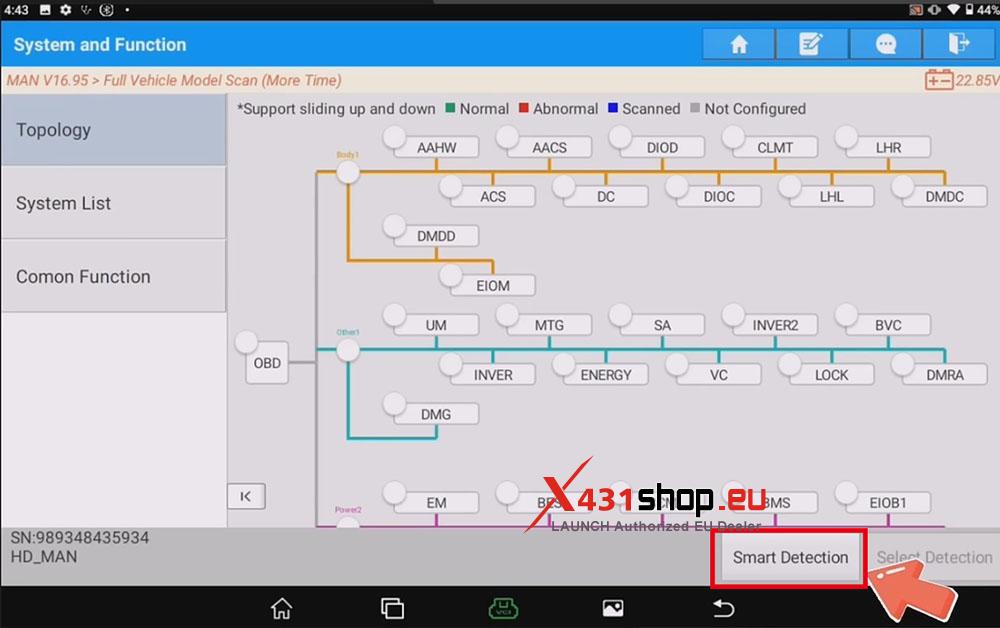
3). Click on [Smart Detection].
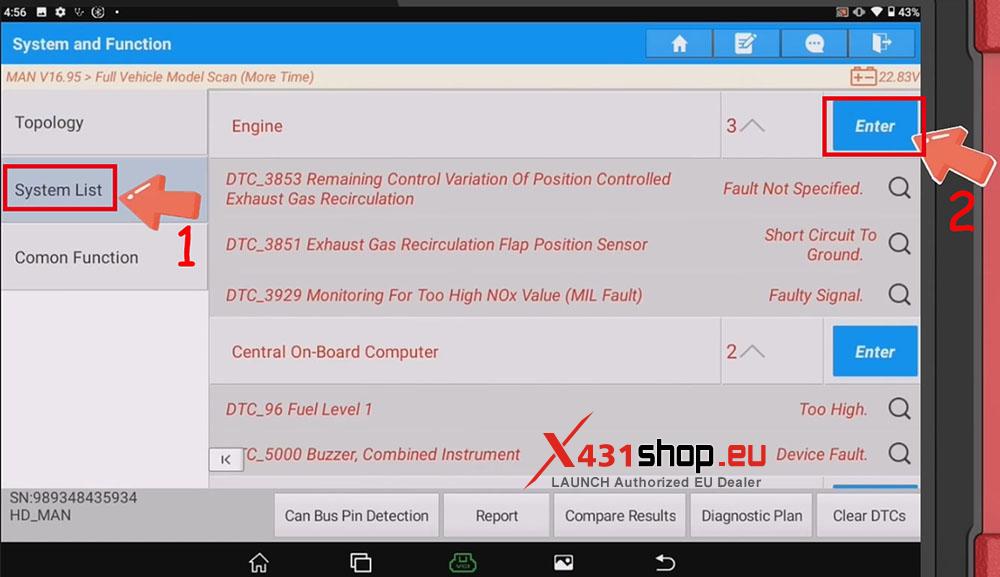
4). Click on [System List] -> [Engine].
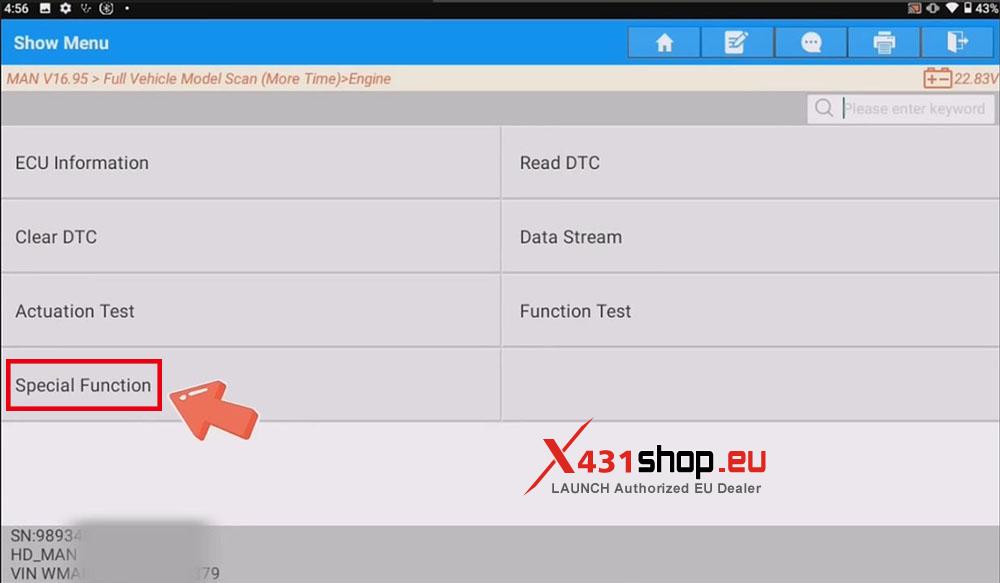
5). Select [Special Function].
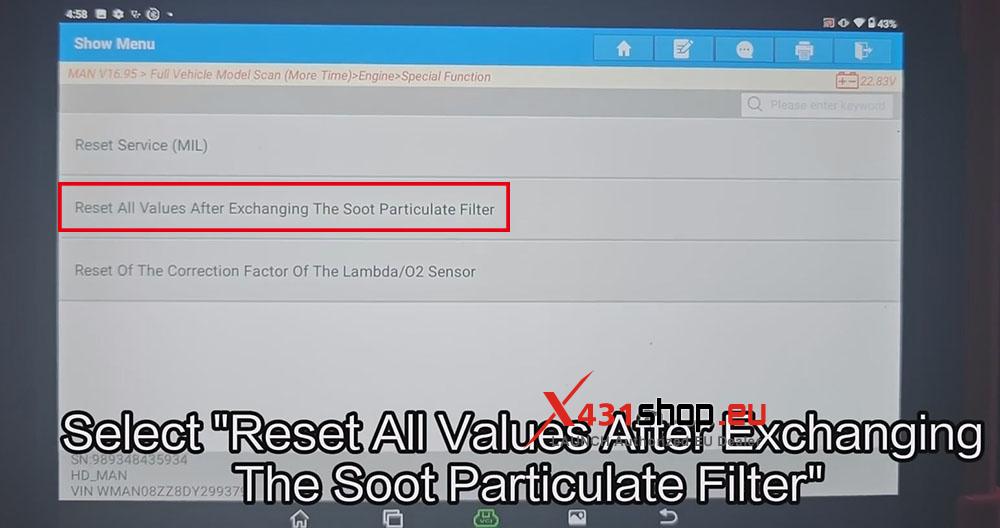
6). Select [Reset All Values After Exchanging The Soot Particulate Filter].
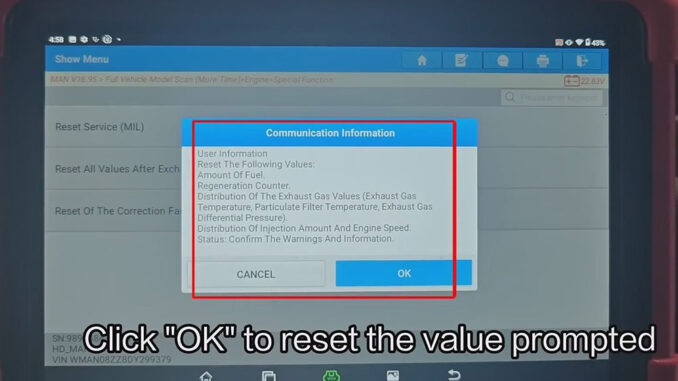
7). A confirmation message will pop up, resetting the following values:
Amount Of Fuel.
Regeneration Counter.
Distribution Of The Exhaust Gas Values (Exhaust Gas Temperature, Particulate Filter Temperature, Exhaust Gas Differential Pressure).
Distribution Of Injection Amount And Engine Speed.
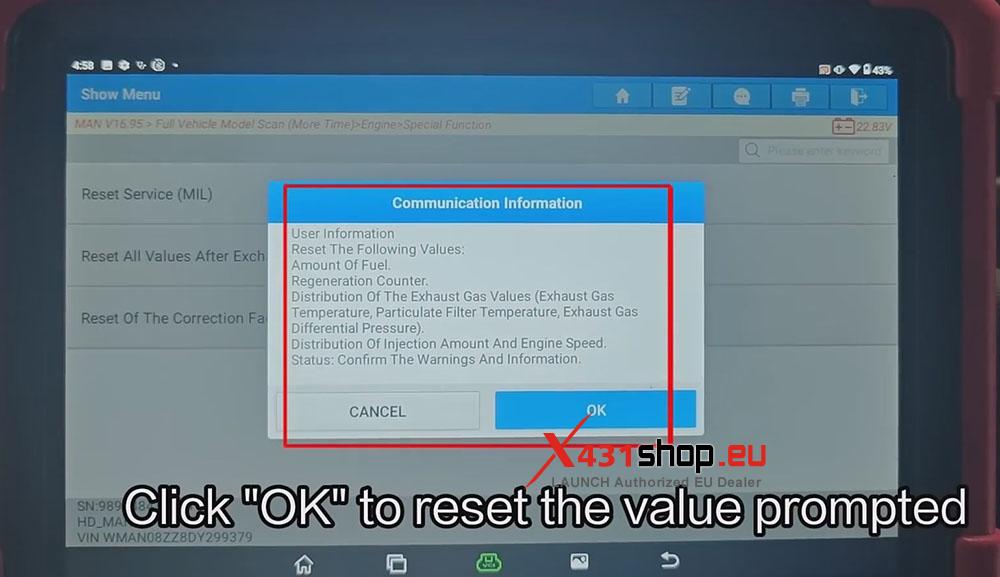
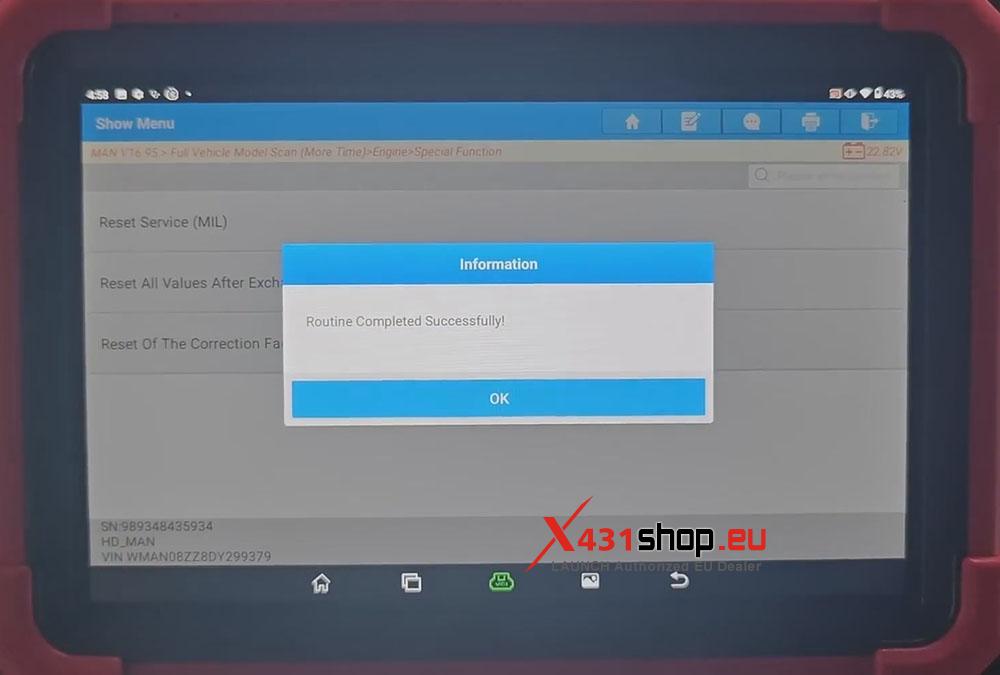
8). After clicking OK, the X431 tool will reset all values, and then a message will pop up saying “Routine Completed Successfully”. The operation is now complete.
Video tutorial: