


This article will introduce how to use the LAUNCH X431 IMMO PLUS/IMMO ELITE to perform PATS (Passive Anti-Theft System) programming on the Ford Edge/Lincoln Aviator, enabling operations such as key addition and All Key Lost programming.
Part 1: Key Generation
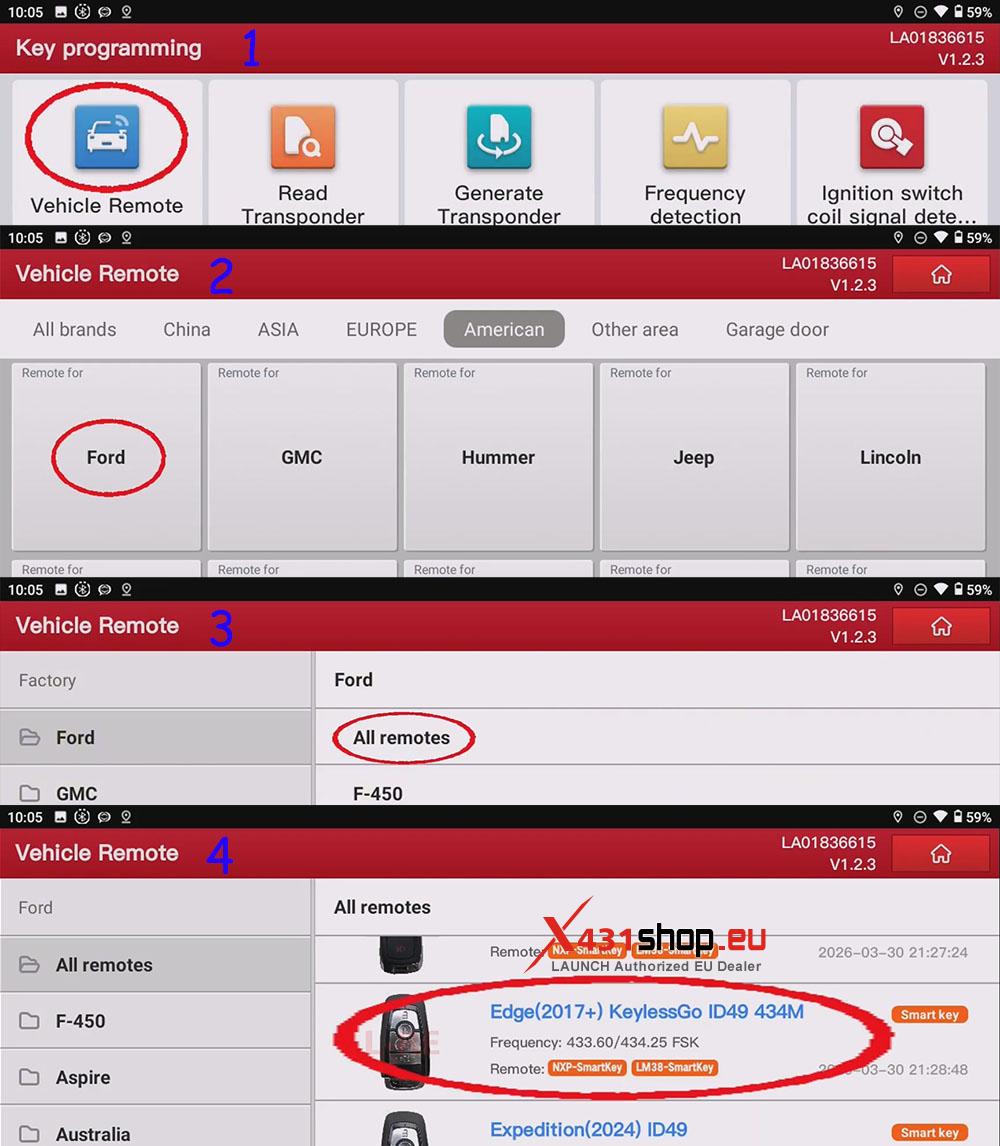
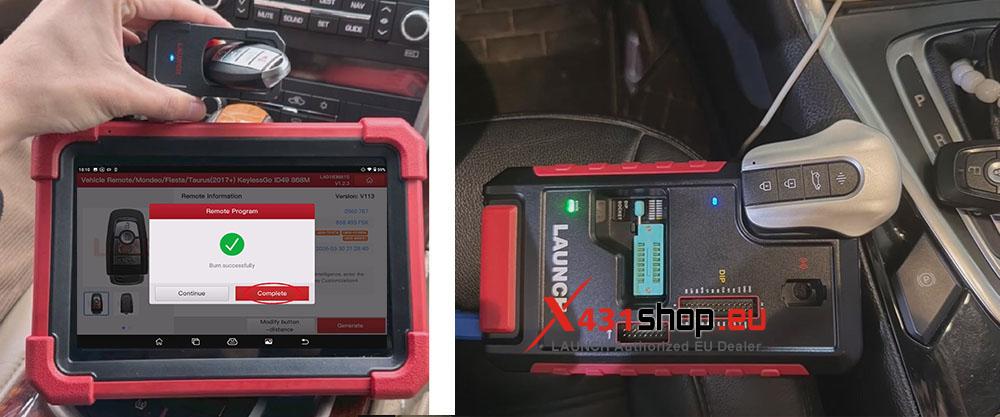
1) On the X431 IMMO PLUS, select the following function path in sequence: [Vehicle Remote] -> [Ford] -> [All remotes] -> [Edge(2017+) KeylessGo ID49 434M].
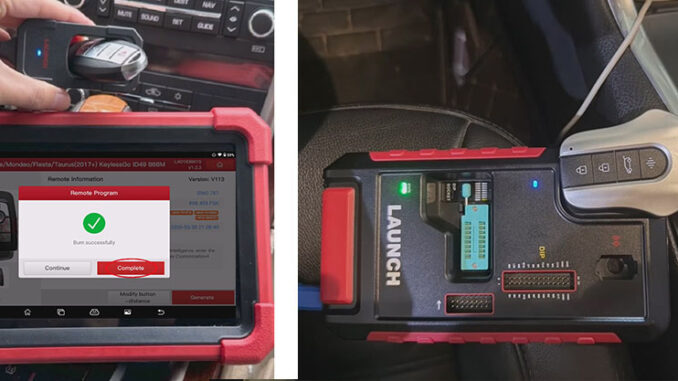
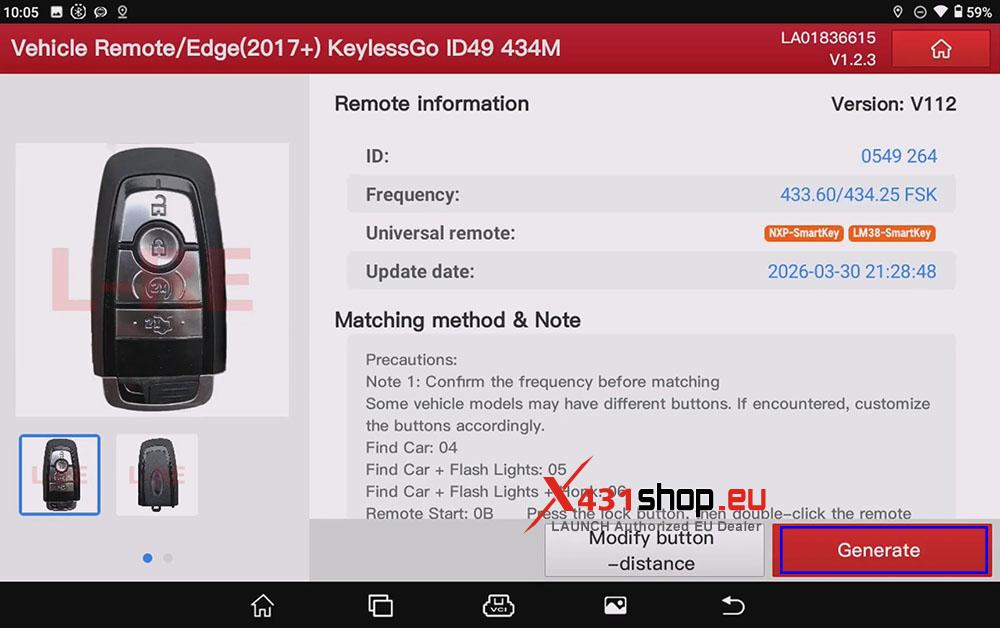
2) Click [Generate], and place the key into the key sensor area of the X431 Key Programmer/X431 G5. Wait for the device to display a message: Key generation successful.
Part 2: Key Programming
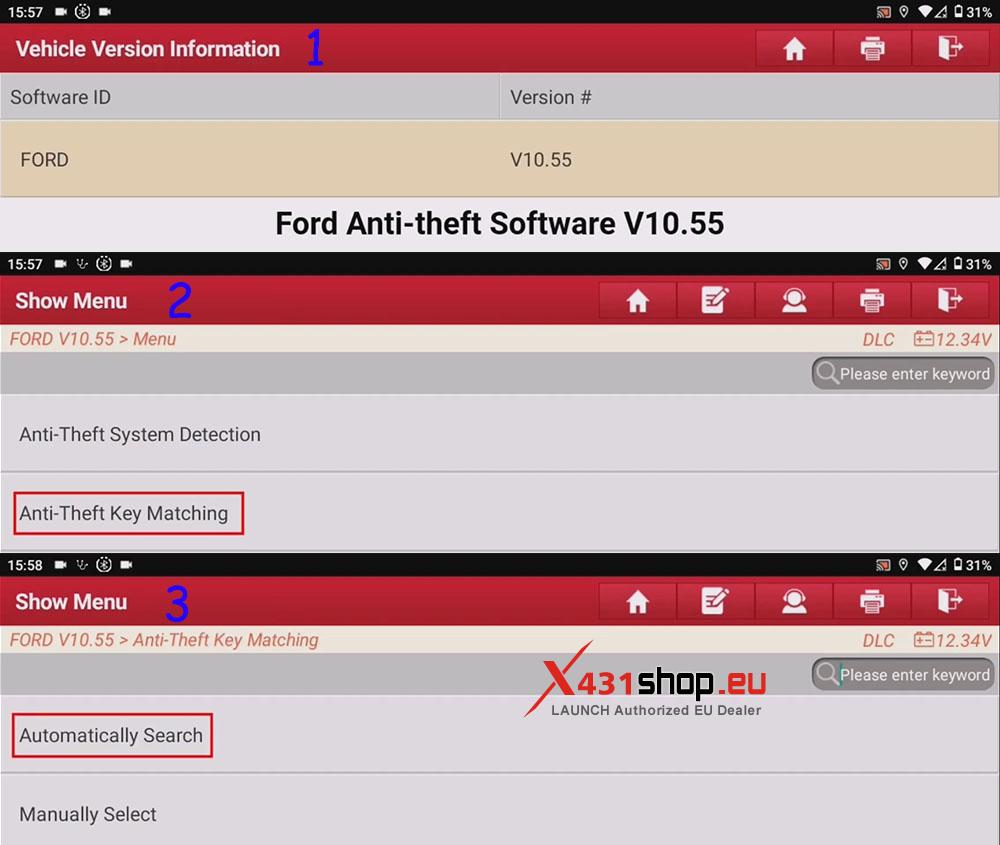
1) Click the [FORD] software and select the function path in sequence: [Anti-Theft Key Matching] -> [Automatically Search]. If you have not started the vehicle, please start the vehicle and set the Ignition Switch to ON (Position II).
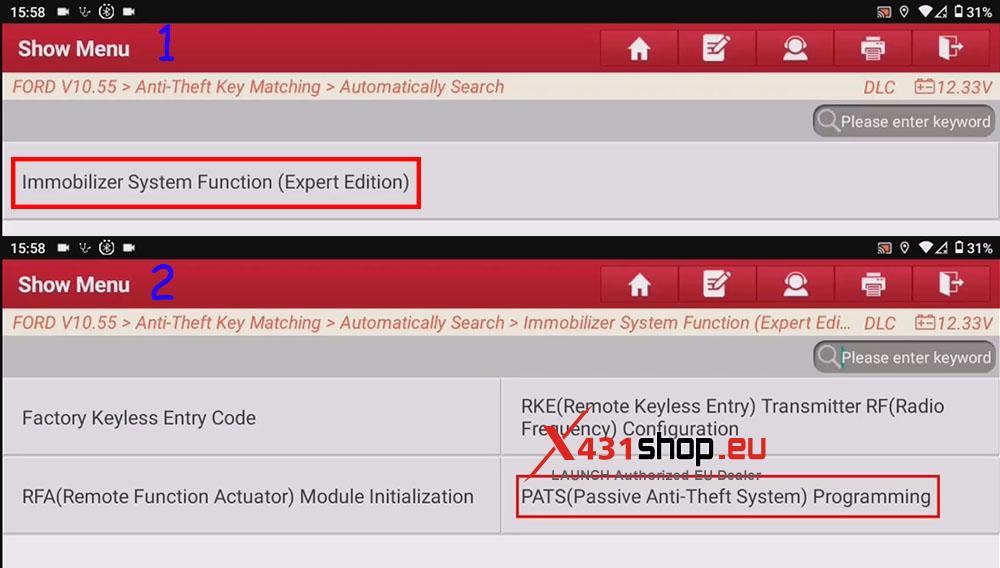
2) After confirming the vehicle information, click [YES] to enter the function path: [Immobilizer System Function (Expert Edition)] -> [PATS (Passive Anti-Theft System) Programming].
This application enables the programming of vehicle keys and the matching of the components of the mobilizer system. We can see five options on this interface:
- “Count Keys” (This Routine Will Show The Number Of Keys Programmed To The Vehicle).
- “Erase Keys” (This Routine Will Erase The Vehicle Keys. All Of The Customers Keys Must Be Present And The Minimum Number Of Keys Required Is Two).
- “Program Key” (Place The Key To Be Programmed Onto The Backup Tranceiver).
- “Lost Key” (Place The Key To Be Programmed Onto The Backup Tranceiver).
- “Module Initialization (Parameter Reset)“. Follow the device prompts to start and stop the vehicle: Turn Ignition To ON (Pos II) / Turn Ignition To OFF (Pos 0). Repeat twice until the tooltip displays “Procedure Complete”.
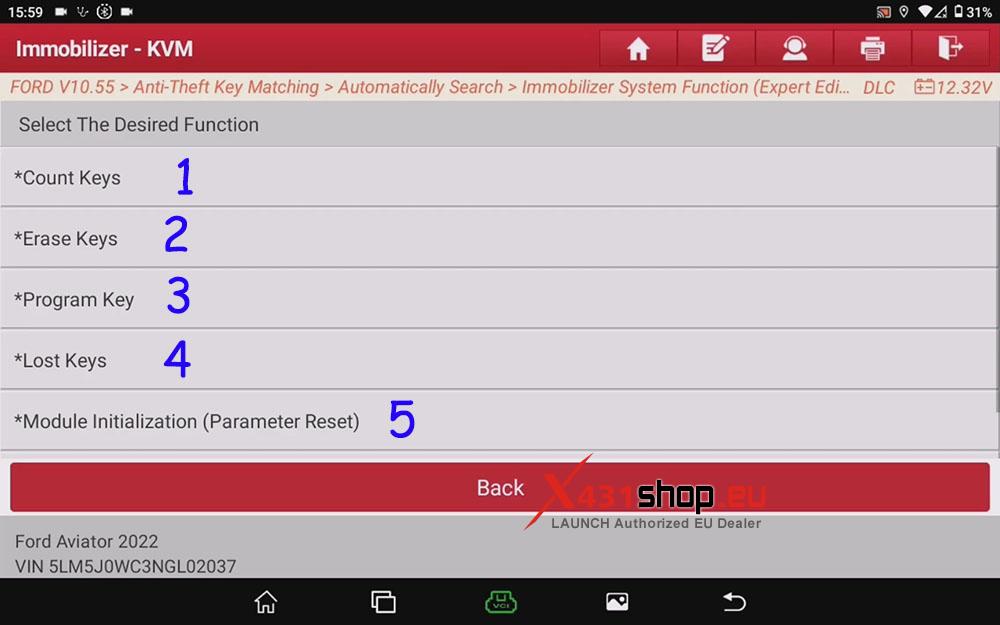
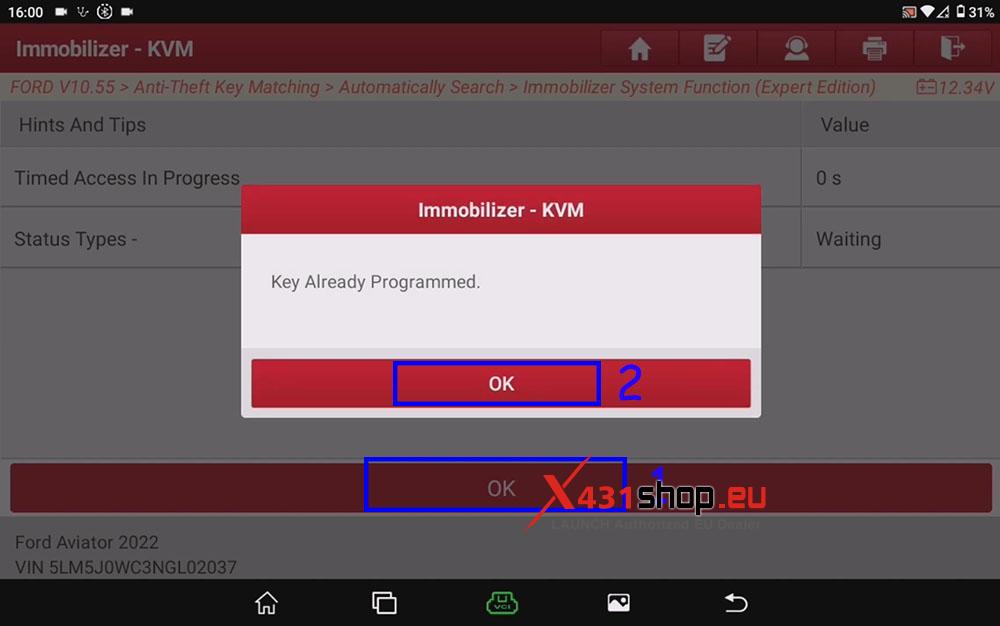
Normally, we only need to use “Program Key” (Add Keys) and “Lost Key” (All Key Lost). For example, click “Program Key”, click “OK”, and wait for the key matching to complete.