

The LAUNCH Creader TPMS 5011 V2 (CRT5011 V2) supports tire pressure sensor replacement in Mercedes-Benz vehicles. This article will describe how to replace the tire pressure sensor in a 2021 BENZ C260L (we recommend using the original tire pressure sensor/LAUNCH LTR Sensor).
Tested Model: 2021 – BENZ – C260L
Operating procedures:
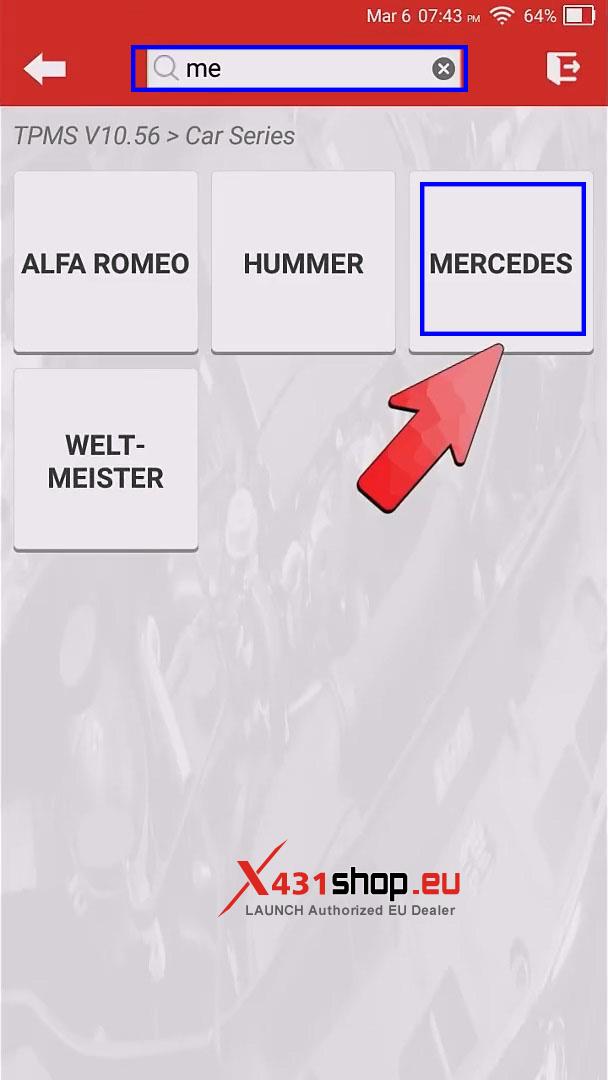
1) Click [TPMS], then enter keywords in the top search bar of 5011 V2, such as “me” for Mercedes. You will see matching vehicle brand names appear, and then choose [MERCEDES].
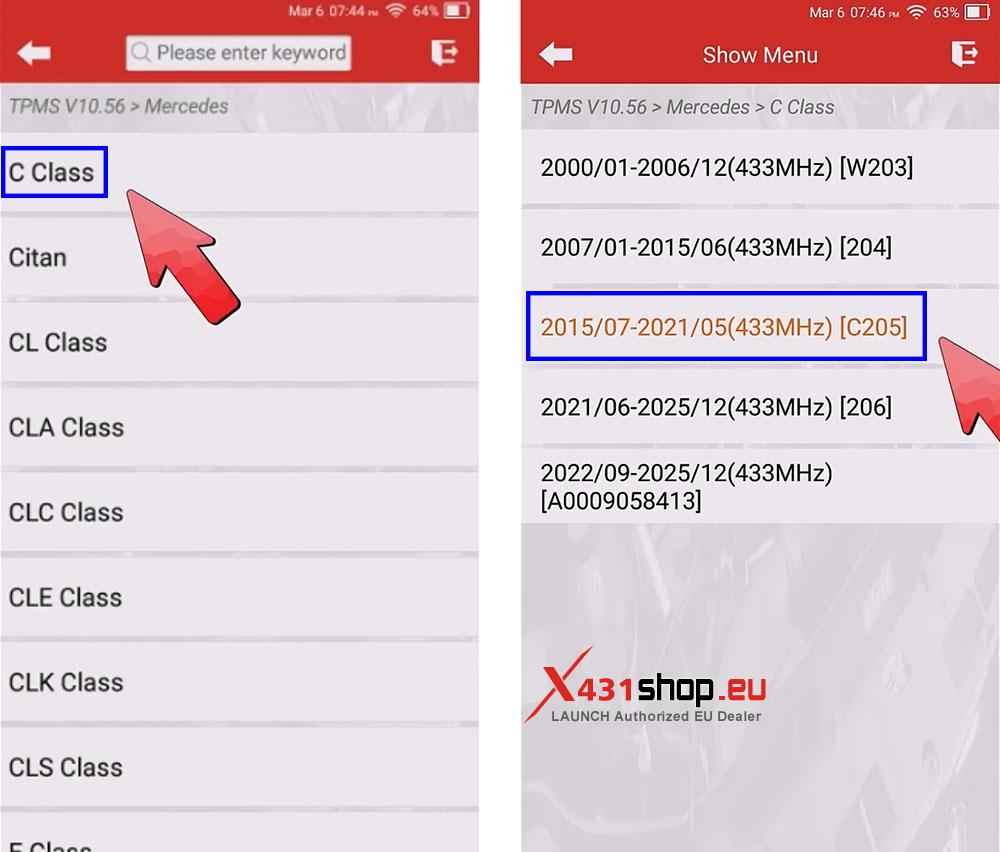
2) Choose choose the menu for the class and model: [C Class] -> [2015/07-2021/05(433MHz) [C205]].
Note: If multiple menus exist for the same model year, try another one if activation fails.
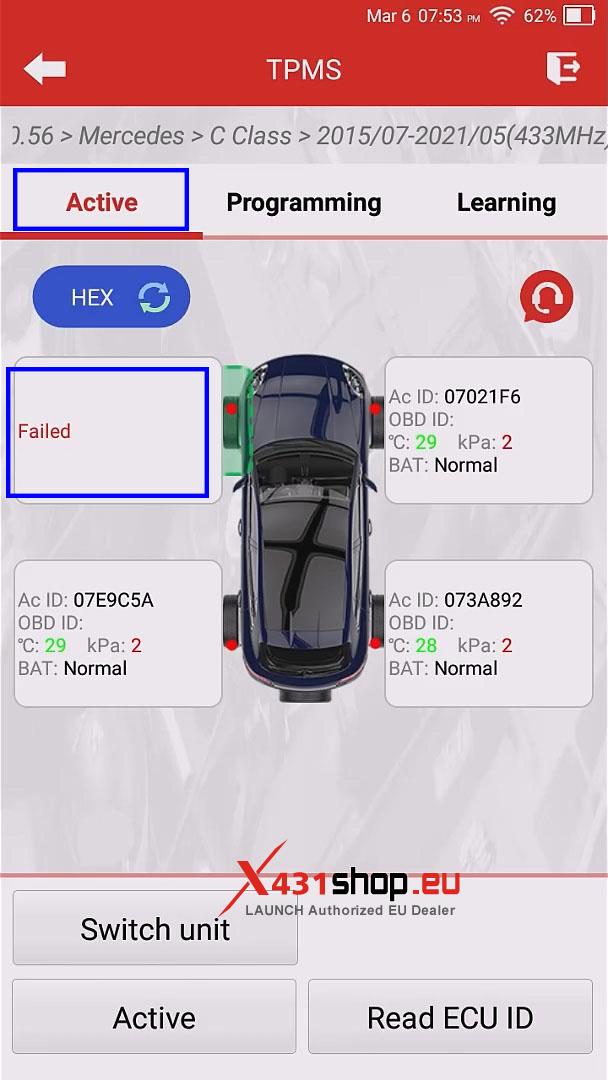
3) Choose [Active] to activate the four tire pressure sensors.
The FR, RR, and RL wheel sensors are successfully activated, but the FL wheel sensor fails to be activated, so it is confirmed that the FL wheel sensor is damaged.
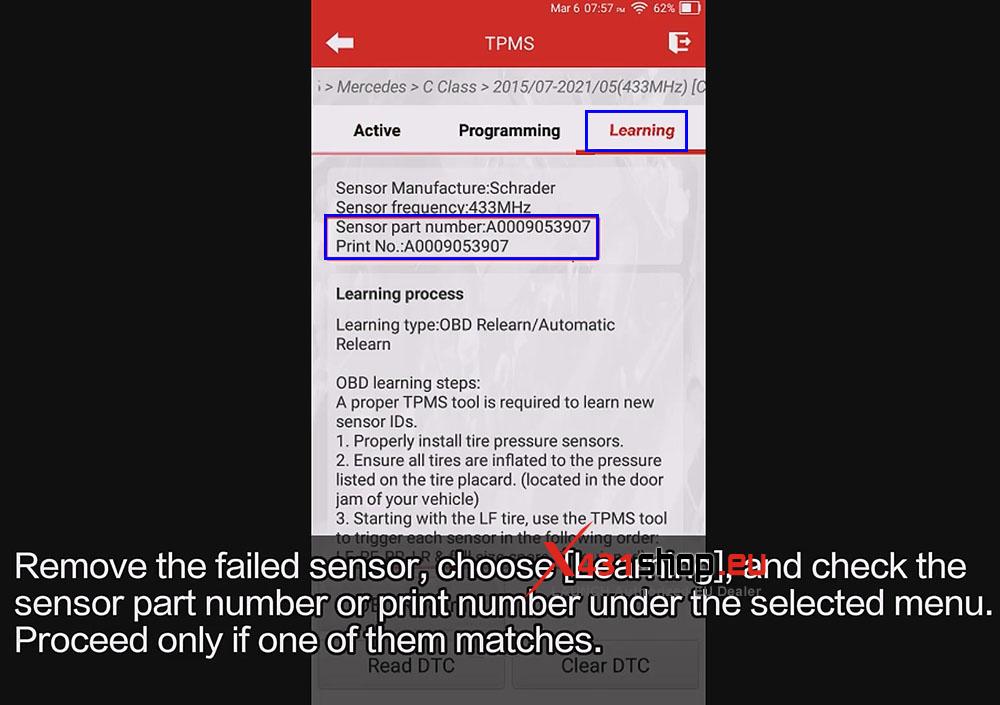
4) Remove the failed sensor, choose [Learning], and check thed sensor part number or print number under the selected menu Proceed only if one of them matches.
Note: If it is an original sensor, verify; if it has been replaced with a different brand sensor, proceed to next step.
5) Click [Programming] and choose [Auto] -> [Programming]. Wait for the programming to complete.
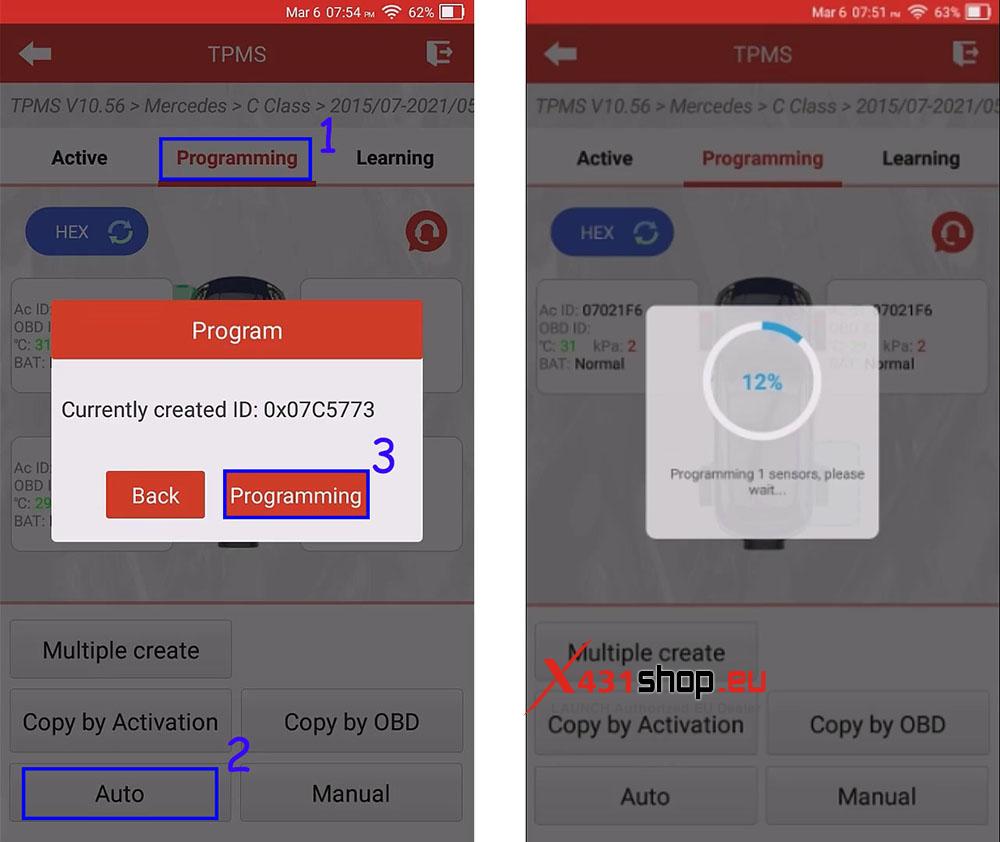
Note: You can also choose [Manual] to input the original vehicle sensor ID or [Copy by OBD] to copy the sensor ID. For sensors programmed using this method, if the instrument panel does not display tire pressure values, the mercedez learning method is still required for learning process.
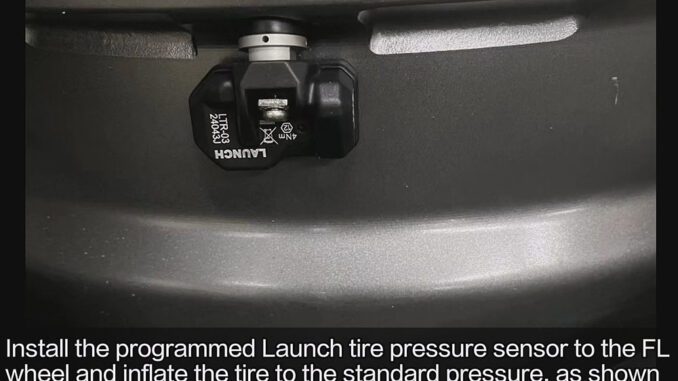
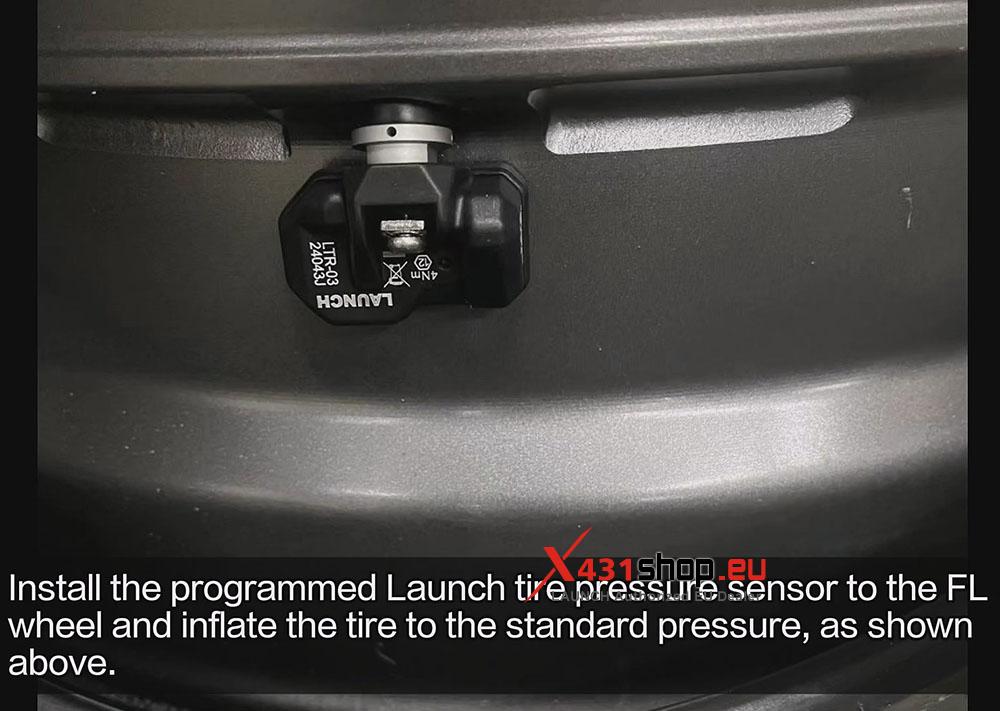
6) Install the programmed Launch tire pressure sensor to the FL wheel and inflate the tire to the standard pressure, as shown above.
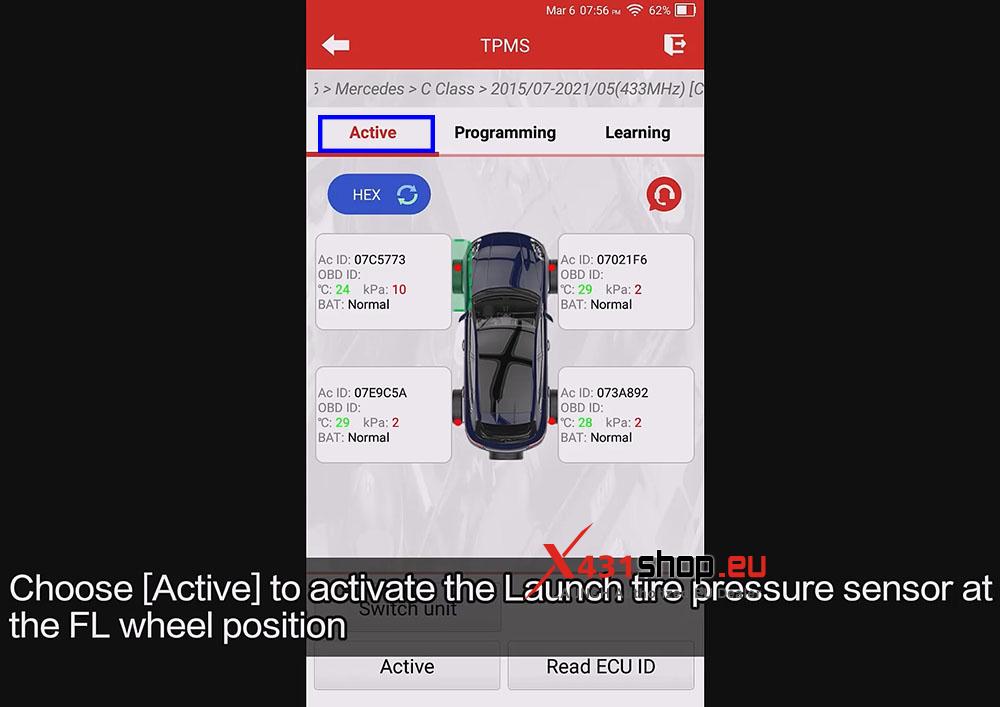
7) Choose [Active] to activate the Launch tire pressure sensor at the FL wheel position.
8) Click [Learning]. Click [OBD Relearn]. Proceed with the operation after successful learning.
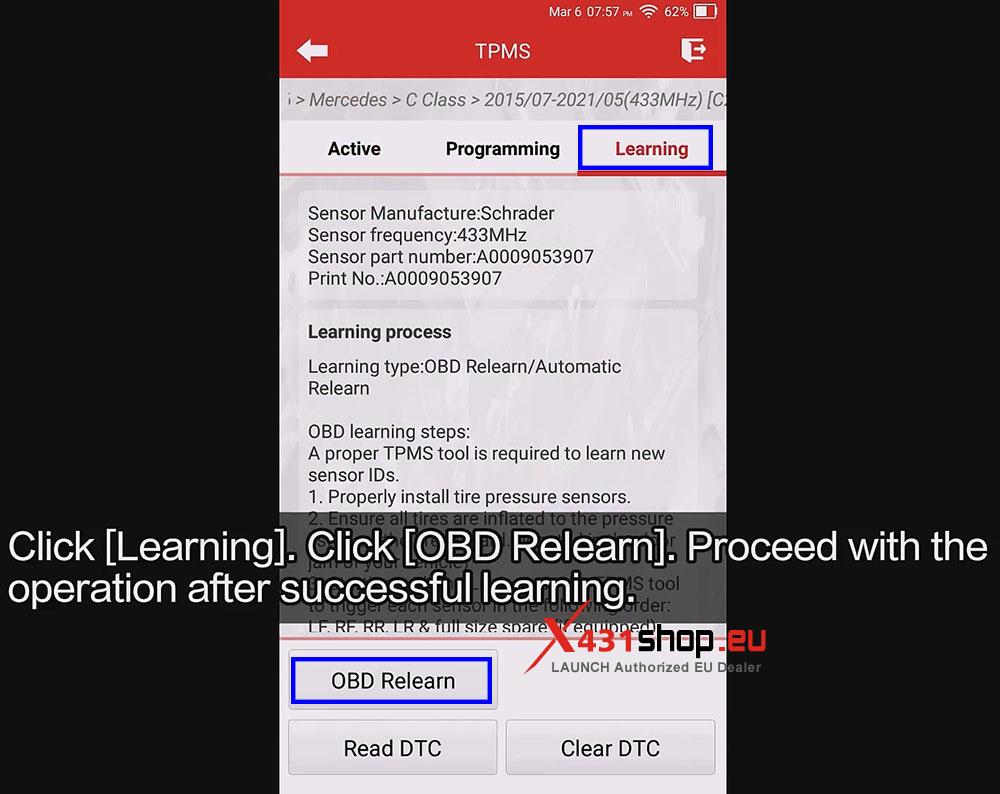
Sensor learning successful.
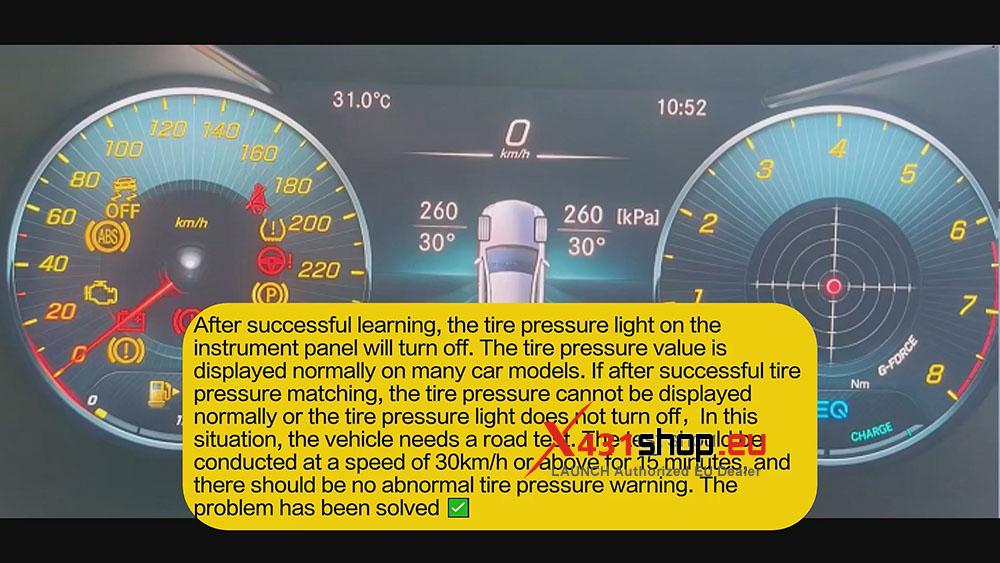
9) After successful learning, the tire pressure light on the instrument panel will turn off. The tire pressure value is displayed normally on many car models.
If after successful tire pressure matching, the tire pressure cannot be displayed normally or the tire pressure light does not turn off, In this situation, the vehicle needs a road test.
The test should be conducted at a speed of 30km/h or above for 15 minutes, and there should be no abnormal tire pressure warning.